How to Deploy MFA With No Hardware, No Apps, and No Internet Connection
May 19, 2026 •
When implementing multi-factor authentication (MFA), administrators typically think of digital or hardware-based methods as the only ones available. Whether it involves push notifications, hardware tokens, or mobile apps, the underlying premise is that every user possesses a smartphone or hardware device and consistent network access. For many organizations, however, these assumptions do not reflect their operational reality.
Recently, LoginTC has observed a significant rise in demand from high-security sectors that require robust protection for extensive user bases but face unique environmental limitations. This includes air-gapped networks, on-premises systems without cloud paths, and educational facilities operating with minimal budgets. In these critical infrastructure environments, a single connected device can represent a security risk rather than a tool for convenience.
These sectors require a form of authentication that functions independently of hardware or internet connectivity. This necessity is not a minor exception but represents a substantial segment of the market that LoginTC is committed to supporting with specialized solutions.
Can you deploy MFA with no hardware, no apps, and no internet connection?
Authenticator apps are a reasonable recommendation for many organizations, but they are not a universal solution.
Consider an operational technology environment where the production floor is air-gapped by design. Workers authenticate to systems that control physical equipment. Bringing a personal smartphone onto the floor may be prohibited entirely, for safety or security reasons. Issuing hardware tokens to hundreds of shift workers is expensive, creates an ongoing management burden, and introduces its own supply chain and replacement headaches. Push notifications are simply not an option when there is no network connectivity.
Or consider a school district responsible for authenticating thousands of students and staff. Many of those users do not have personal devices. The district cannot distribute hardware tokens at scale. They need something that costs almost nothing to produce, requires no batteries, no connectivity, and no specialized hardware to use — and that still provides a meaningful second factor of authentication.
In both cases, the answer is the same: passcode grids.
What is a Passcode Grid?
A passcode grid, sometimes called a “grid card”, is a physical card featuring a matrix of 3-character tuples organized in a specific layout. This layout is unique to each individual card. To authenticate, users provide the characters found at coordinates requested by the system. This grid serves as the physical second factor, operating entirely offline and offering a low-cost distribution model for administrators, as it can be printed out on paper.
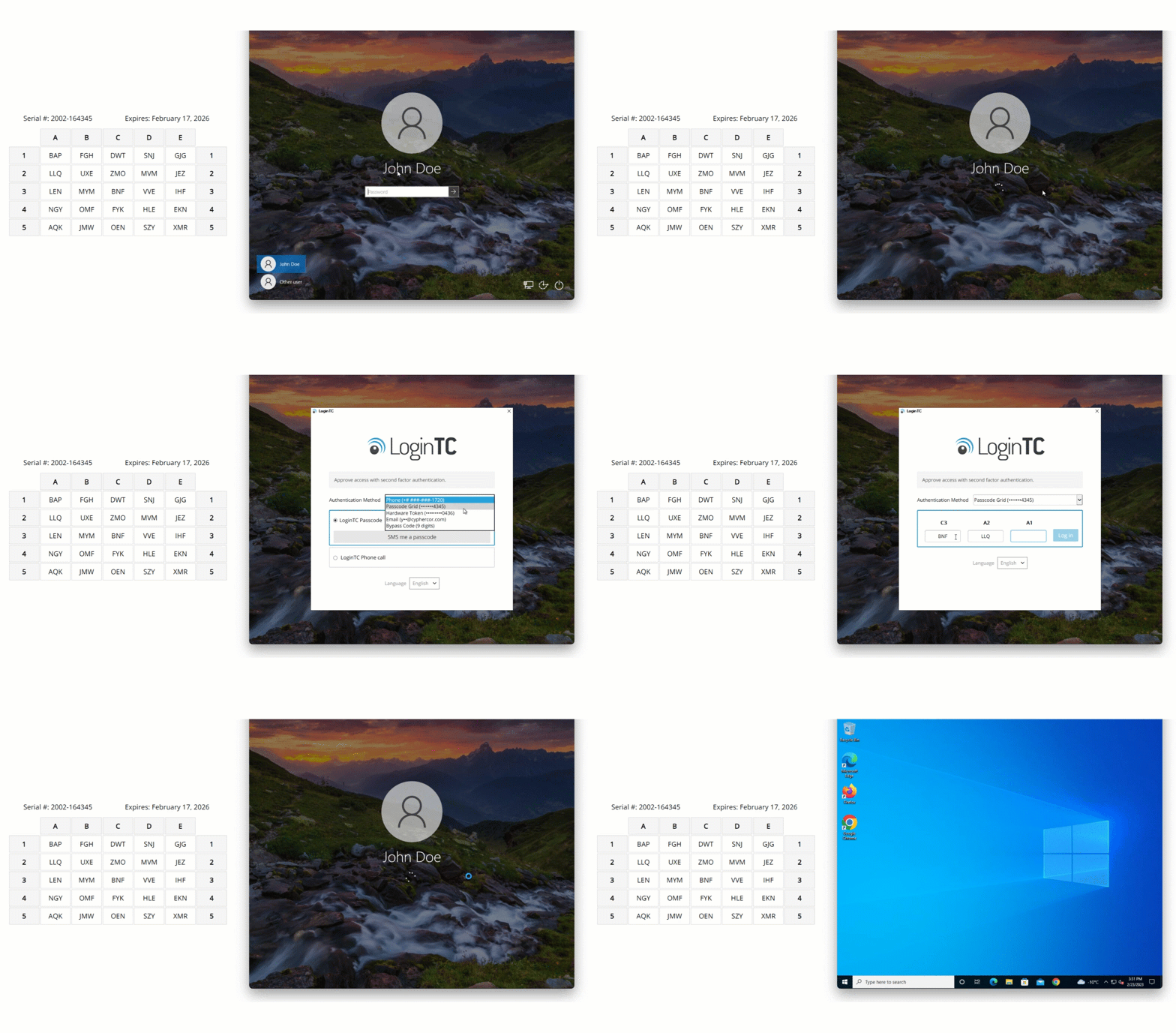
Passcode Grid user experience with Windows Logon
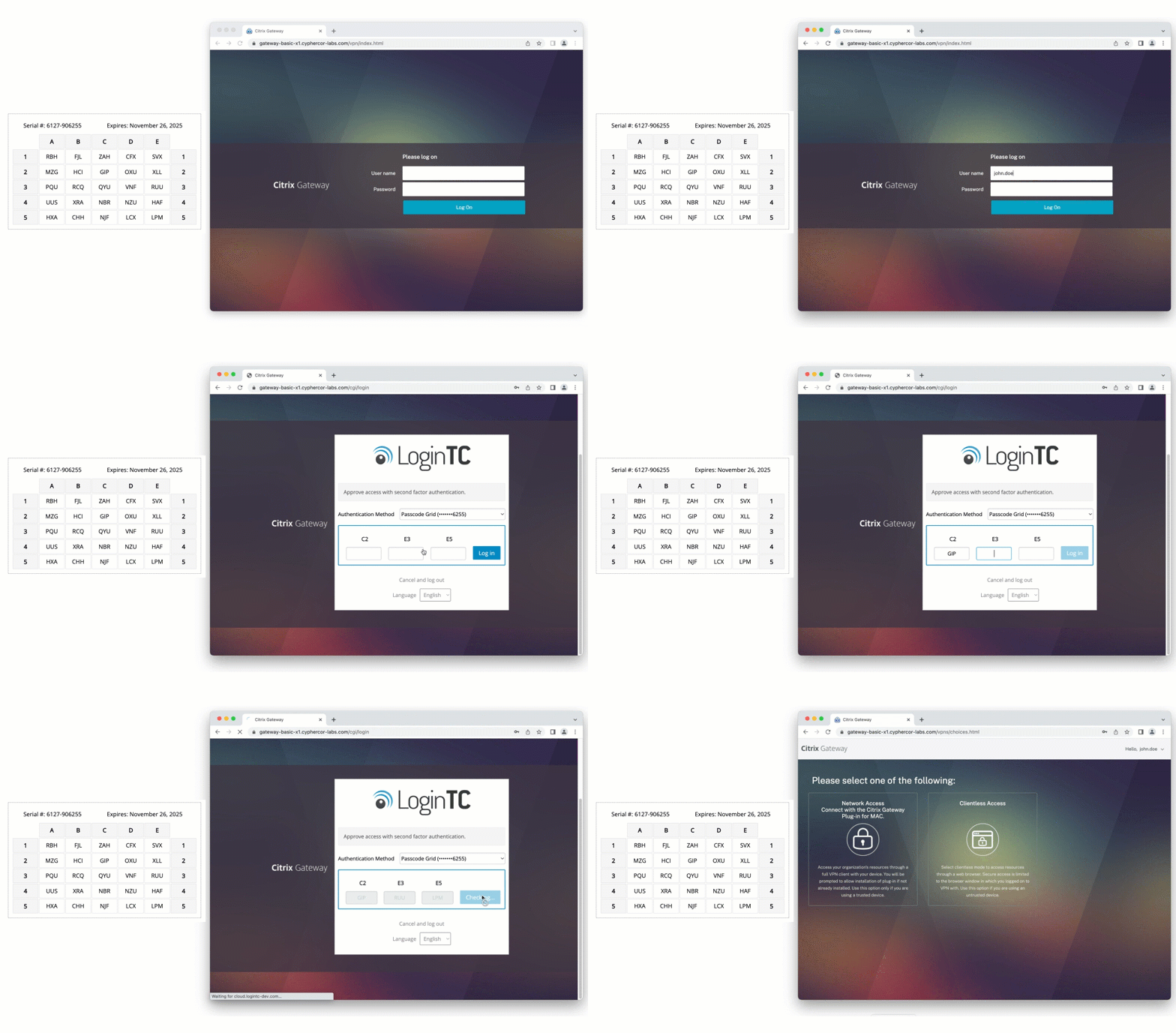
Passcode Grid user experience with Citrix
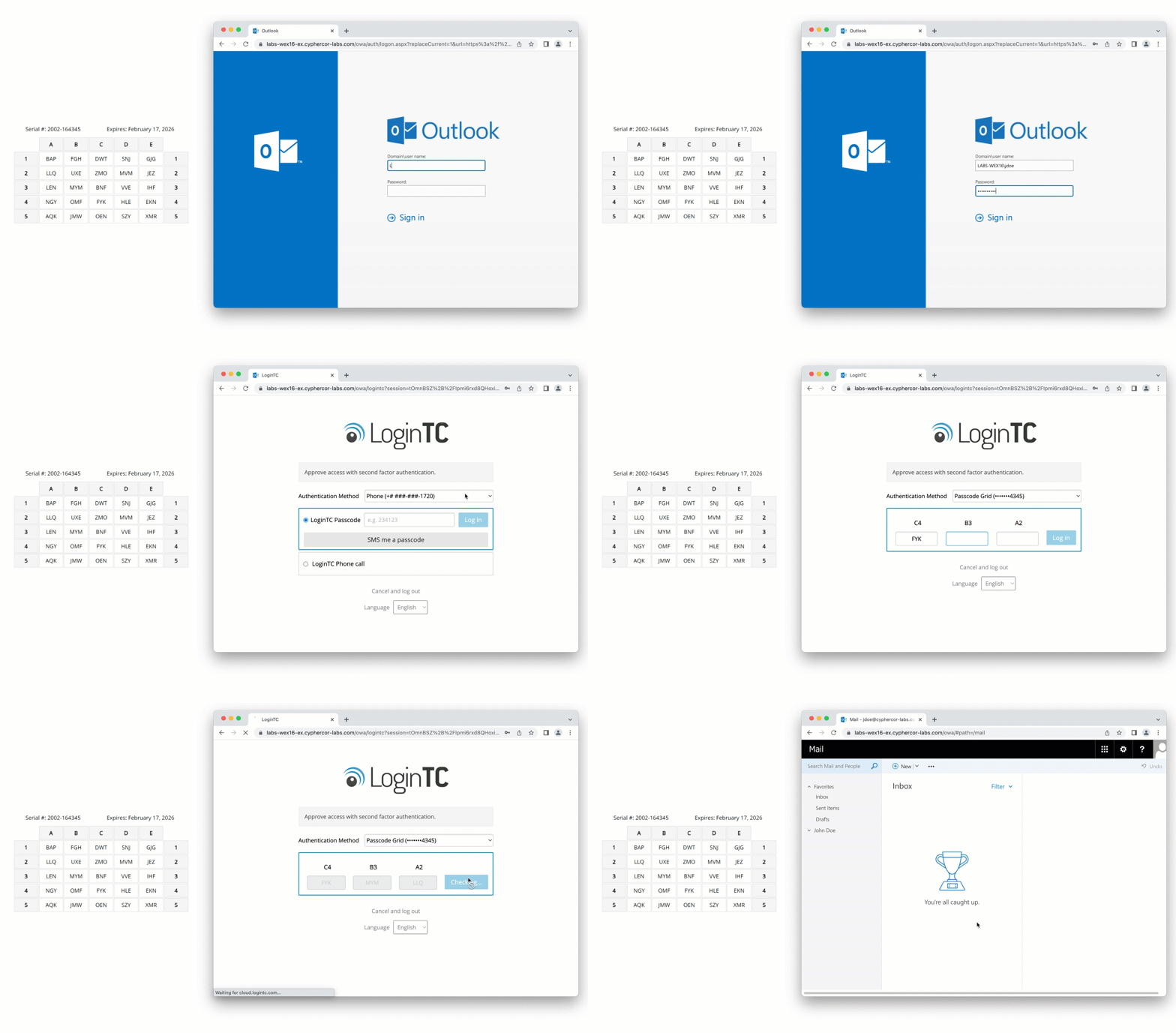
Passcode Grid user experience with OWA
Although grid cards have a long history in government and military applications, the modern challenge lies in managing them at scale. Providing grids to a handful of users is simple, but coordinating thousands of users requires more sophisticated management tools.
As the user base grows, so does the complexity of tracking assignments, managing reprints, and ensuring the legibility of the printed cards. Our recent development efforts have focused specifically on addressing these operational hurdles.
Enhancing the LoginTC Passcode Grid Experience
LoginTC recognizes that passcode grids are the optimal choice for many underserved sectors, and we have enhanced our offering to better serve these needs. The latest updates are a direct result of feedback from the education and critical infrastructure sectors regarding bulk management and output quality.
The following sections detail the specific improvements we have implemented to streamline the administrative experience and improve reliability for the end users who depend on these grids daily.
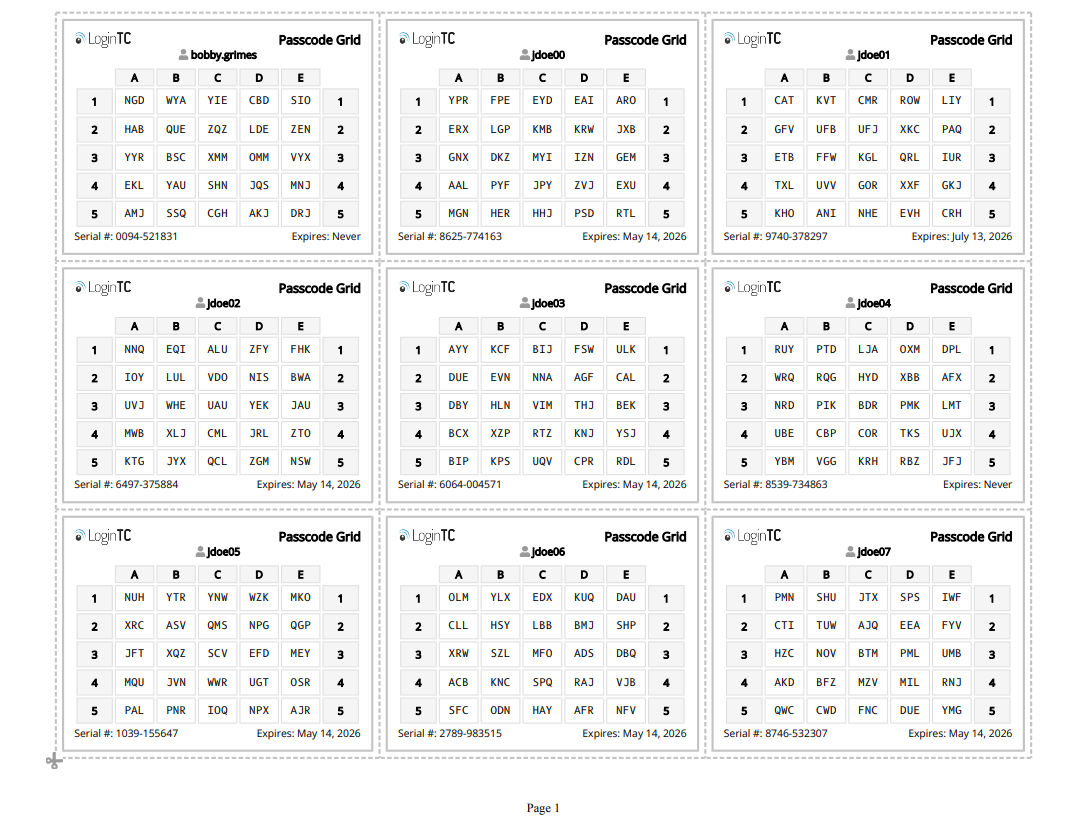
Monospaced Font on Passcode Grids
In the past, the 3-character tuples in Passcode Grids were generated in a standard sans-serif font. This font made some character combinations, especially those containing the letters “I” or “J”, more difficult to read.
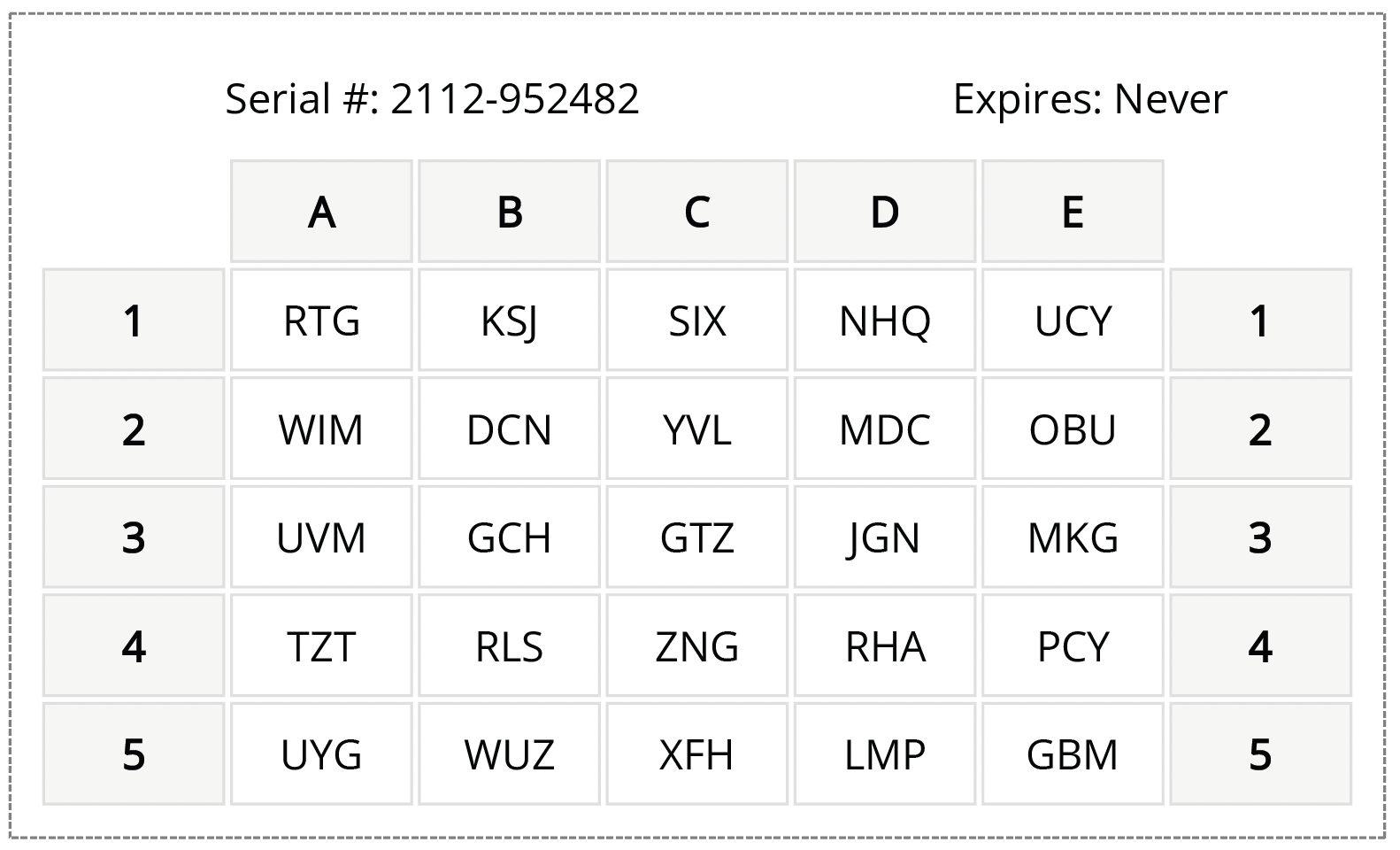
Drawing on accessibility and readability guidelines, the Passcode Grid characters are now generated in a mono-spaced font.
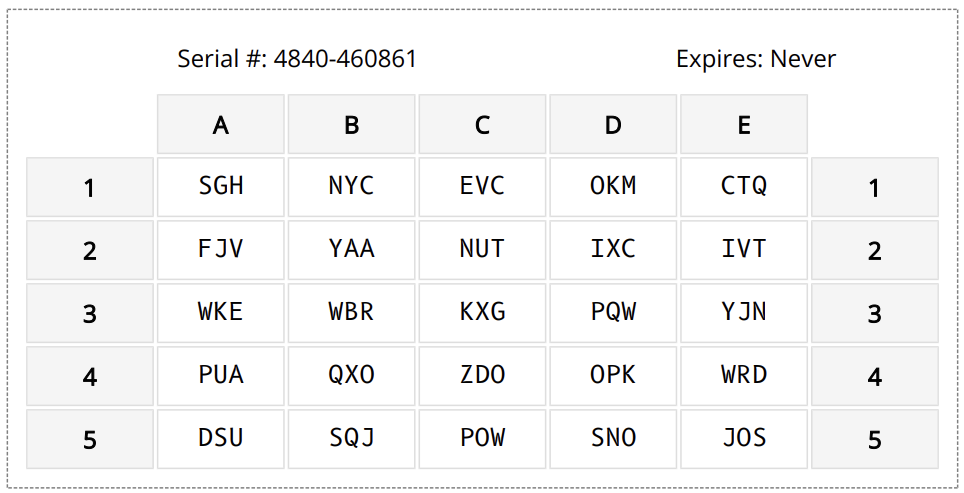
This ensures all letter combinations are equally easy to read and reduces the rate of user error in inputting the tuples.
Bulk Print Passcode Grids
Previously, Passcode Grids could only be printed or downloaded one at a time. This functionality worked for organizations with a smaller user base, but for large organizations distributing hundreds of passcode grids at once, this method needed improvement.
The latest update now enables administrators to bulk print or download passcode grids.
From the Passcode Grids tab in the left-hand sidebar of the LoginTC Admin Panel, grids can first be filtered by domain or group ahead of bulk printing.
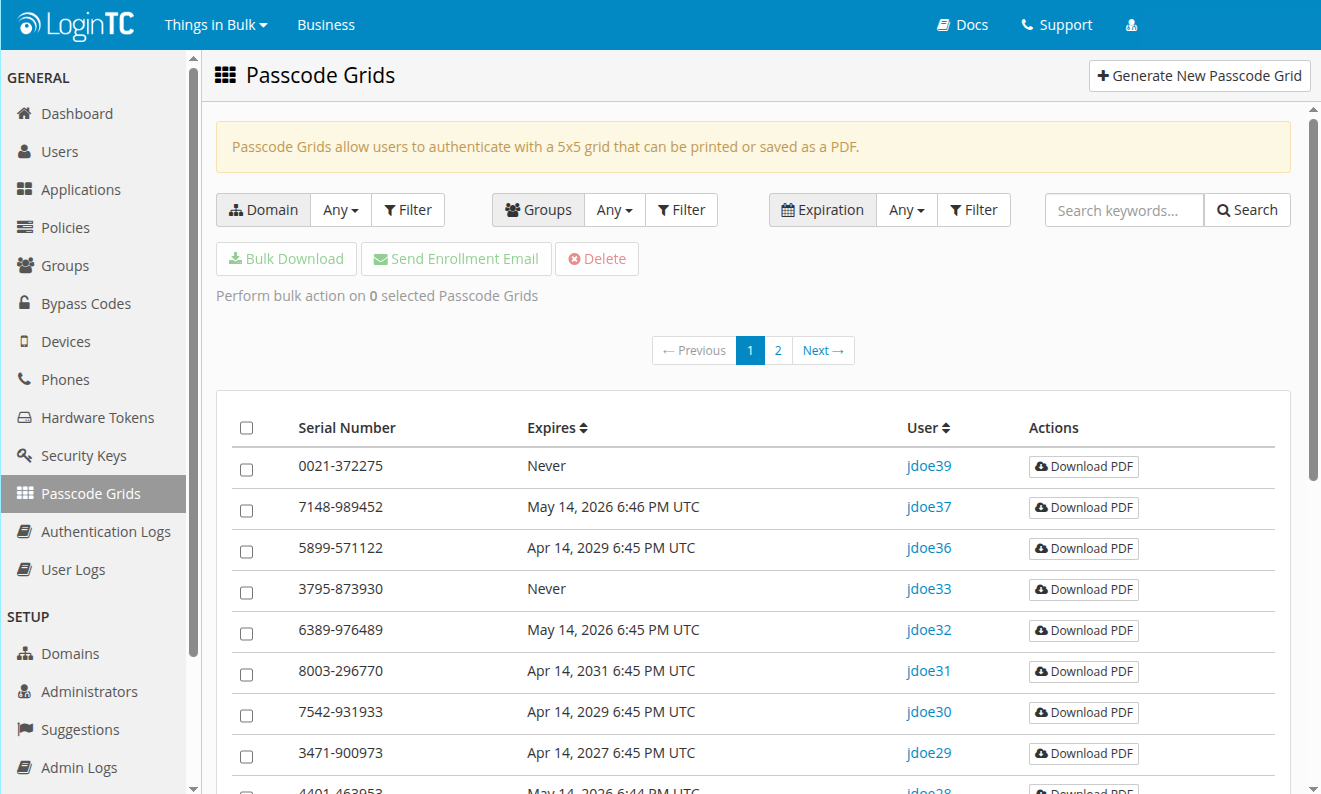
Administrators can then click Bulk Download and from the dialogue window that appears, select the Print Format as either One Per Page or Multiple per Page.
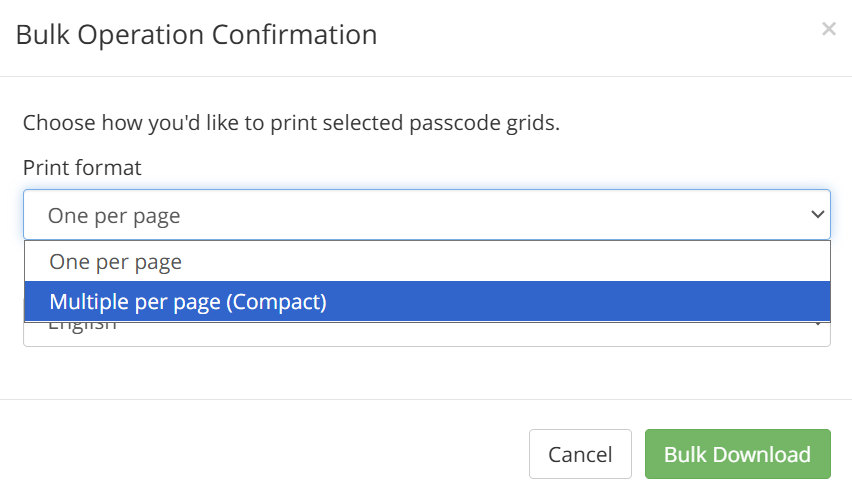
For bulk download, administrators can choose between compact or normal format depending on the particular need. Once printed, the passcode grids can be cut out and distributed to the correct users.
Passcode Grid Expiration Management
The latest update also includes improvements to how administrators can manage the expiration of passcode grids in bulk.
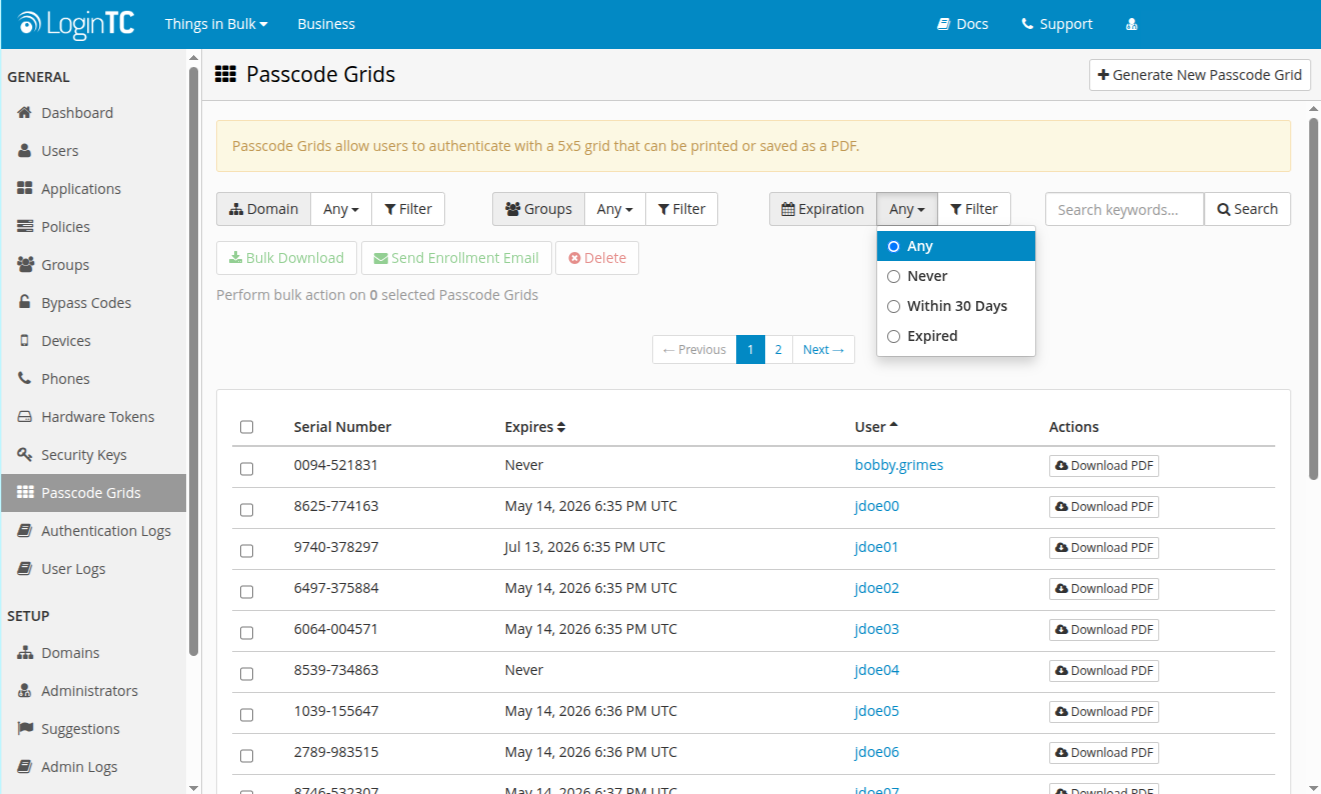
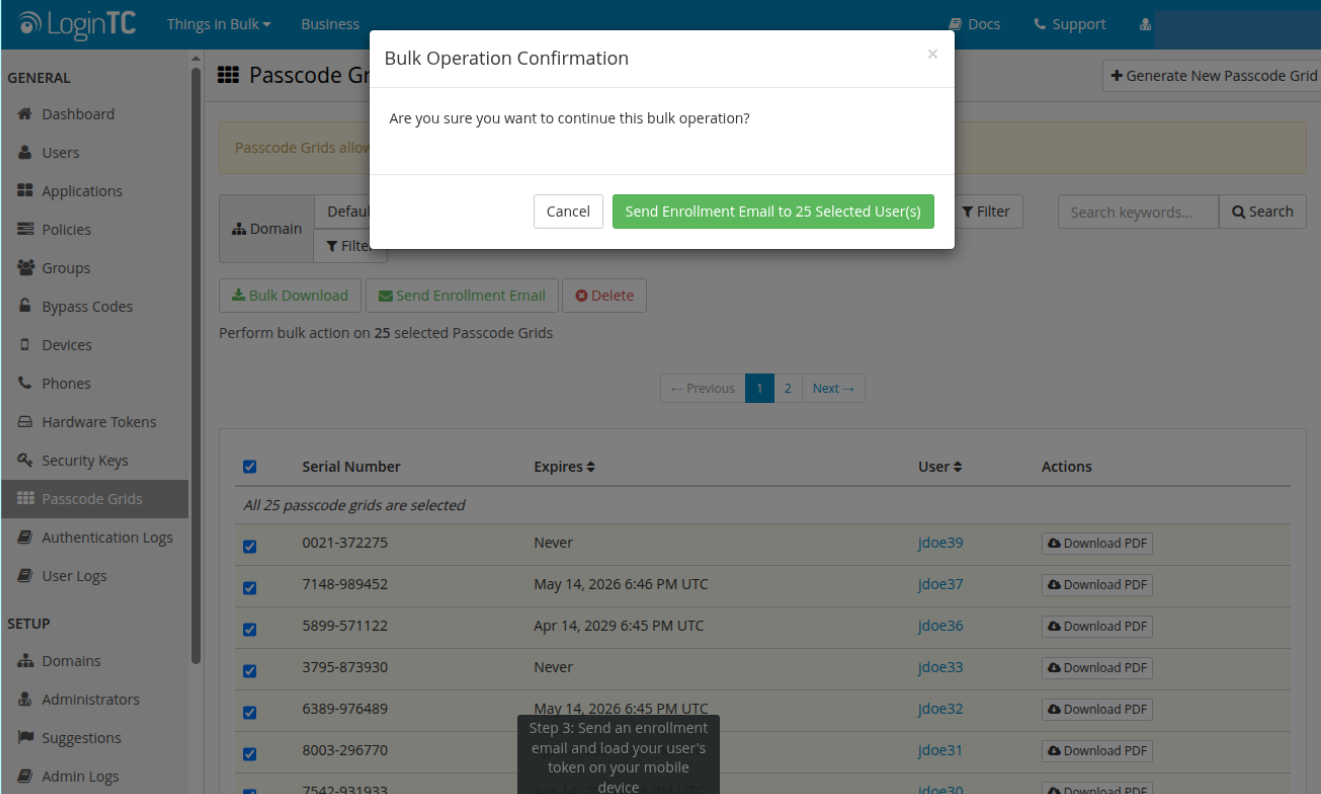
Bulk expiration management now lets administrators filter Passcode Grids by expiration date. It also allows administrators to bulk send enrollment emails to users.
Next steps
If your organization operates in a space where smartphones are prohibited, internet connectivity is unreliable or nonexistent, hardware token programs are cost-prohibitive, or you simply need to extend strong authentication to a very large number of users without complexity, passcode grids are worth a serious look. This includes OT and industrial environments, air-gapped and classified networks, on-premises deployments with no cloud dependency, school districts and educational institutions, and any organization that needs offline-capable MFA at scale.
These are not edge cases we accommodate reluctantly. They are use cases we have built for deliberately, and the improvements in this release reflect that commitment directly.
If you’re evaluating authentication options for an environment like this, we’d like to hear about it. The organizations we work with in these sectors tend to have specific, non-negotiable constraints, and we’d rather spend time understanding yours than point you at a generic product page.
Book a demo with our team and let’s talk through what your deployment actually needs.