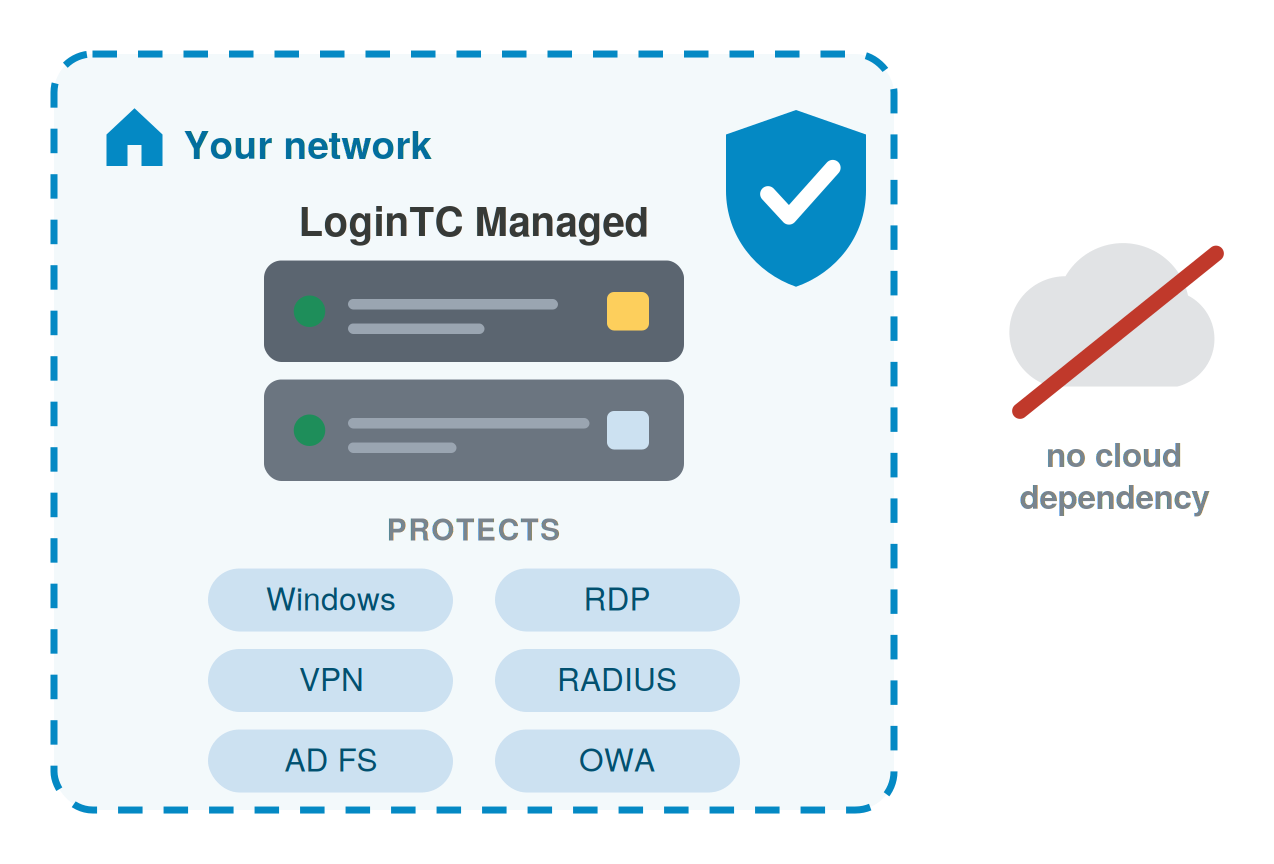
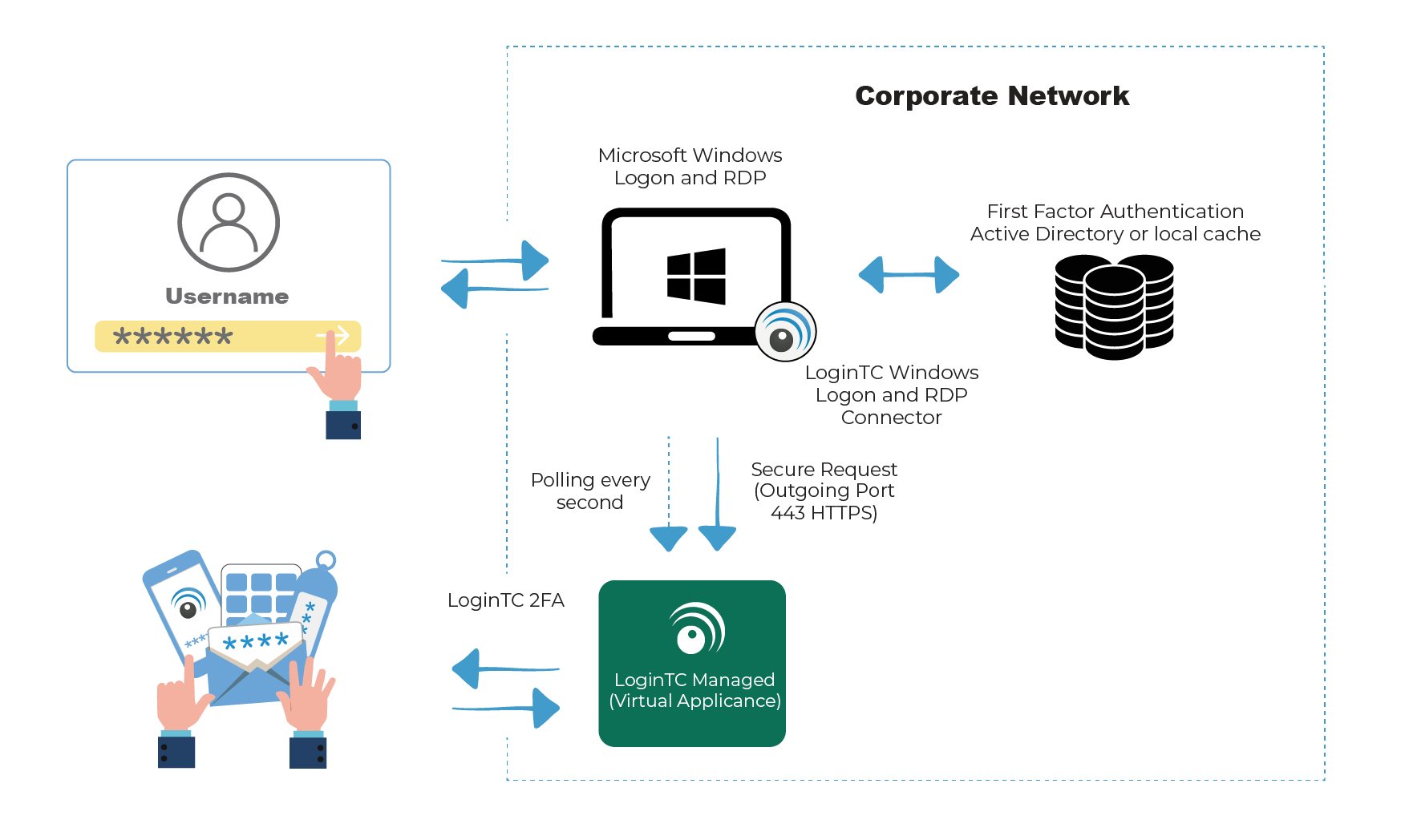
LoginTC Managed is an on-premises MFA solution: the authentication server runs inside your own network with no cloud dependency, and secures Active Directory, Windows logon, RDP, VPN and RADIUS access. On-Premises MFA with LoginTC Managed secures your critical infrastructure, operational technology (OT), air-gapped and zero-trust networks.
Easy to deploy anywhere
Choose any authentication method
Get hands-on support from MFA experts
Don’t trust your security to the public cloud. See how LoginTC Managed can protect you today.
Get the right On-Prem MFA solution
LoginTC Managed is a specialized, dedicated on-premise MFA solution built for air-gapped, zero-trust and compliance-driven environments.
Our engineers have been designing comprehensive MFA solutions since 2011, and support deployments in major government departments and critical infrastructure networks.
LoginTC is ISO 27001 Certified, ensuring our clients are protected by the highest information security standards in the world.
LoginTC Managed is the on-premises edition of LoginTC. It runs as a virtual appliance inside your own network, has no external dependencies, and works as a drop-in replacement for LoginTC Cloud with the LoginTC connectors.
Deployment: virtual appliance in OVA or VHD format, for VMware ESXi, VirtualBox or Hyper-V.
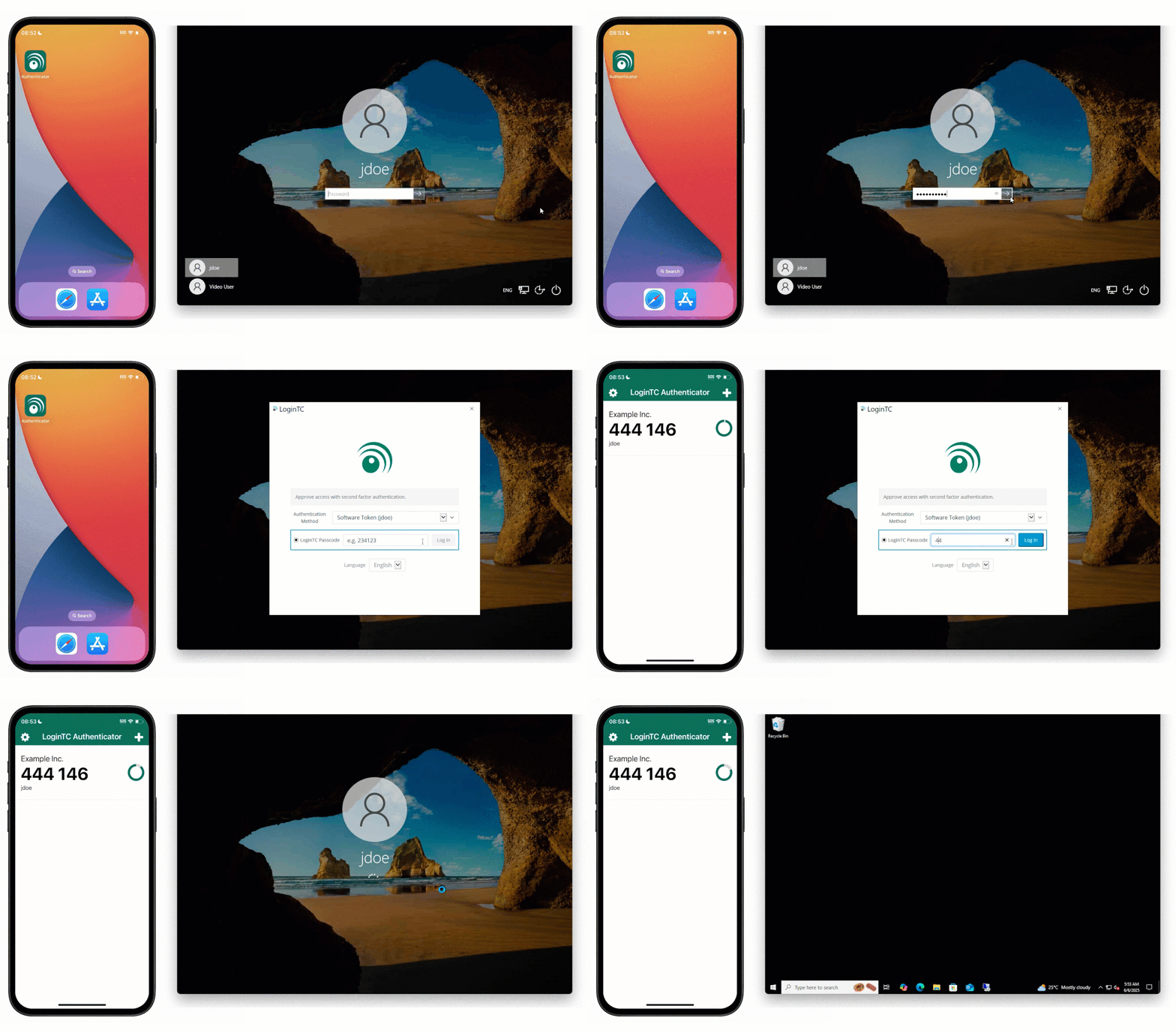
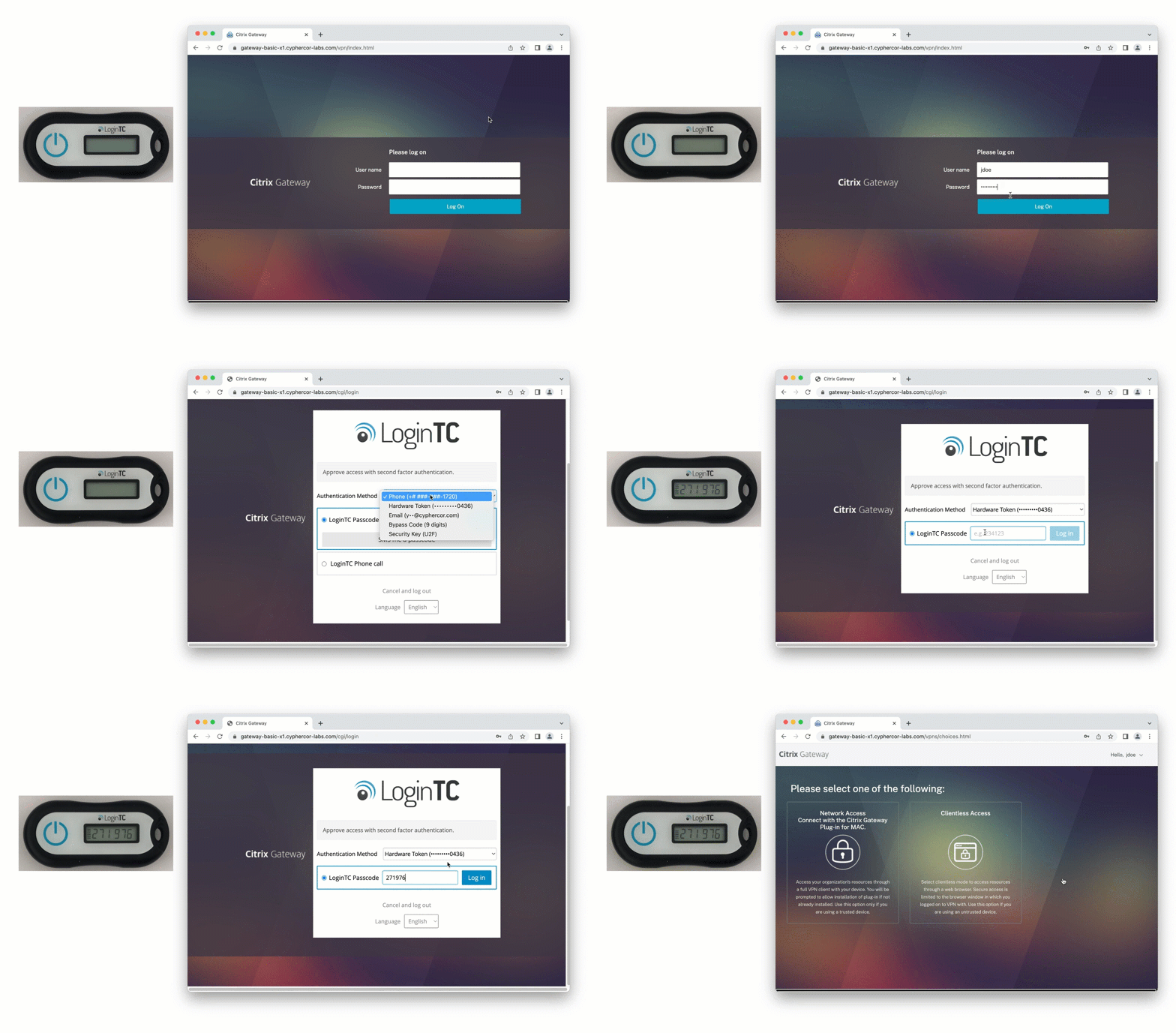
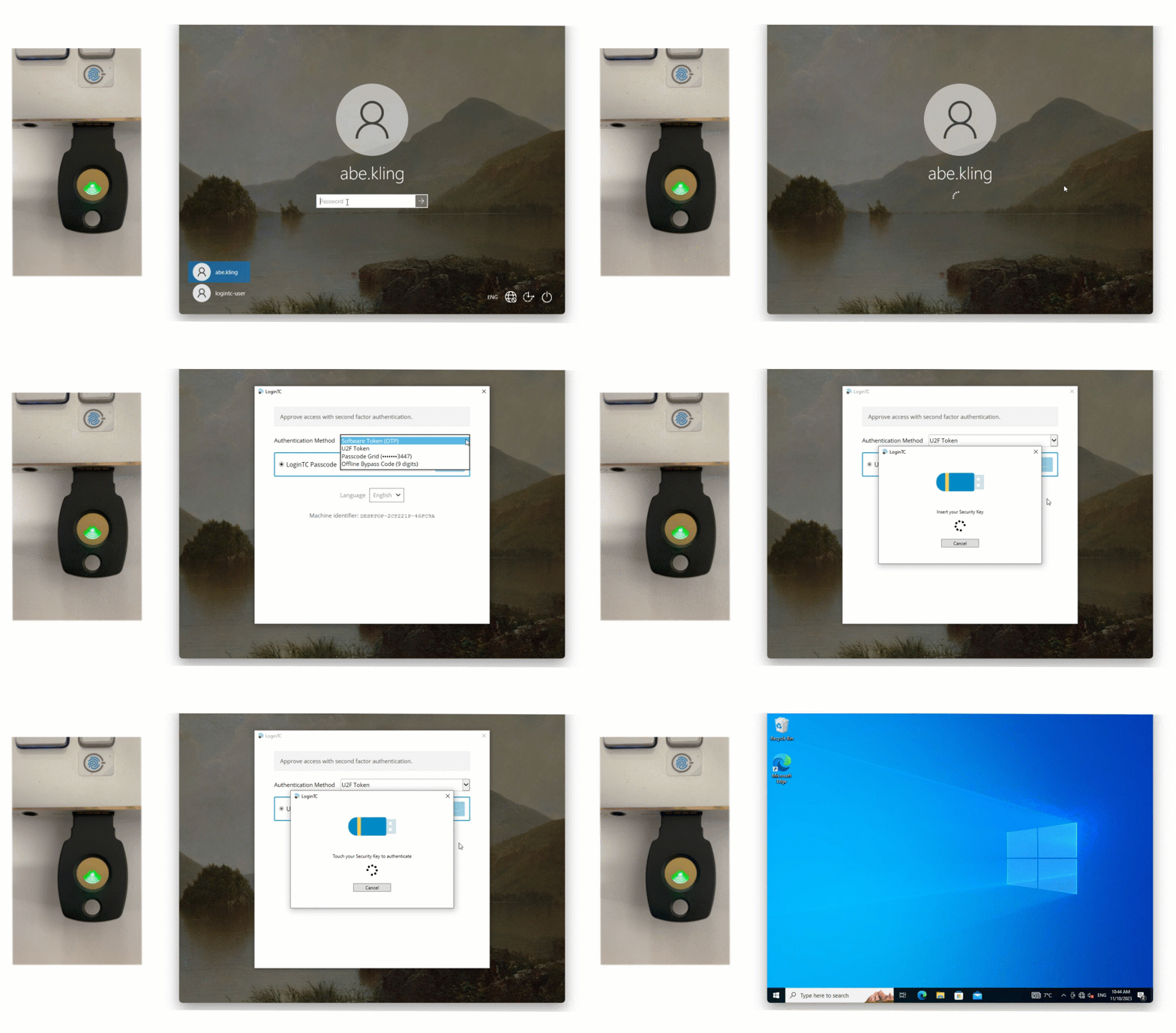
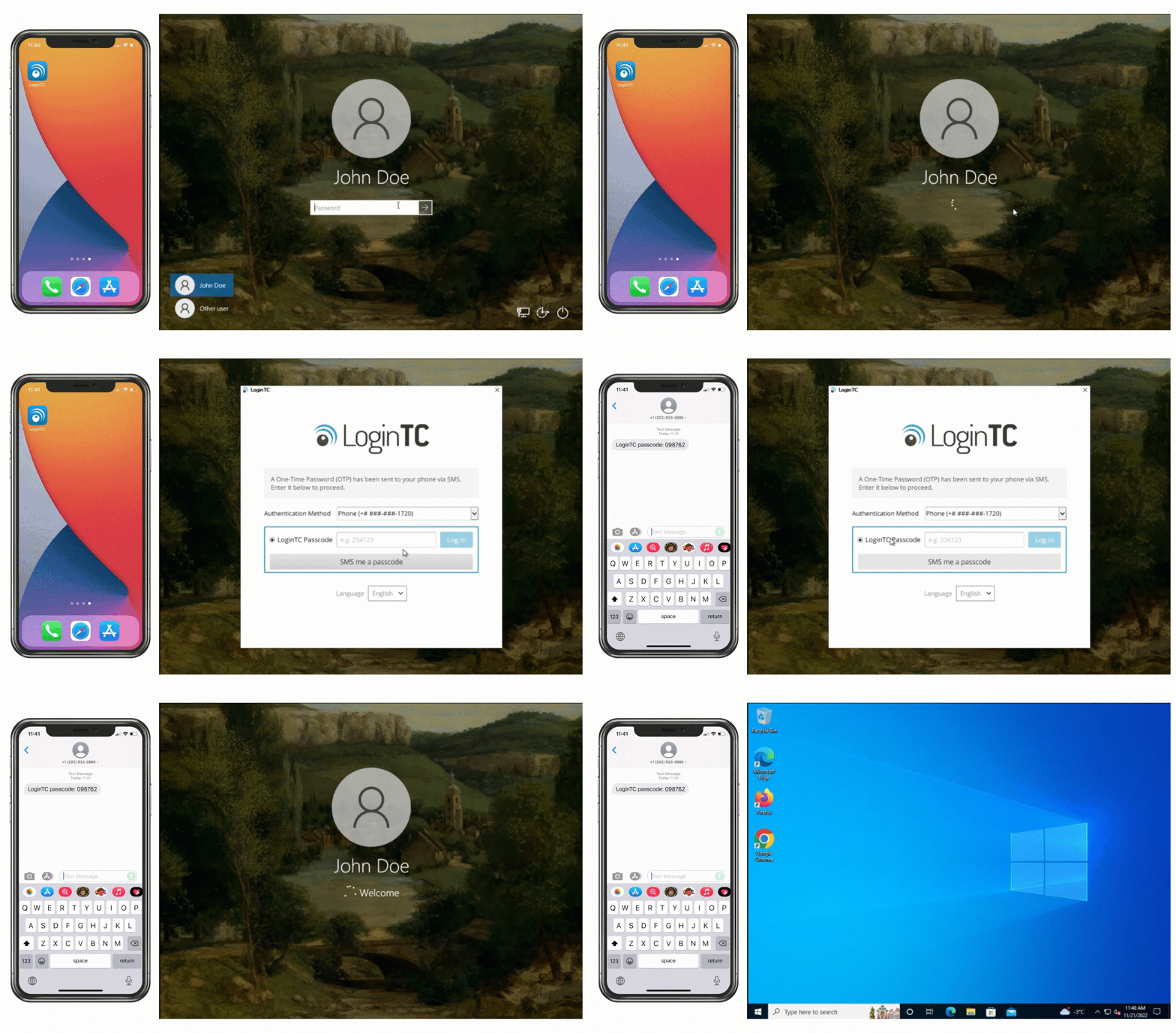
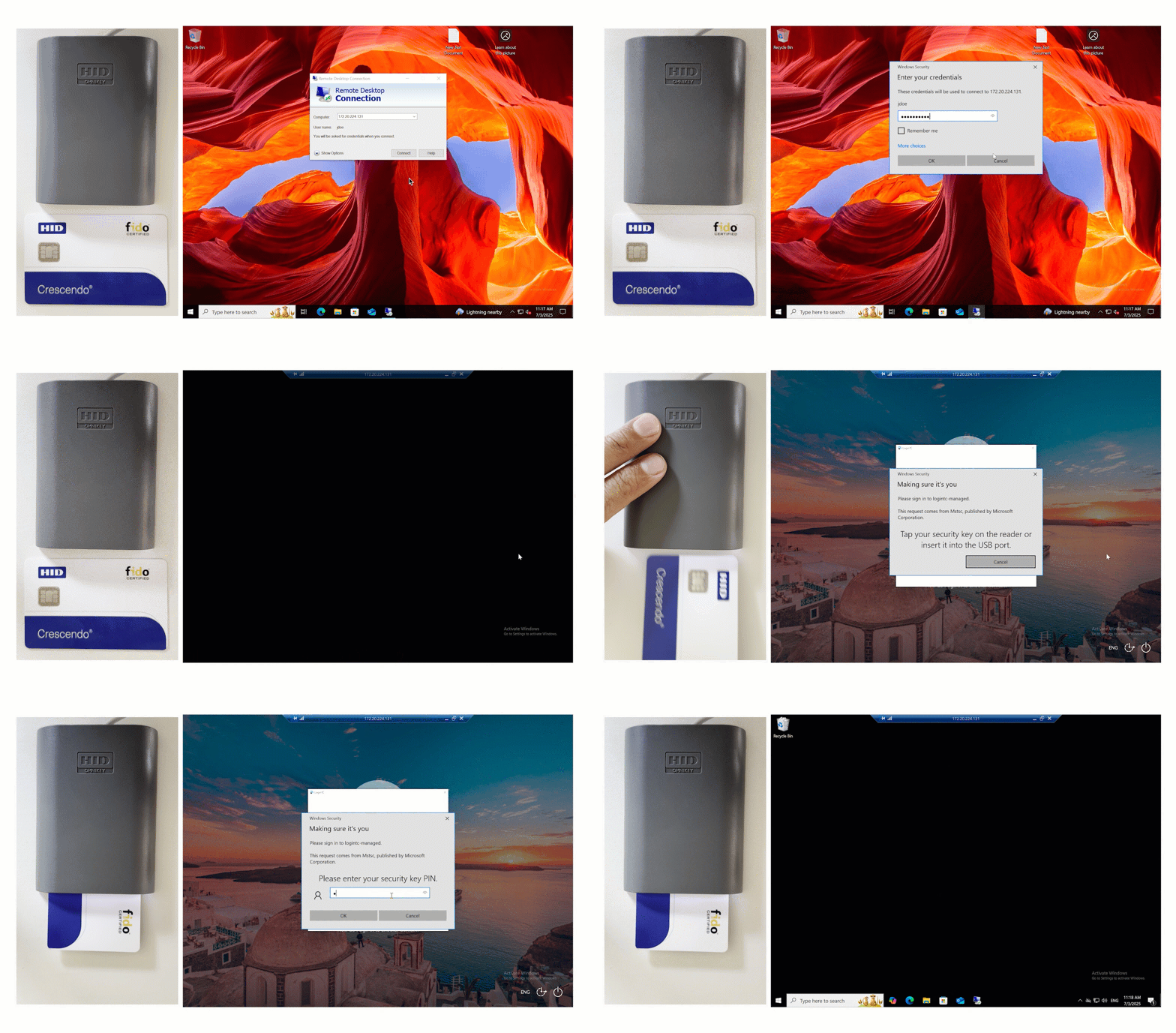
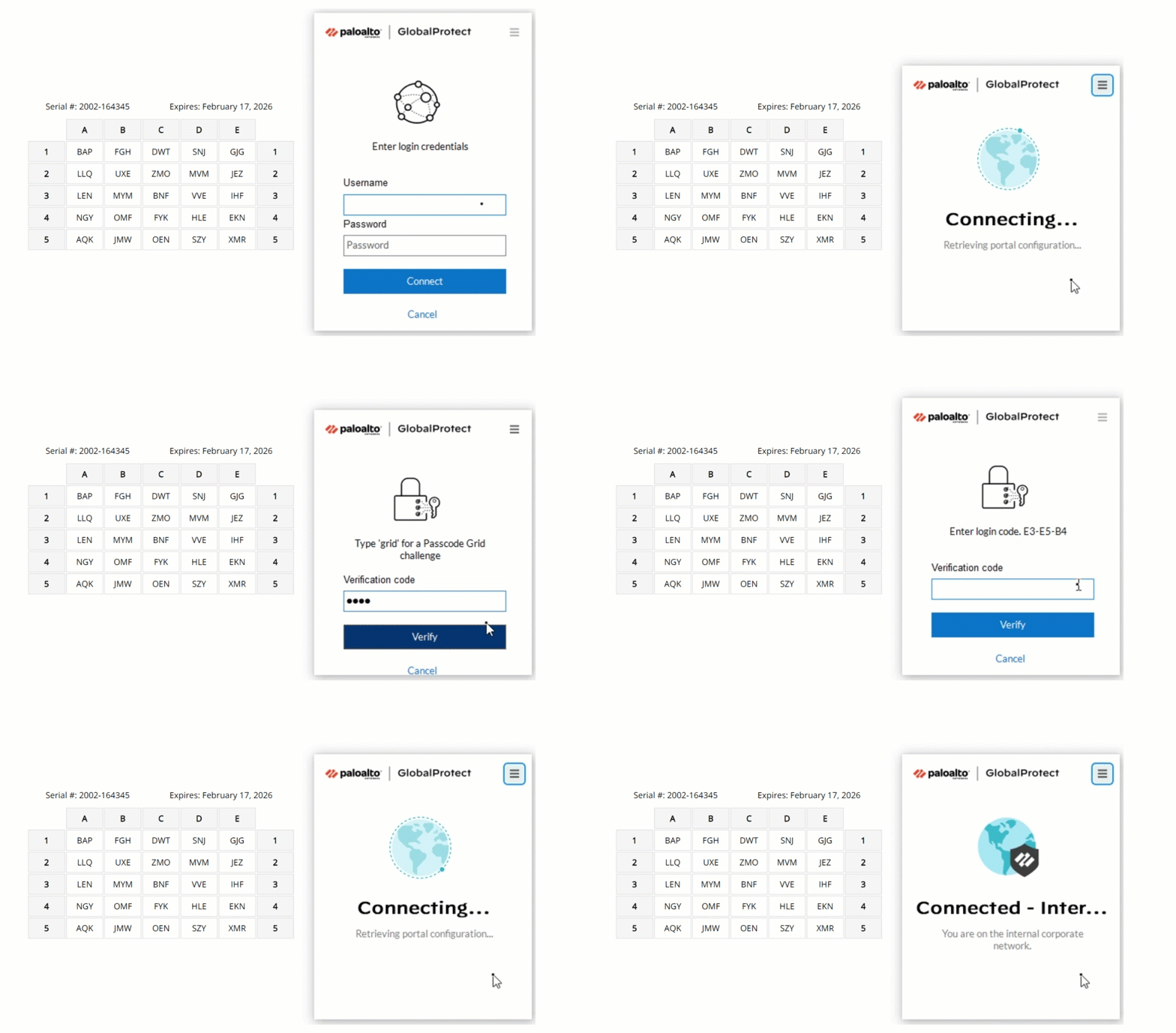
Offline login: software tokens, hardware tokens, passcode grids, security keys and offline bypass codes also work at the Windows login screen with no network connection.
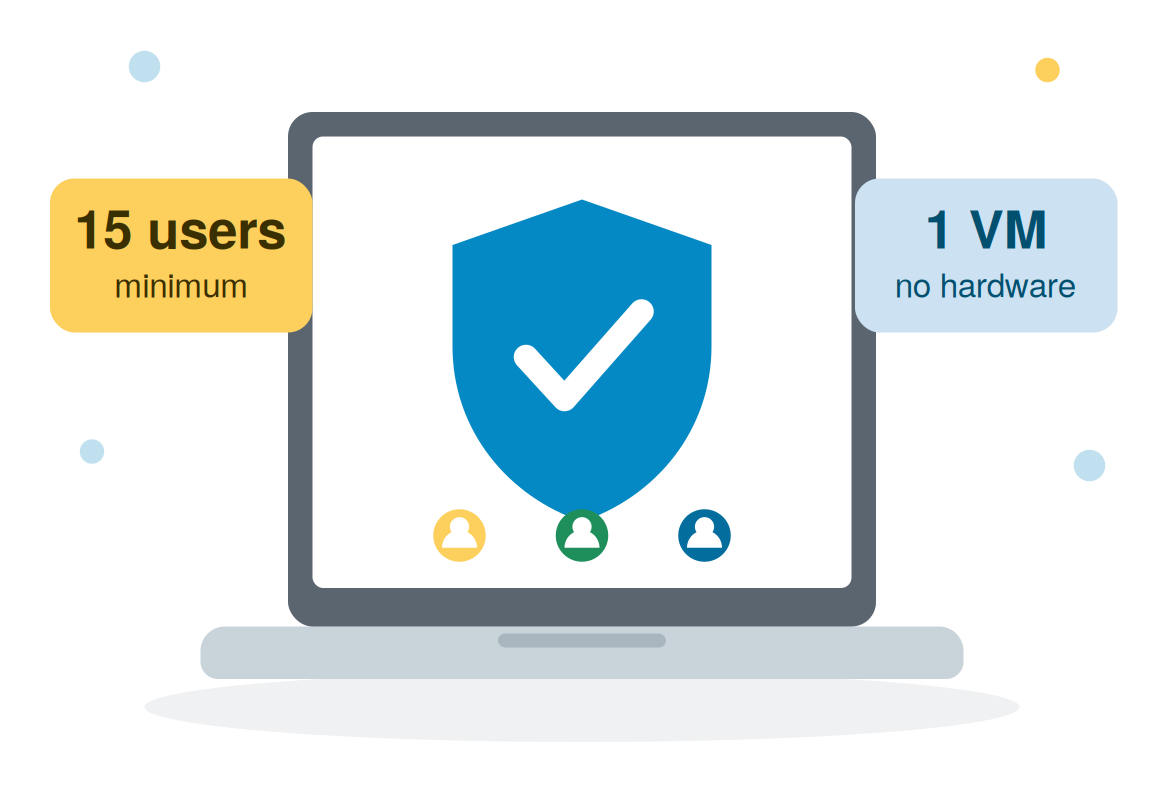
Price: $7 USD per user per month, billed annually, minimum 15 users in increments of 5.
Is LoginTC Managed a good fit for a small business?
Yes, if you run Active Directory, Windows servers, a VPN or other on-premises systems and want MFA that does not depend on the cloud. LoginTC Managed runs on one small virtual machine, there is no dedicated hardware to buy, and the minimum subscription is 15 users.
Cost: $7 USD per user per month, billed annually. At the 15-user minimum that is $1,260 a year.
Staff without a company phone: hardware tokens are $10 each, and passcode grids need no device at all.
Support: hands-on help with setup and deployment, online documentation, priority email and chat, and 24/7/365 support for critical issues.
Get enterprise-grade solutions without the enterprise-sized headache.
LoginTC Managed has been built with “plug-and-play” capabilities natively integrated. The solution has built-in configurations that allow you to deploy easily and fast. Smart configurations during deployment allow you to test each change as they happen, speeding up troubleshooting and ensuring a smooth deployment each time.
Take advantage of our on-prem MFA experts know-how with comprehensive integration assistance and hands-on support from beginning to end.
Protect any appliance or service with On-Premise MFA
Achieve MFA compliance with CMMC 2.0 Level 2 and 3 using LoginTC Managed on-prem MFA.
With experience dating back to 2011 securing government contracts and helping our clients sell to governments, LoginTC Managed offers compliance-ready on-prem MFA and hybrid-cloud MFA solutions that meet your needs.
Leverage your existing infrastructure and add a layer of security to critical operations. With LoginTC Managed on-premises MFA, you can protect a wide range of applications and services including:
We offer hands-on support for your setup and deployment. Our support includes online documentation, priority email, chat and 24/7/365 for critical issues.
How much does LoginTC Managed cost?
LoginTC Managed is $7 USD per user per month, billed annually, with a minimum of 15 users in increments of 5.Check out our pricing page (Managed tier). Contact us for a quote that meets your exact requirements.
What are the system requirements for LoginTC Managed?
A virtual machine with 2 CPU, 2048 MiB of RAM and 16 GiB of disk, running on VMware ESXi, VirtualBox or Hyper-V. LoginTC Managed is supplied as a virtual appliance in OVA or VHD format.
Does LoginTC Managed support push notifications?
Not currently. LoginTC Managed supports authenticator apps (TOTP), FIDO2 security keys, hardware tokens, passcode grids, email passcode and bypass codes, all of which work with no external dependencies.
Does LoginTC Managed work with RD Gateway?
Yes, with the LoginTC RD Gateway SSO Connector. Using the LoginTC RADIUS Connector with RD Gateway is not supported, because that mode relies on push notifications.
Can LoginTC Managed replace Azure MFA Server?
Yes. Azure MFA Server is deprecated and Microsoft’s recommended replacement is cloud-based Entra multifactor authentication. If your MFA has to stay on-premises, LoginTC Managed runs inside your own network and covers the integrations Azure MFA Server was commonly used for: RADIUS for VPNs and firewalls, Windows logon and RDP, AD FS, Outlook Web App, RD Web Access and RD Gateway. See Azure MFA Server in 2026: what IT admins need to know.
Book a Demo
See LoginTC Managed in action. Book a demo with our integration team to see how LoginTC Managed can meet your on-prem MFA needs.
Start your free trial today. No credit card required.













 Total Control
  ISO 27001
  Authentication method options
  Compliance
  Easy to Use
  Cost-Effective