Air-gapped MFA adds multi-factor authentication to networks that have no connection to the internet. LoginTC Managed does this as a virtual appliance that runs entirely inside the isolated network: it has no external dependencies, it is licensed with a file, and it is upgraded from a package you upload.
What is an air-gapped private cloud? It’s a fair question.
An air-gapped private cloud is a hybrid MFA solution that offers the benefits of SaaS MFA deployment with the security of privately managed infrastructure.
It enables air-gapped networks to use common cloud providers for deployment, such as:
Get enterprise-grade solutions without the enterprise-sized headache.
LoginTC Managed has been built with “plug-and-play” capabilities natively integrated. The solution has built-in configurations that allow you to deploy easily and fast. Smart configurations during deployment allow you to test each change as they happen, speeding up troubleshooting and ensuring a smooth deployment each time.
Take advantage of our on-prem MFA experts know-how with comprehensive integration assistance and hands-on support from beginning to end.
How LoginTC Managed runs with no internet connection
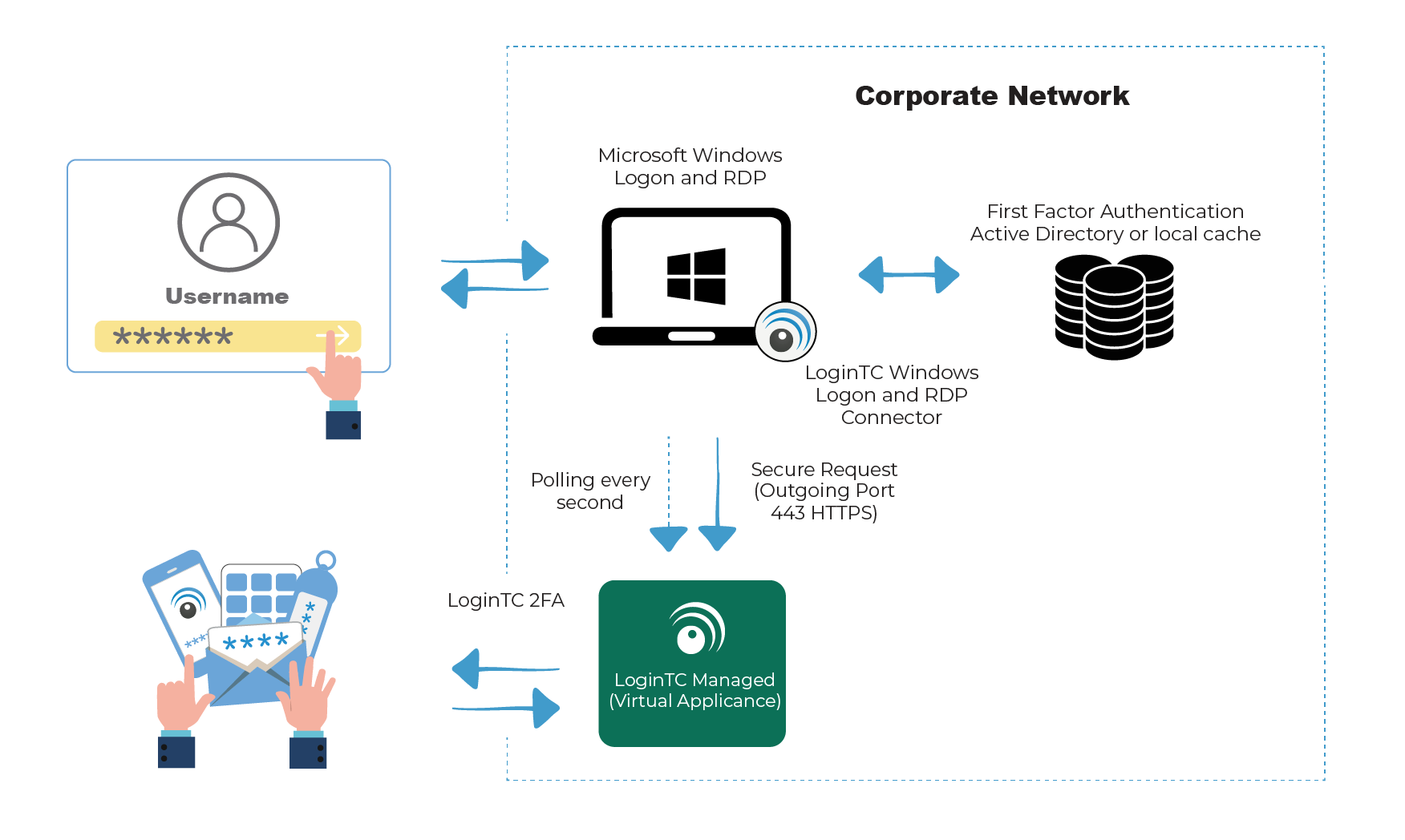
Everything LoginTC Managed needs runs inside your network. Here is what an air-gapped deployment involves:
Deployment: a virtual appliance in OVA or VHD format for VMware ESXi, VirtualBox or Hyper-V, sized at 2 CPU, 2048 MiB RAM and 16 GiB of disk.
Licensing: send us the appliance ID, import the license file we return. No activation server.
Upgrades: upload the upgrade package in the admin panel and install it. An upgrade takes 10 to 15 minutes.
Time: point the appliance at an NTP server inside your network. Time-based passcodes depend on it.
Email: enrollment emails and email passcodes use an SMTP relay you choose, so they can stay internal. Both are optional.
Directory: Active Directory or LDAP on your own network.
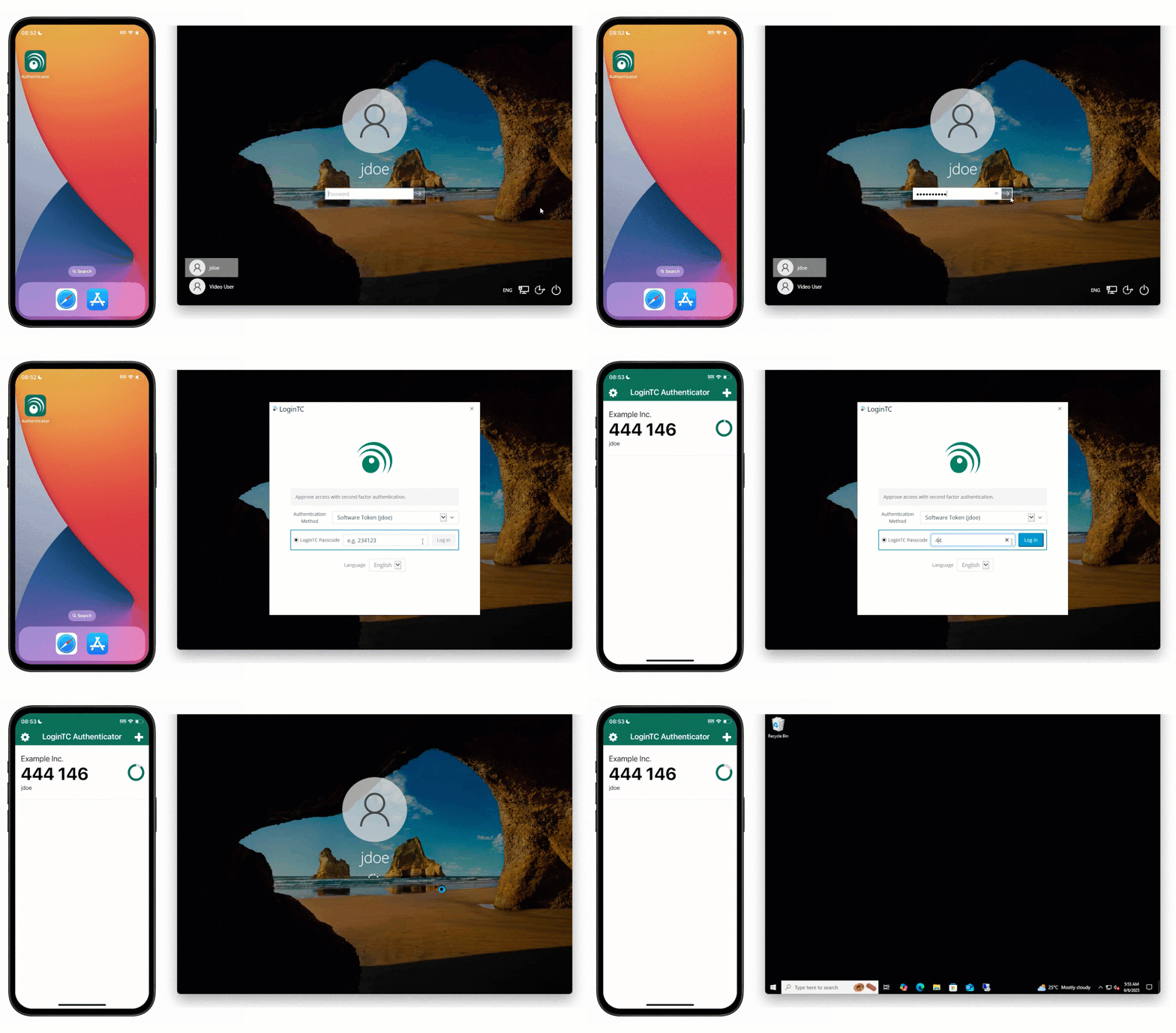
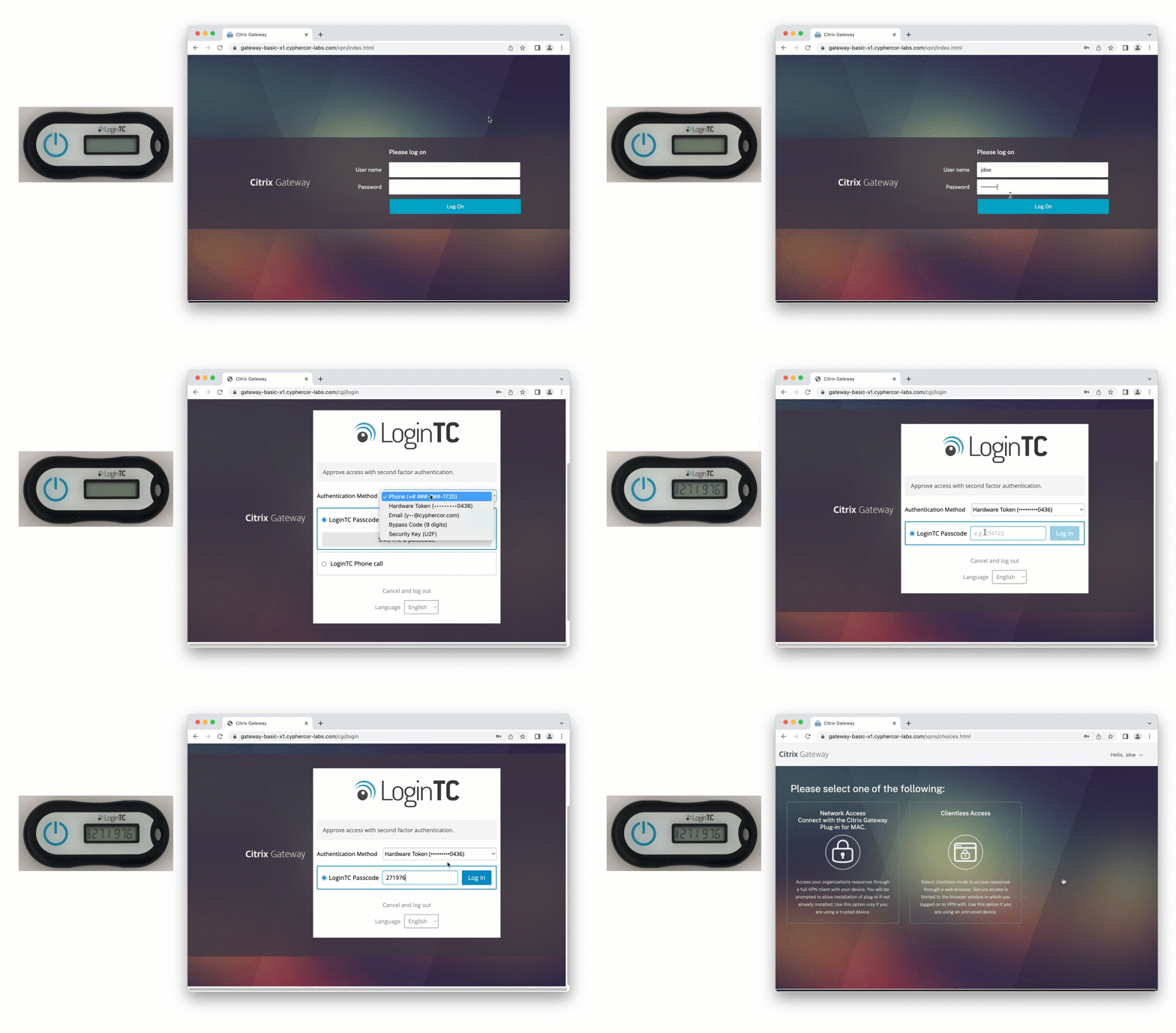
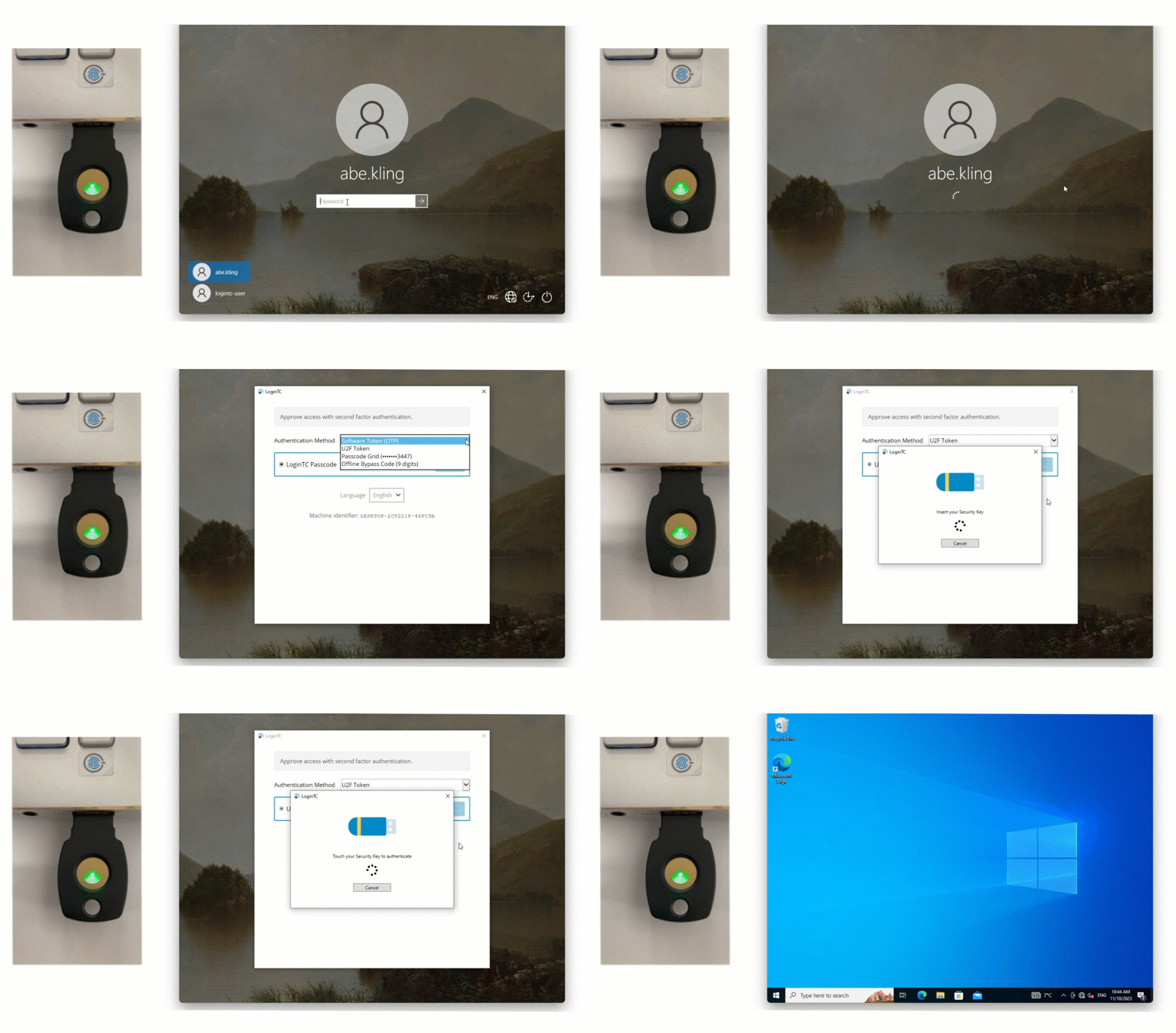
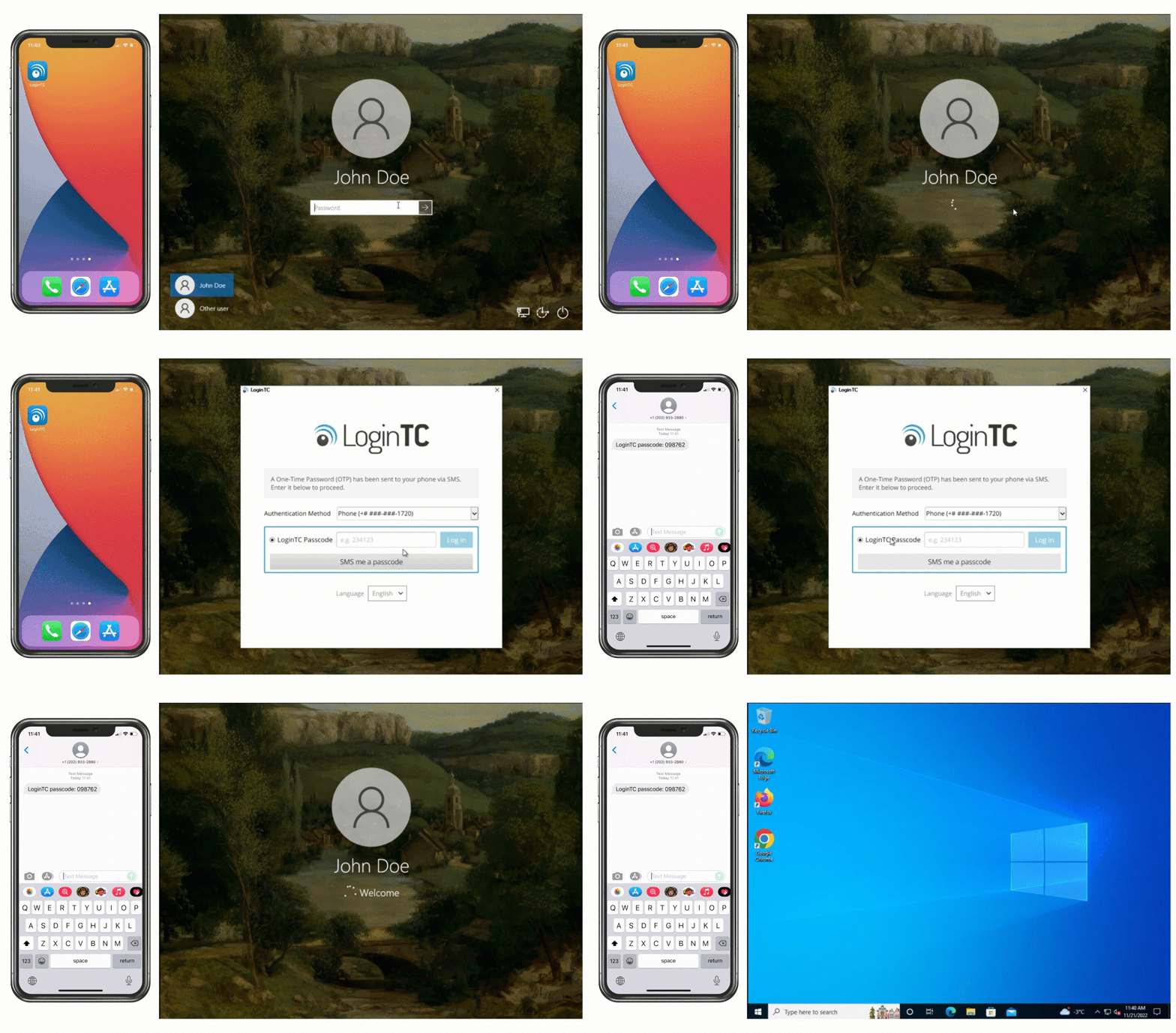
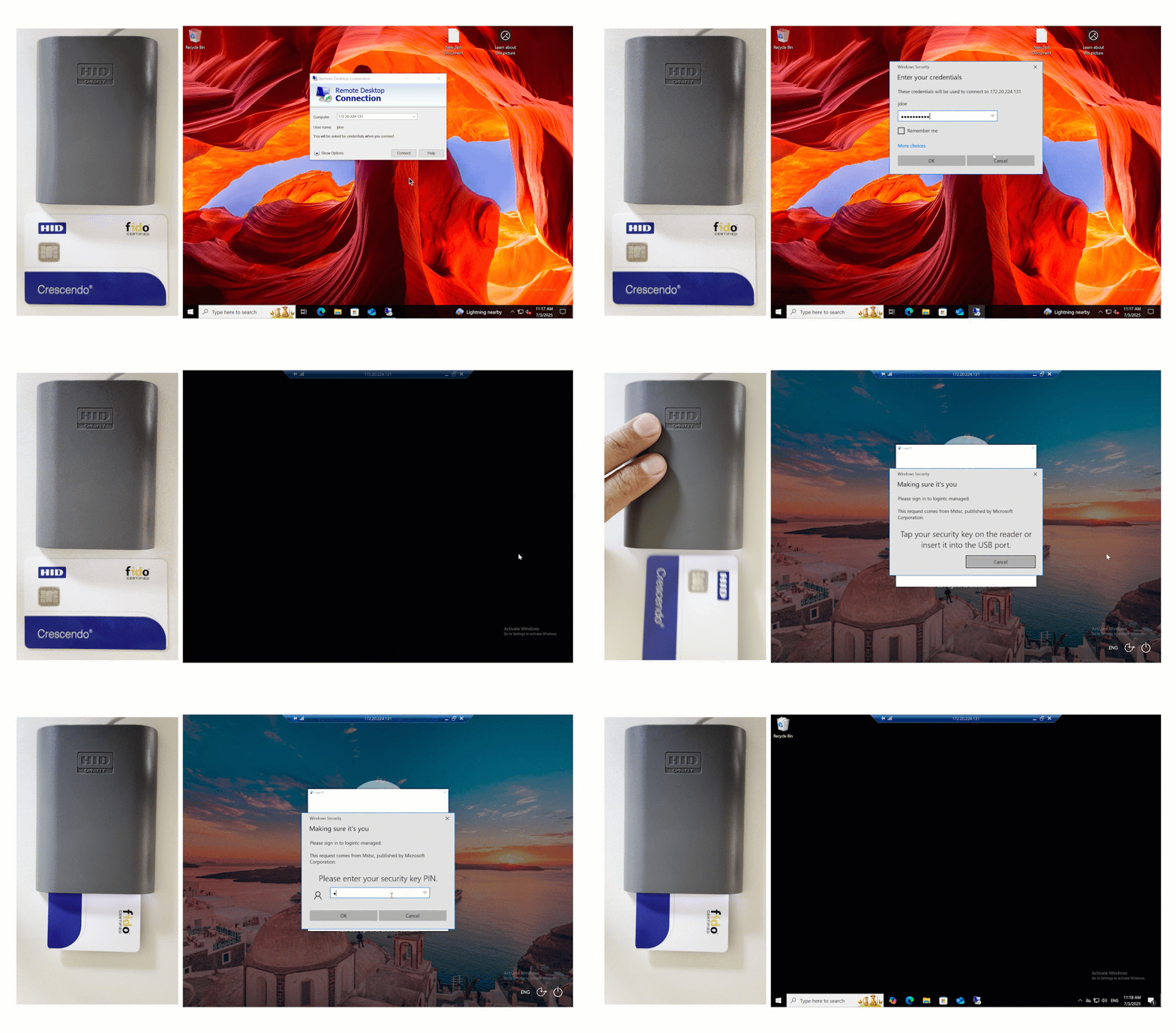
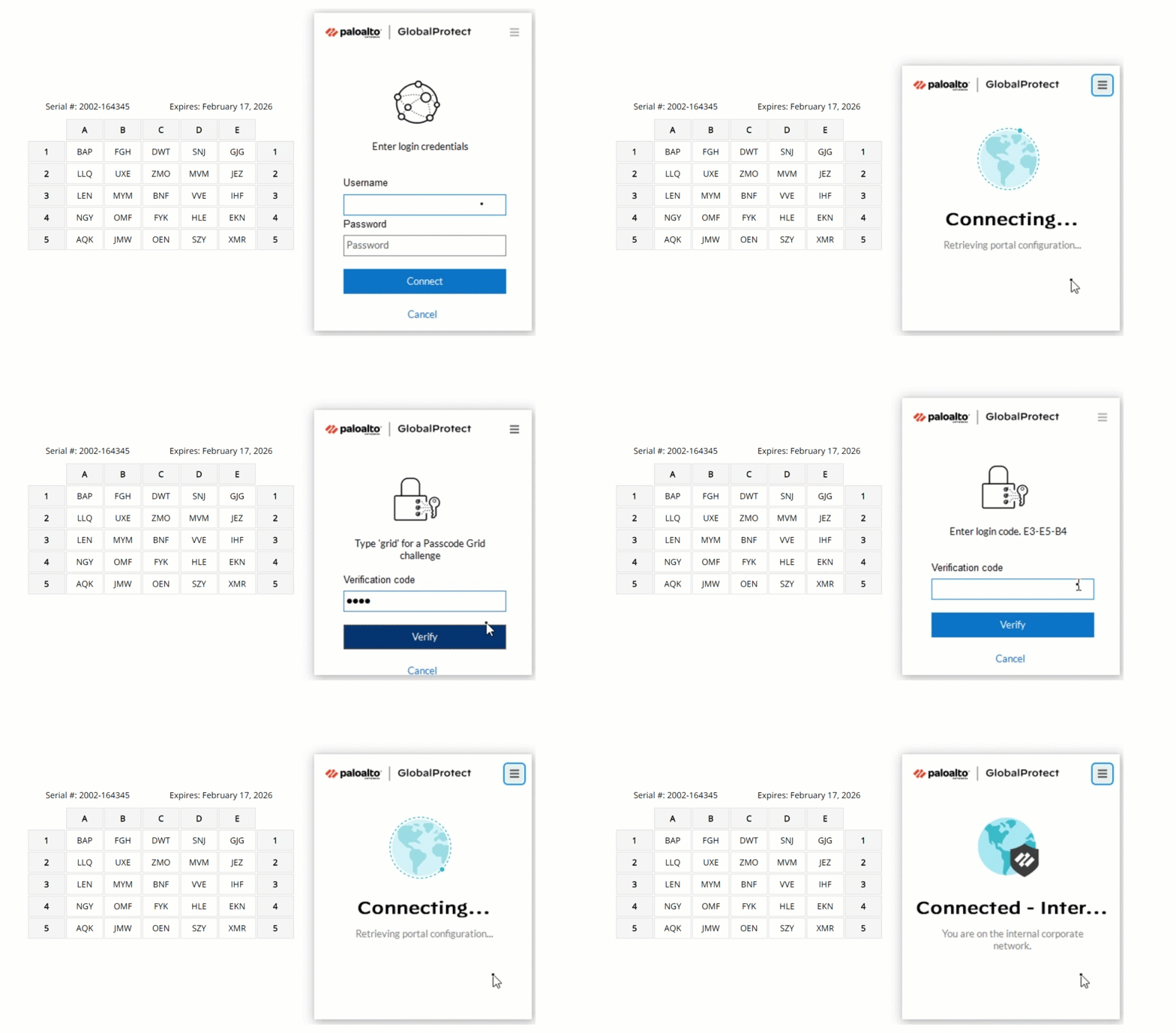
Methods with no device connectivity: hardware tokens, FIDO2 security keys, passcode grids and authenticator apps, plus offline bypass codes at the Windows login screen.
Price: $7 USD per user per month, billed annually, minimum 15 users.
Leverage your existing infrastructure and add a layer of security to critical operations. With LoginTC Managed air-gapped MFA, you can protect a wide range of applications and services including:
VPNs and Firewalls
Remote Access Services
Active Directory Federated Services (AD FS)
Windows Logon
Outlook Web App (OWA)
Windows Remote Access
Legacy Devices
Don’t see your application on this list? There’s a good chance we still support it. Reach out for more information.
We offer hands-on support for your setup and deployment. Our support includes online documentation, priority email, chat and 24/7/365 for critical issues.
How much does LoginTC Managed Air-Gapped MFA cost?
How do you update LoginTC Managed in an air-gapped network?
Upgrades are delivered as a package file. You carry it into the isolated network, upload it under Appliance > Upgrade in the admin panel and click Install. The upgrade takes 10 to 15 minutes. No connection to LoginTC is needed.
What does LoginTC Managed need inside the network?
A virtual machine with 2 CPU, 2048 MiB of RAM and 16 GiB of disk on VMware ESXi, VirtualBox or Hyper-V, and an NTP time source. An SMTP relay and Active Directory or LDAP are optional and can both be internal.
Does LoginTC Managed work with RD Gateway?
Yes, with the LoginTC RD Gateway SSO Connector. Using the LoginTC RADIUS Connector with RD Gateway is not supported, because that mode relies on push notifications.
Book a Demo
Book a demo with our integration team to see how LoginTC Managed can meet your Air-Gapped MFA needs.
Start your free trial today. No credit card required.
















 Total Control
 ISO 27001
 Authentication method options
 Compliance
 Easy to Use
 Cost-Effective