LDAP Support with LoginTC MFA
December 04, 2025 •
Last month, we expanded the LoginTC RADIUS Connector with new options to strengthen how organizations authenticate users across their network infrastructure. Today, we’re taking another step toward broader compatibility and more flexible MFA deployment.
We’ve added an LDAP and LDAPS proxy to the LoginTC RADIUS Connector. This upgrade allows organizations to layer LoginTC MFA onto systems and devices that rely solely on LDAP/LDAPS for authentication, extending protection beyond traditional RADIUS-based workflows.
With this enhancement, administrators can now integrate LoginTC with a wider range of applications, streamline their authentication architecture, and bring MFA coverage to parts of their environment that previously couldn’t support it.
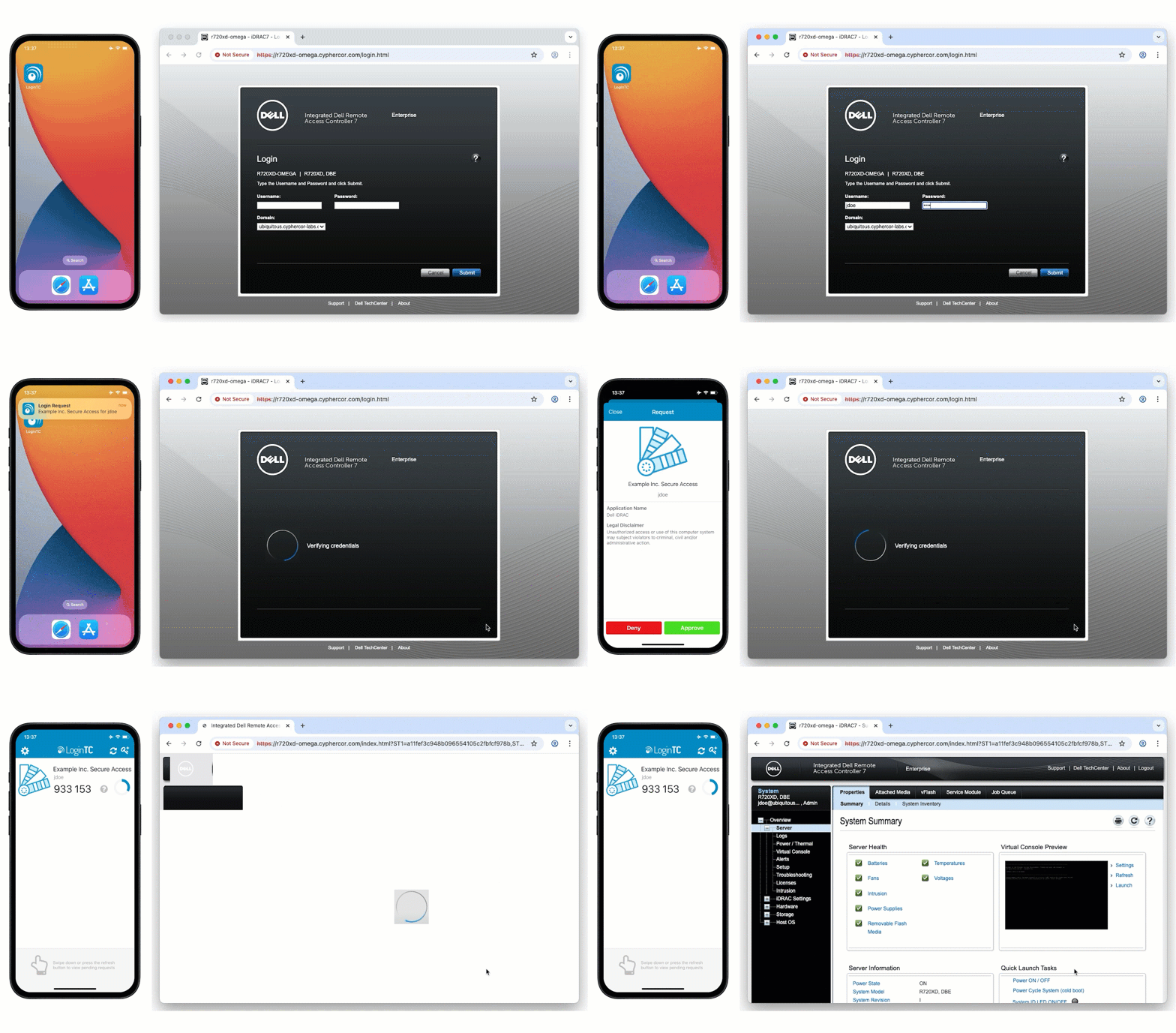
The LDAP proxy enables you to add MFA in places you didn’t think possible.
How does the LDAP proxy work?
Some VPNs, firewalls, and network appliances support RADIUS, but many non-VPN systems only authenticate using LDAP. The LDAP proxy closes that gap.
The LoginTC RADIUS Connector can now receive LDAP bind requests and securely forward them to a backend LDAP server. During that LDAP bind, the connector triggers LoginTC MFA before allowing the authentication to complete.
This allows organizations to enforce MFA on LDAP-only systems without rearchitecting existing identity infrastructure.
Supported protocols listen on the following ports:
- TCP 389 (LDAP)
- TCP 636 (LDAPS)
The configuration is managed through the LoginTC Admin Panel, where administrators can create a new endpoint and select LDAP instead of RADIUS. This selection is fixed once created to ensure a clean, predictable configuration path.
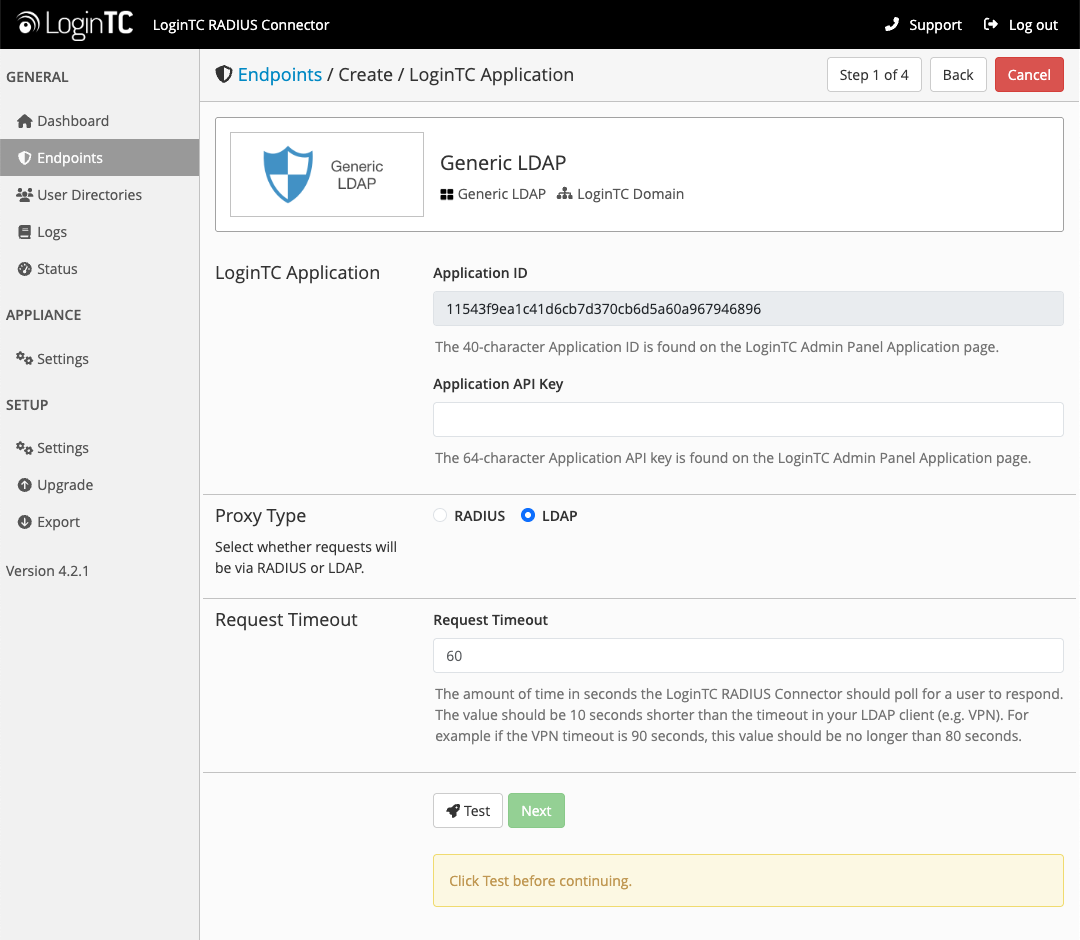
Check out the complete LDAP set-up documentation.
How LDAP authentication works
LDAP endpoints use Direct Authentication mode exclusively.
This means users authenticate using:
- password,<OTP>
- password,<bypass code>
- or simply password (triggering a LoginTC Push)
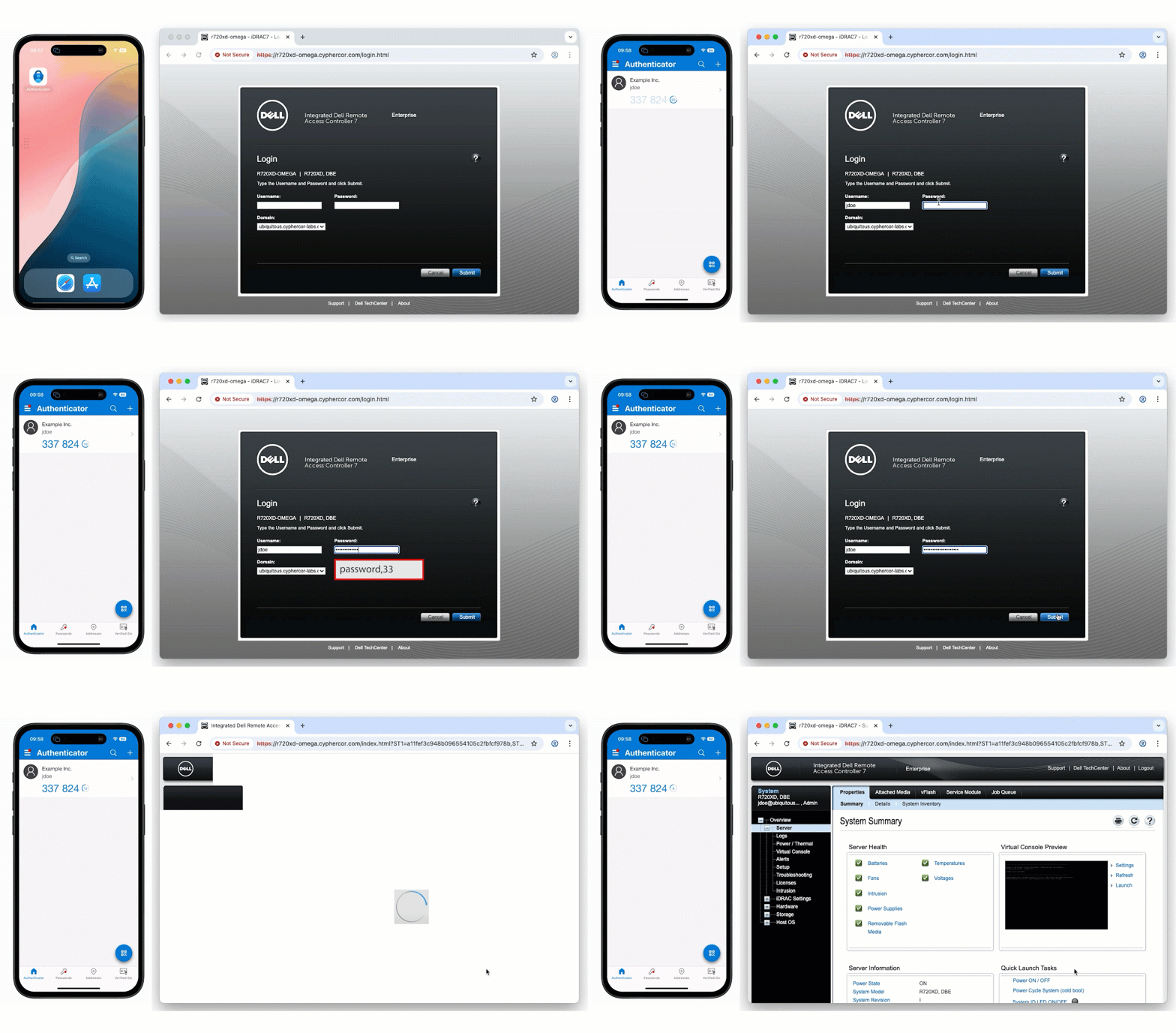
This mirrors the familiar direct-authentication logic already available within LoginTC, ensuring consistent behavior across both LDAP and RADIUS deployments.
What’s different for LDAP endpoints
To keep LDAP proxying simple and reliable, some RADIUS-focused features are disabled, while others are exclusive to LDAP endpoints.
Disabled for LDAP endpoints:
- User Directory must be LDAP
- User group attributes are not used
- Authentication mode is fixed to Direct Authentication
Available only for LDAP endpoints:
- Exempt primary bind, allowing specific use-cases where the initial bind should not be challenged with MFA.
- Exempt users, users matching specified usernames or distinguished names can be exempt from MFA.
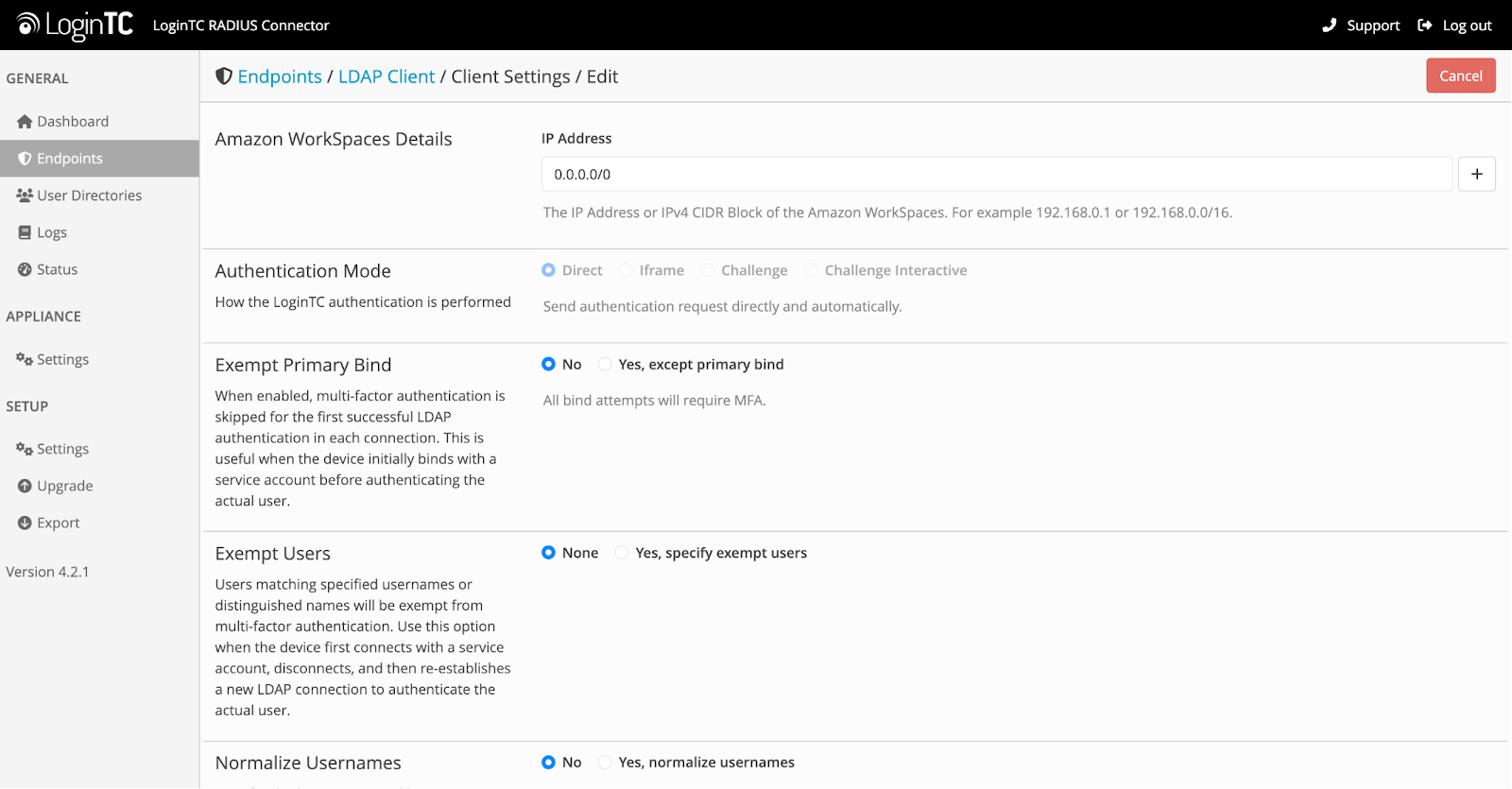
These adjustments help ensure compatibility with LDAP-speaking devices and prevent conflicts with how those systems expect authentication to behave.
Where to connect LDAP-based MFA
Many enterprise devices, especially administrative interfaces, authenticate solely via LDAP. The new proxy unlocks MFA protection for systems such as:
- Dell iDRAC
- Other servers, appliances, and tools that rely on LDAP binds
- Legacy applications that never added RADIUS support
- Infrastructure components where LDAP is the only available authentication method
By adding LDAP proxying, LoginTC helps bring consistent MFA coverage across mixed environments without forcing administrators to deploy multiple connectors or redesign existing identity paths.
A step forward for broader MFA coverage
For many organizations, LDAP remains deeply embedded in infrastructure workflows. Adding MFA to those paths has traditionally required workarounds or additional tooling.
With LDAP proxy support in the LoginTC RADIUS Connector, administrators can now:
- Enforce MFA on LDAP-only systems
- Use a single connector to handle both RADIUS and LDAP integrations
- Manage everything through the LoginTC Admin Panel
- Maintain familiar LoginTC authentication experiences for users
- Extend MFA protection to more servers, network appliances, and administrative interfaces
This update reflects our ongoing commitment to strengthening authentication across legacy and modern systems alike, which helps organizations stay secure without adding unnecessary complexity.
Get Started
LDAP proxy support is available now in the latest version of the LoginTC RADIUS Connector.
For setup instructions, endpoint configuration details, or upgrade guidance, reach out to our team today.