“Error: Unable to Display RD Web Access” in Chrome: The XSLT Change and the Fix
November 09, 2026 •
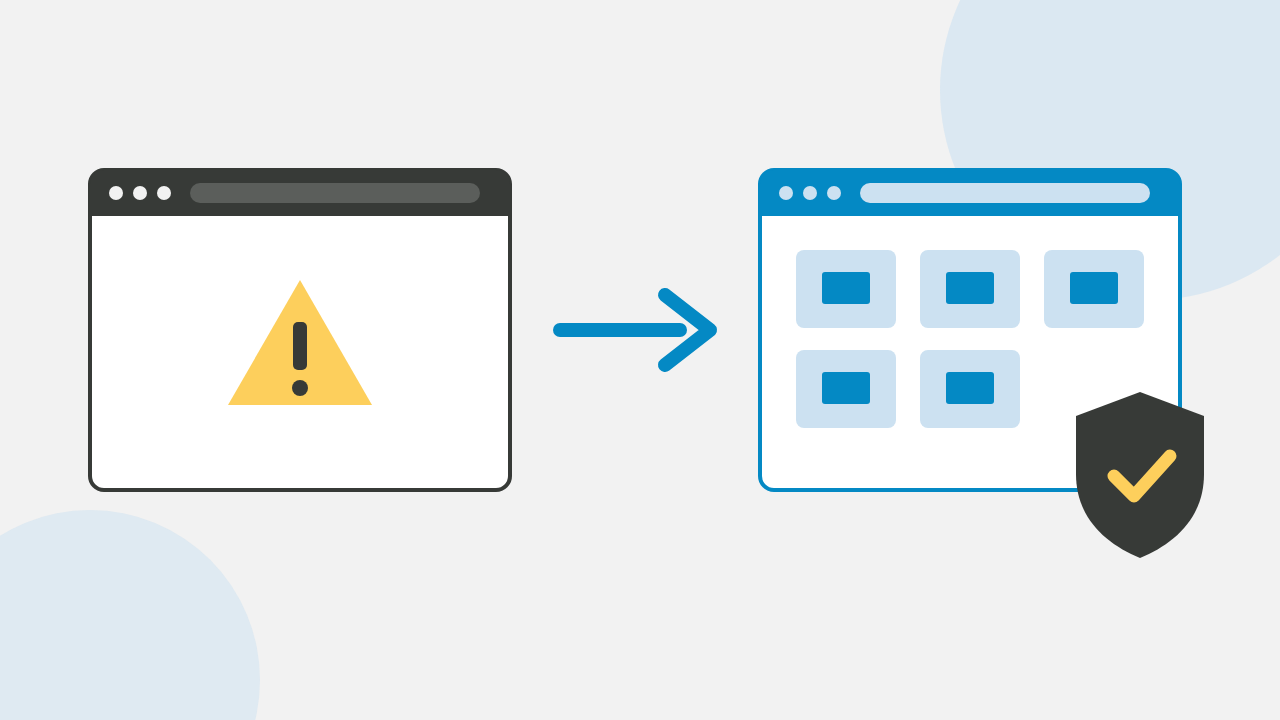
Why does Chrome show “Error: Unable to display RD Web Access”? Chrome turns off XSLT on 17 November 2026, which the classic RD Web Access page needs to load, and the LoginTC RD Web Access connector 1.5.1 includes a fix that keeps the page working, with multi-factor authentication (MFA).
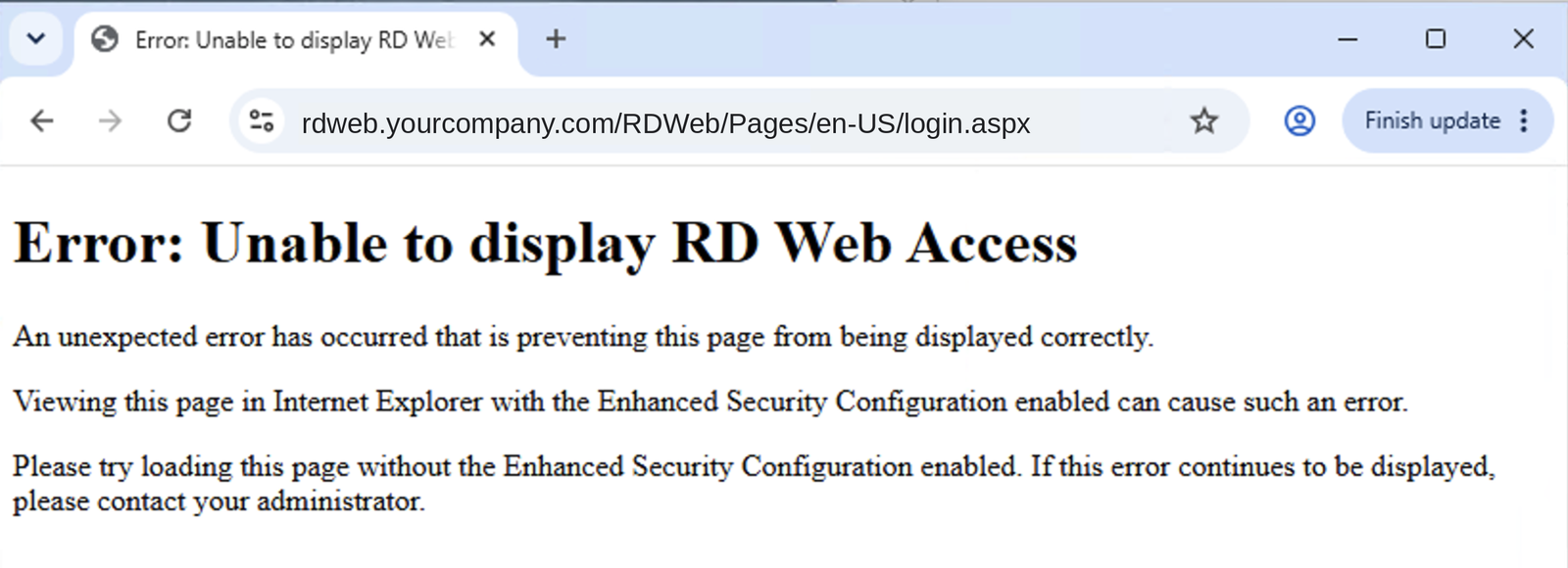
Once XSLT is off, this is what users see on the classic /RDWeb/ page in Chrome or Edge:
What’s coming
Available now
LoginTC RD Web Access connector 1.5.1 keeps the classic page working, with or without XSLT.
17 November 2026
Chrome 158 turns XSLT off, and the classic RD Web Access page shows the error.
Edge 159 (date not announced)
Microsoft Edge makes the same change.
17 August 2027
Chrome 176 ends the XSLTEnabled policy, so XSLT is off in every Chrome browser.
Dates: Chrome for Developers and Microsoft Edge.
The fix: LoginTC RD Web Access connector 1.5.1
LoginTC for RD Web Access adds MFA to your RD Web Access (RDWeb) page on Windows Server 2016 to 2025, and connector 1.5.1 now includes a fix for XSLT. The classic page keeps working in Chrome and Edge, on any device, with nothing to change in the browser.
Already using LoginTC? Download connector 1.5.1 and upgrade before 17 November. New to LoginTC? It fixes the page and adds MFA in one install, and we’re happy to show you on your own setup.
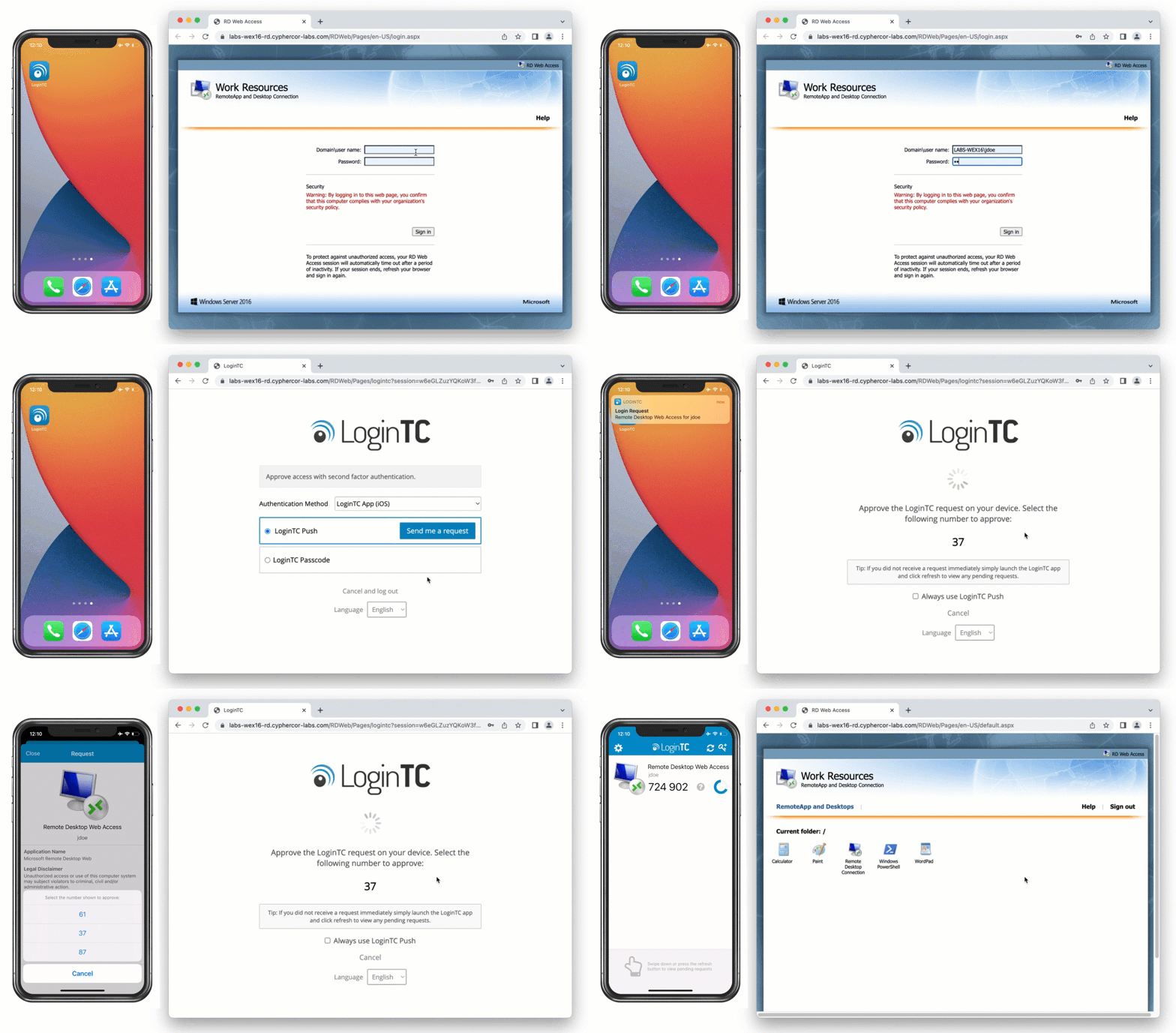
Your users sign in as they do today, then approve a LoginTC push with number matching:
Switching MFA because of the XSLT change?
If your current MFA doesn’t load on the classic page without XSLT, or doesn’t support Microsoft’s HTML5 web client, LoginTC for RD Web Access covers both with one connector. If you’d rather keep MFA away from the web page altogether, the LoginTC RD Gateway connector adds it at the gateway, so browser changes don’t affect it. We’re happy to walk you through either on your own setup.
All your options
| Option | How long it lasts | What happens to MFA |
|---|---|---|
| 1. LoginTC RD Web Access connector 1.5.1 | Lasting | LoginTC MFA on every sign-in |
| 2. Turn XSLT back on with the XSLTEnabled policy (registry or Group Policy) | Temporary: until 17 August 2027, managed computers only | Unchanged, if you already have it |
| 3. Edge in Internet Explorer mode | Temporary, managed computers only | Unchanged, if you already have it |
| 4. The HTML5 Remote Desktop web client | Lasting, with a new address for users | LoginTC supports it since connector 1.4.0 |
| 5. A desktop Remote Desktop client through RD Gateway | Lasting | LoginTC adds MFA at RD Gateway or Windows logon |
The HTML5 Remote Desktop web client
Microsoft’s browser-based Remote Desktop client runs on your existing RD Web Access server and doesn’t need XSLT, so it’s a lasting option if you’re ready to give users a new address (/RDWeb/webclient/). Setup takes a few PowerShell commands on the RD Web Access server; Microsoft’s setup guide walks through them. LoginTC protects the web client too.
A desktop client through RD Gateway
Users on managed Windows computers can connect through RD Gateway and skip the web page. The LoginTC RD Gateway connector adds MFA there.
Every LoginTC sign-in method works
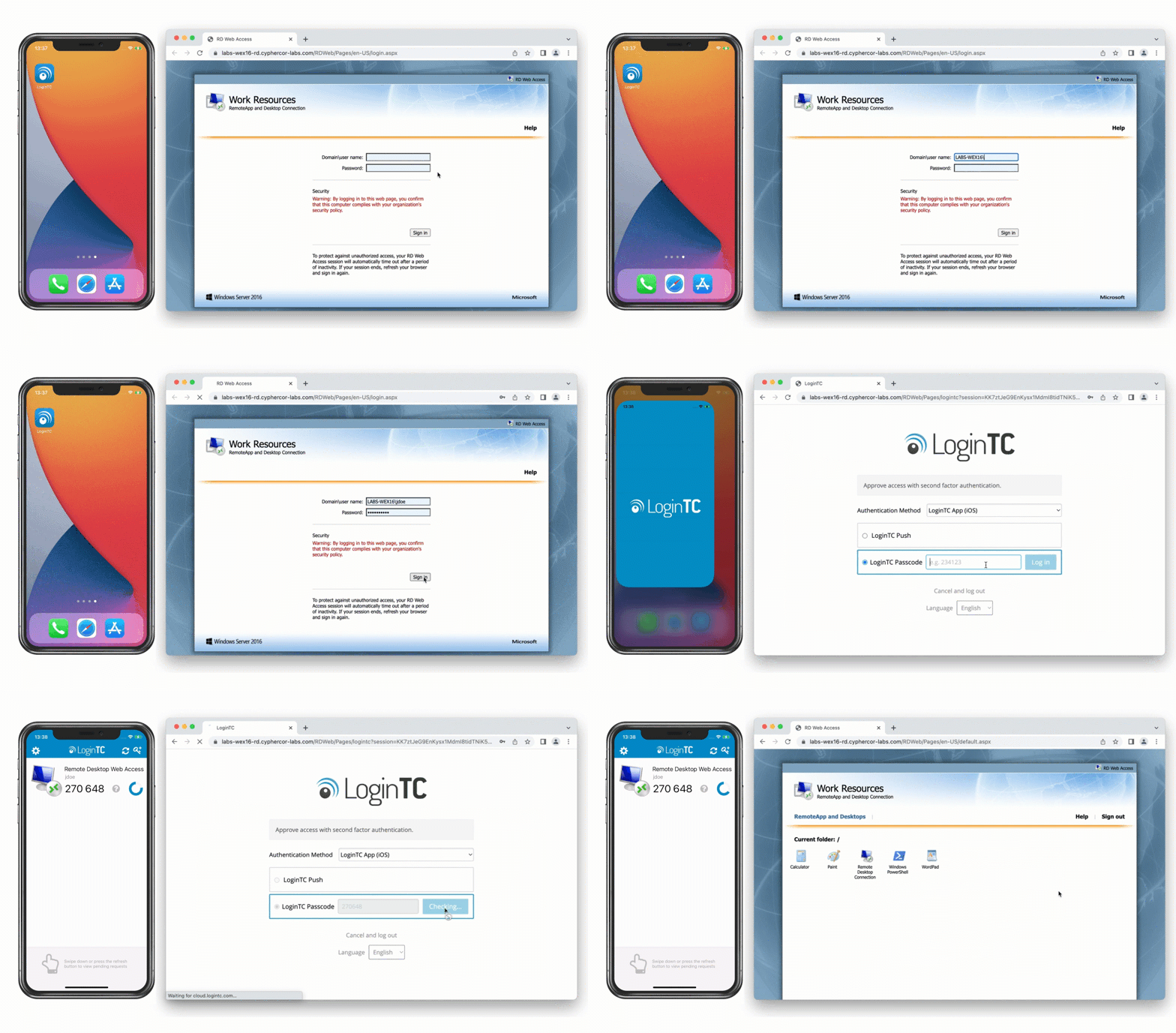
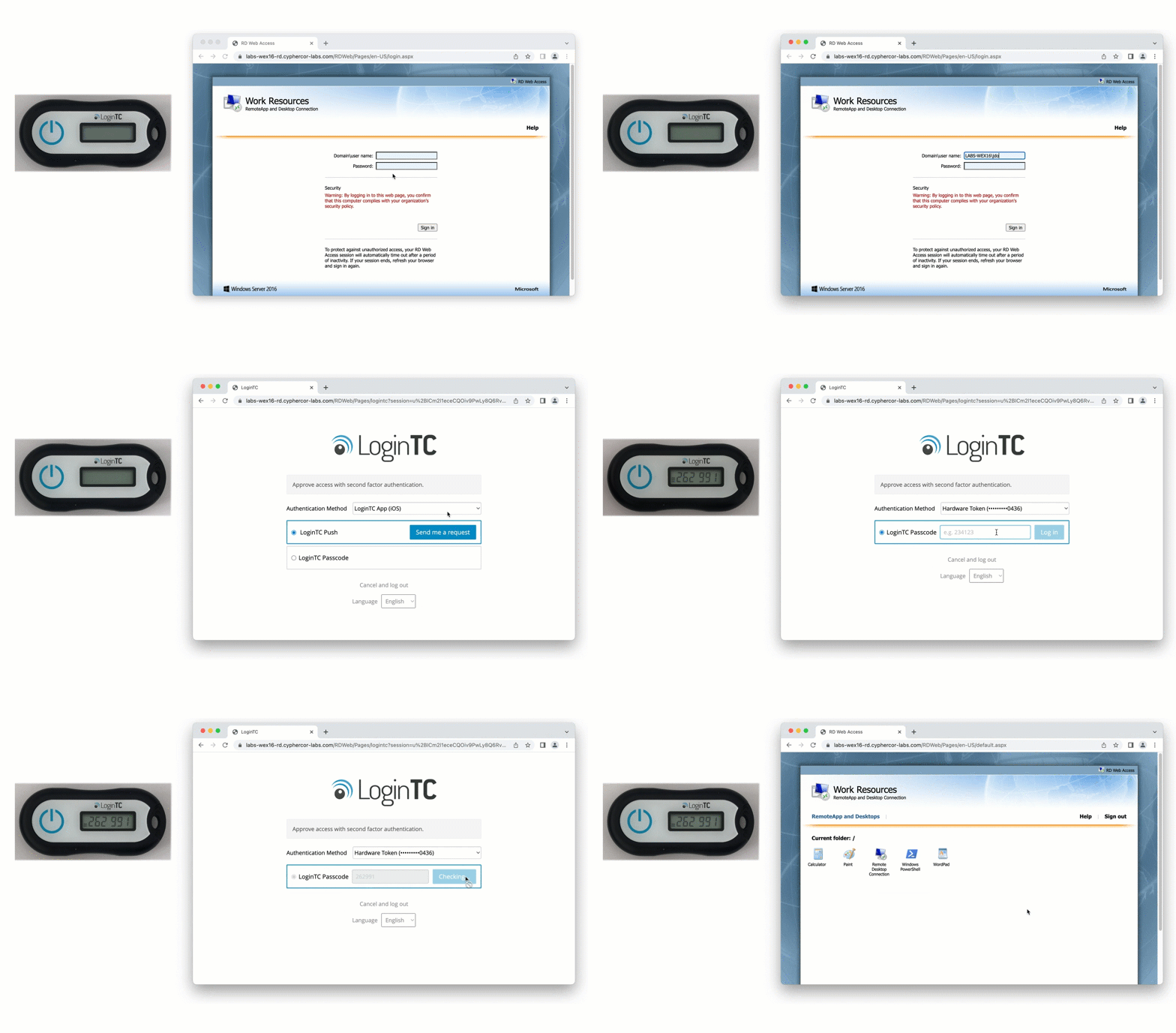
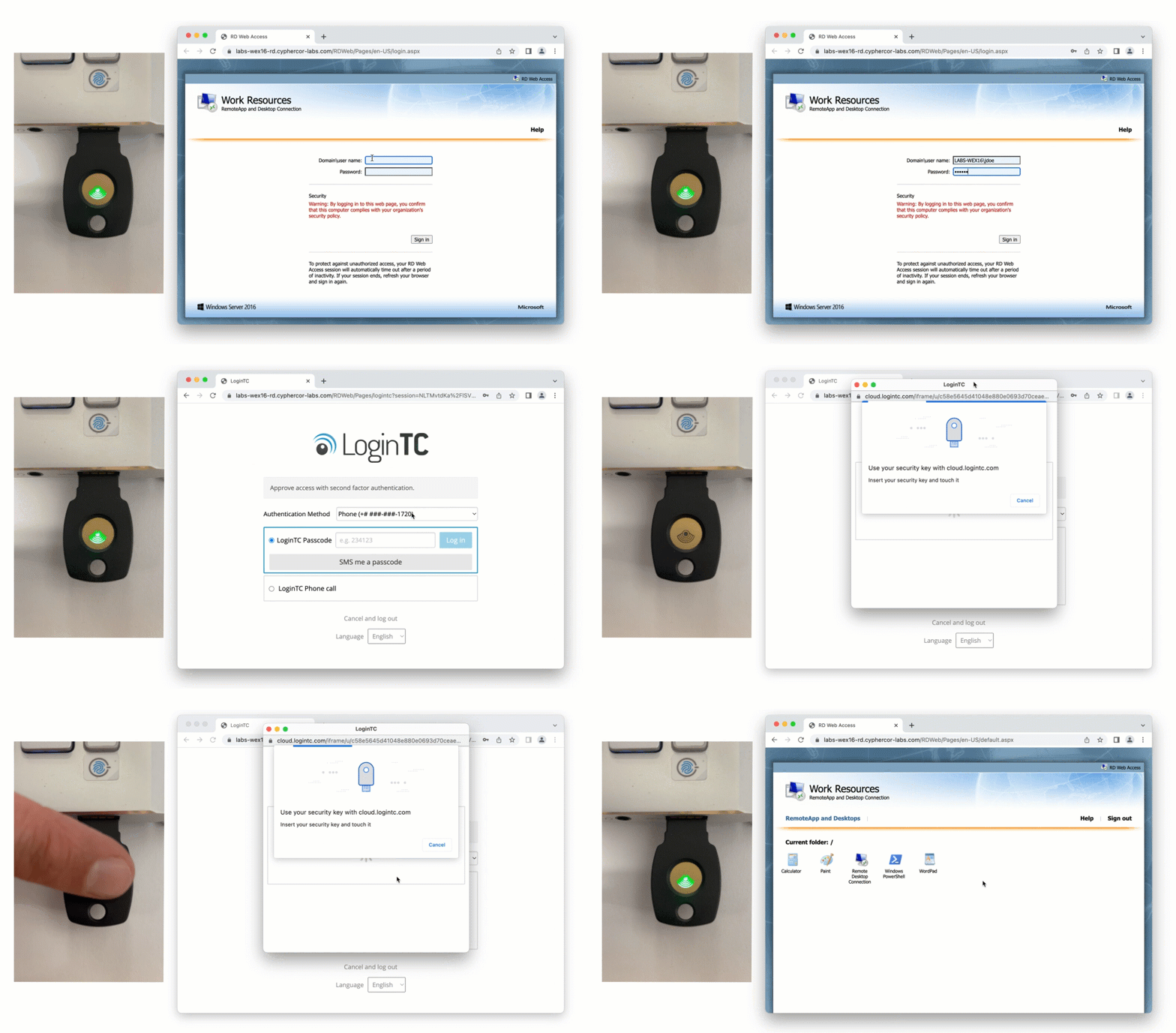
Each user can pick the method that suits them, from software and hardware tokens to security keys:
Do you have one of these problems?
| The problem | How LoginTC helps |
|---|---|
| Users already see “Unable to display RD Web Access” | Connector 1.5.1 brings the classic page back in Chrome and Edge, with MFA |
| We use LoginTC on RD Web Access | Download 1.5.1 and upgrade before 17 November |
| Our RD Web Access has no MFA | LoginTC for RD Web Access fixes the page and adds MFA in one install |
| Our current MFA doesn’t work after the change | LoginTC supports the classic page (connector 1.5.1) and the HTML5 web client |
| Staff use personal devices | A server-side fix covers every browser; a browser policy can’t reach them |
Keep RD Web Access working after 17 November
LoginTC customers: download connector 1.5.1. New to LoginTC: start a free trial, or book 30 minutes and we’ll show it on your setup.
Frequently asked questions
What does “Error: Unable to display RD Web Access” mean?
The classic RD Web Access page uses XSLT to draw itself. When the browser has XSLT turned off, as Chrome does from 17 November 2026, the page can’t load and shows this error. Nothing is wrong with your server.
How do I fix “Unable to display RD Web Access” in Chrome or Edge?
Upgrade to the LoginTC RD Web Access connector 1.5.1, which includes a fix for XSLT and keeps the classic page working with MFA. Other options are turning XSLT back on with the XSLTEnabled policy (managed computers only, until 17 August 2027), Edge in Internet Explorer mode, or the HTML5 web client.
What is Microsoft KB5130994?
It’s Microsoft’s support article for RD Web Access failing to load when XSLT is turned off, on Windows Server 2016, 2019, 2022 and 2025. It lists three workarounds: turn XSLT back on with the XSLTEnabled policy, use the HTML5 web client, or use Edge in Internet Explorer mode.
Our MFA provider doesn’t work with RD Web Access after the XSLT change. What can we do?
LoginTC supports both the classic RD Web Access page, with connector 1.5.1 whether XSLT is on or off, and Microsoft’s HTML5 web client. We’re happy to walk you through switching on your own setup.
When does Chrome turn off XSLT?
On 17 November 2026, in Chrome 158. The XSLTEnabled policy keeps it on for managed browsers until 17 August 2027 (Chrome 176).
Does this affect Microsoft Edge?
Yes. Microsoft lists the XSLT removal for Edge 159, and Edge has the same XSLTEnabled policy from version 147.
Does LoginTC work when XSLT is turned off?
Yes. The LoginTC RD Web Access connector 1.5.1, released on 6 November 2026, keeps the classic page working whether XSLT is on or off.
Which MFA methods work with LoginTC on RD Web Access?
All LoginTC methods work, including push with number matching, software and hardware tokens, and FIDO2/U2F security keys.
Does LoginTC work with the Remote Desktop web client?
Yes. The LoginTC RD Web Access connector has supported Microsoft’s HTML5 web client since version 1.4.0. We suggest the latest version, 1.5.1.
We only use Remote Desktop, not RD Web Access. Are we affected?
No. The XSLT change only affects the classic RD Web Access page in a browser. LoginTC also adds MFA to Windows logon and RDP, and to RD Gateway.