MFA for RAWeb

Add multi-factor authentication to RAWeb with LoginTC. After users enter their username and password, they are prompted for a second factor before access is granted, securing your RemoteApp and Desktop connections without disrupting the login experience.
raweb with mfa

Explore how LoginTC integrates with RAWeb.
What is RAWeb?

RAWeb is a free, open-source web interface for RemoteApps and Desktops hosted on Windows 10, 11, and Windows Server. It gives users browser-based access to remote applications and desktop sessions without the complexity of a full Remote Desktop Services deployment,no VPN, no RDP files to distribute, just a clean web portal accessible from any device.

Because RAWeb exposes remote access through a web login page, securing that login with MFA is essential. A stolen username and password is all an attacker needs to reach your RemoteApps and desktops. Adding LoginTC MFA ensures that credential theft alone is never enough.

what is raweb mfa

How LoginTC MFA for RAWeb Works

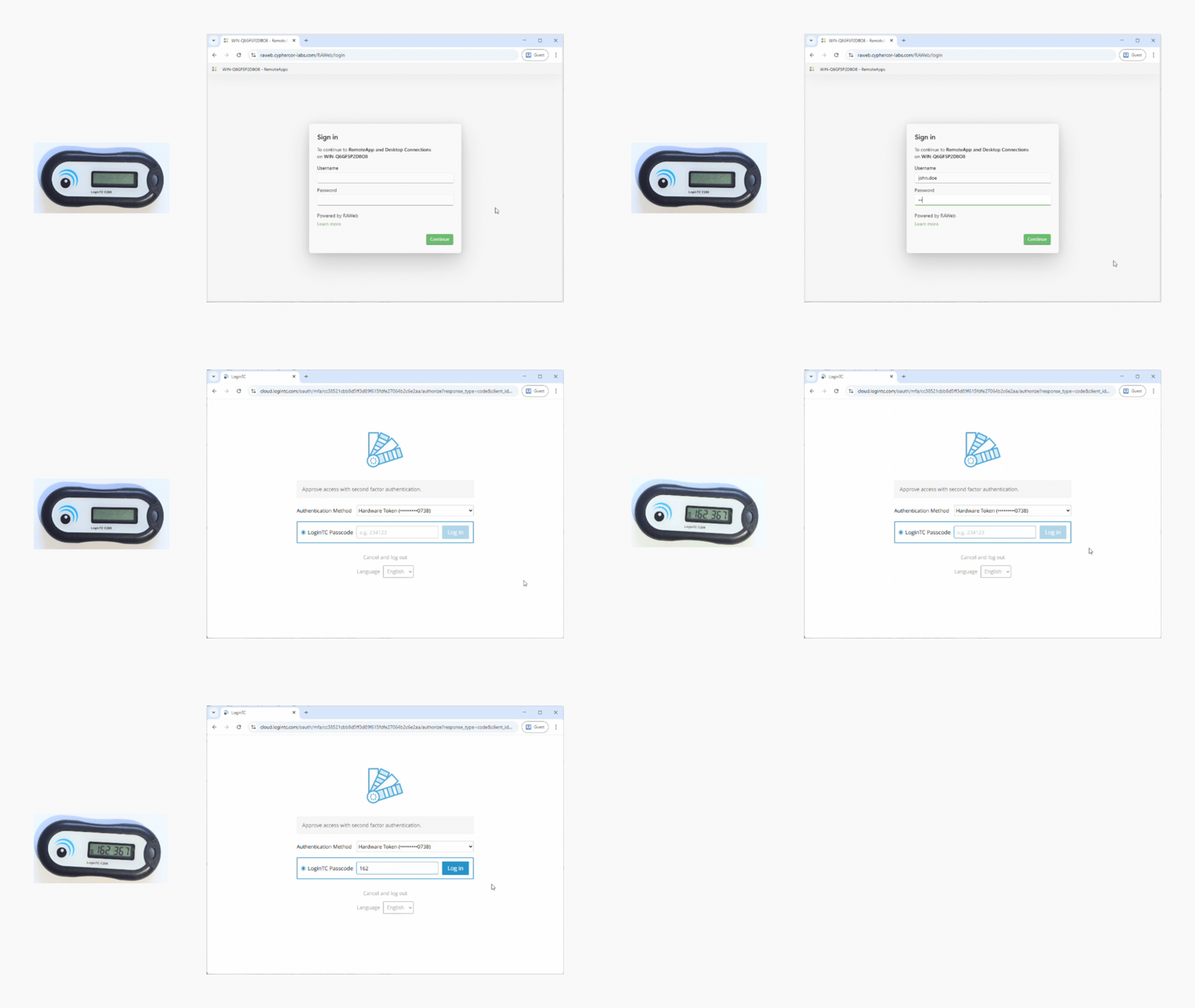
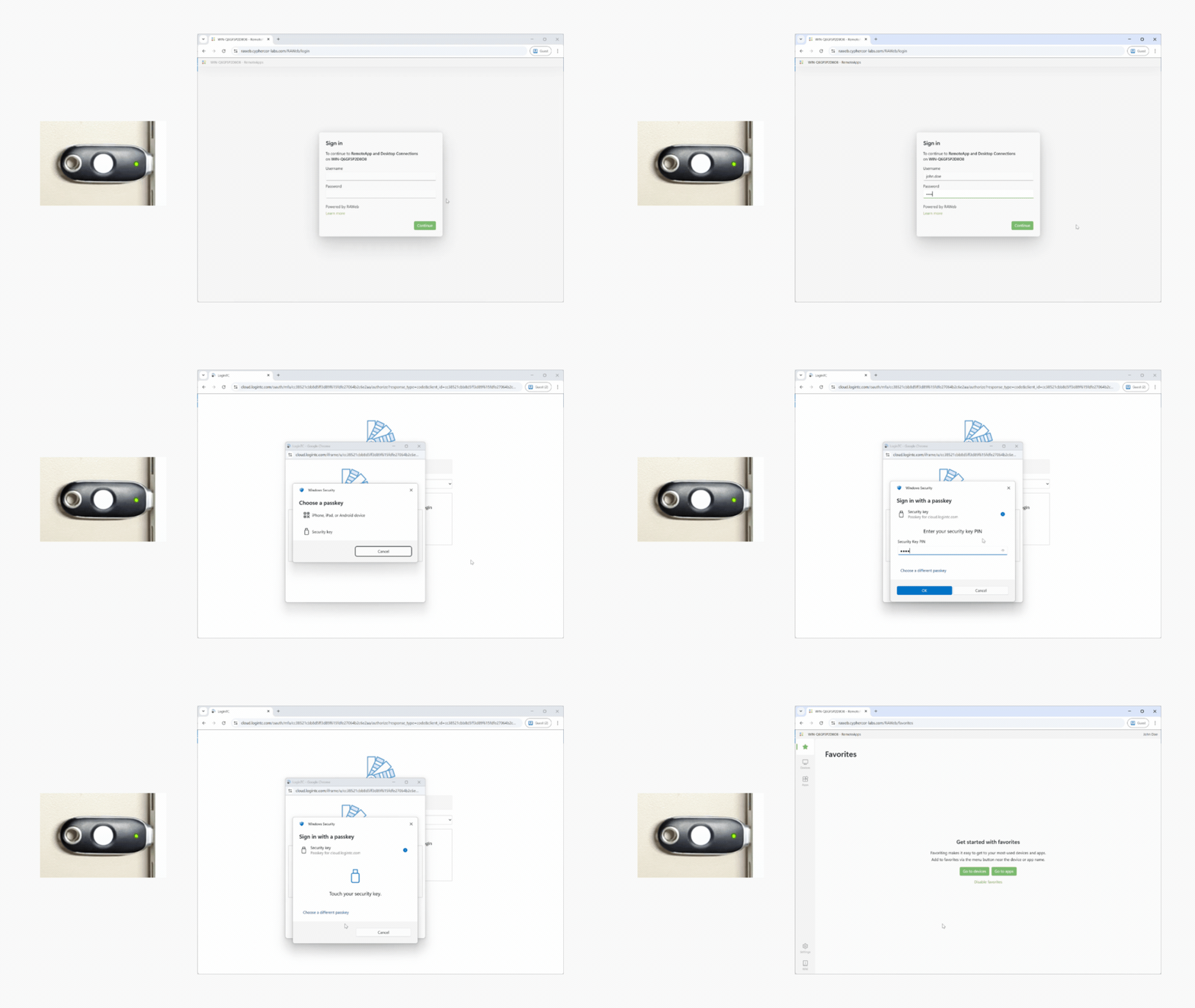
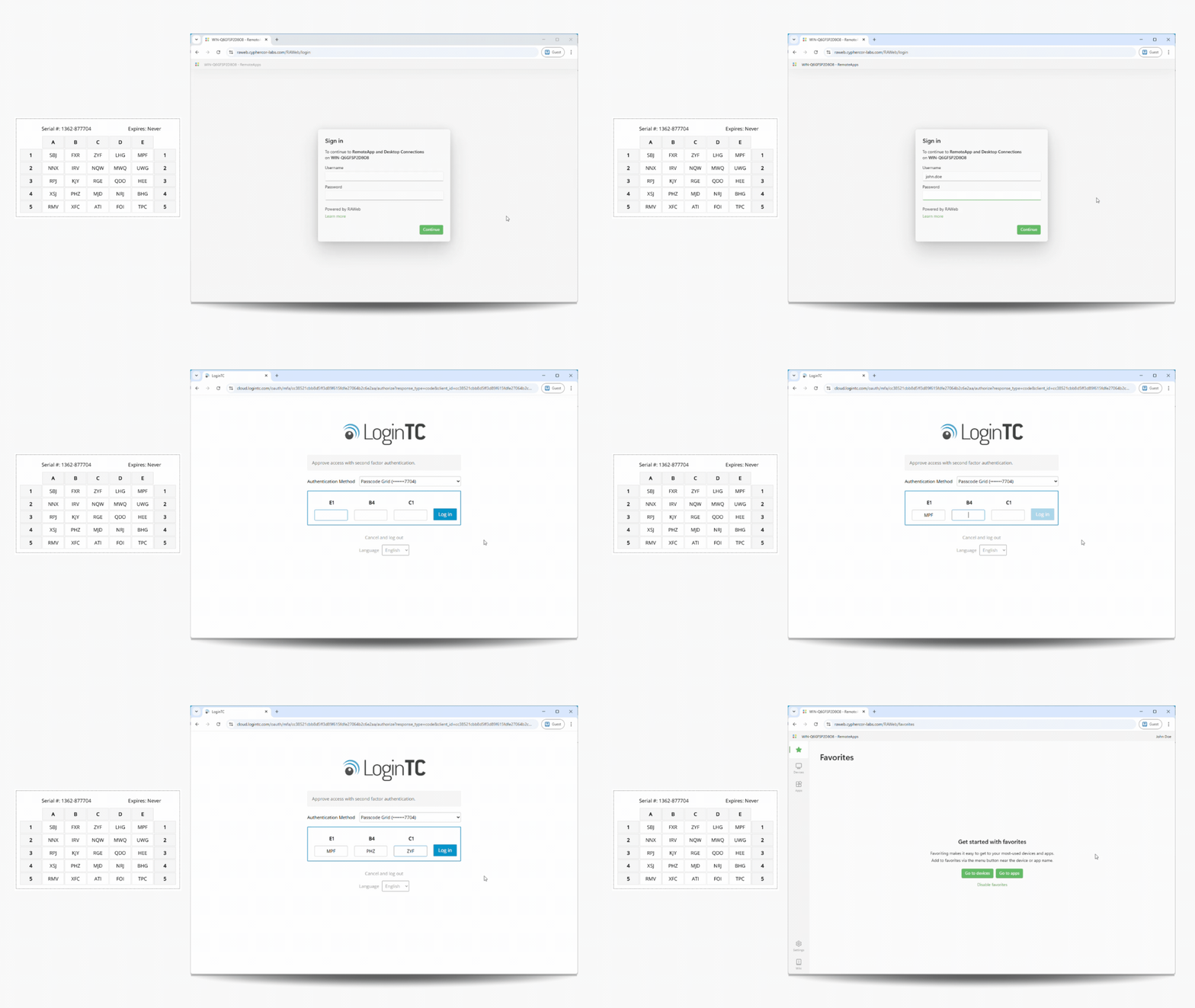
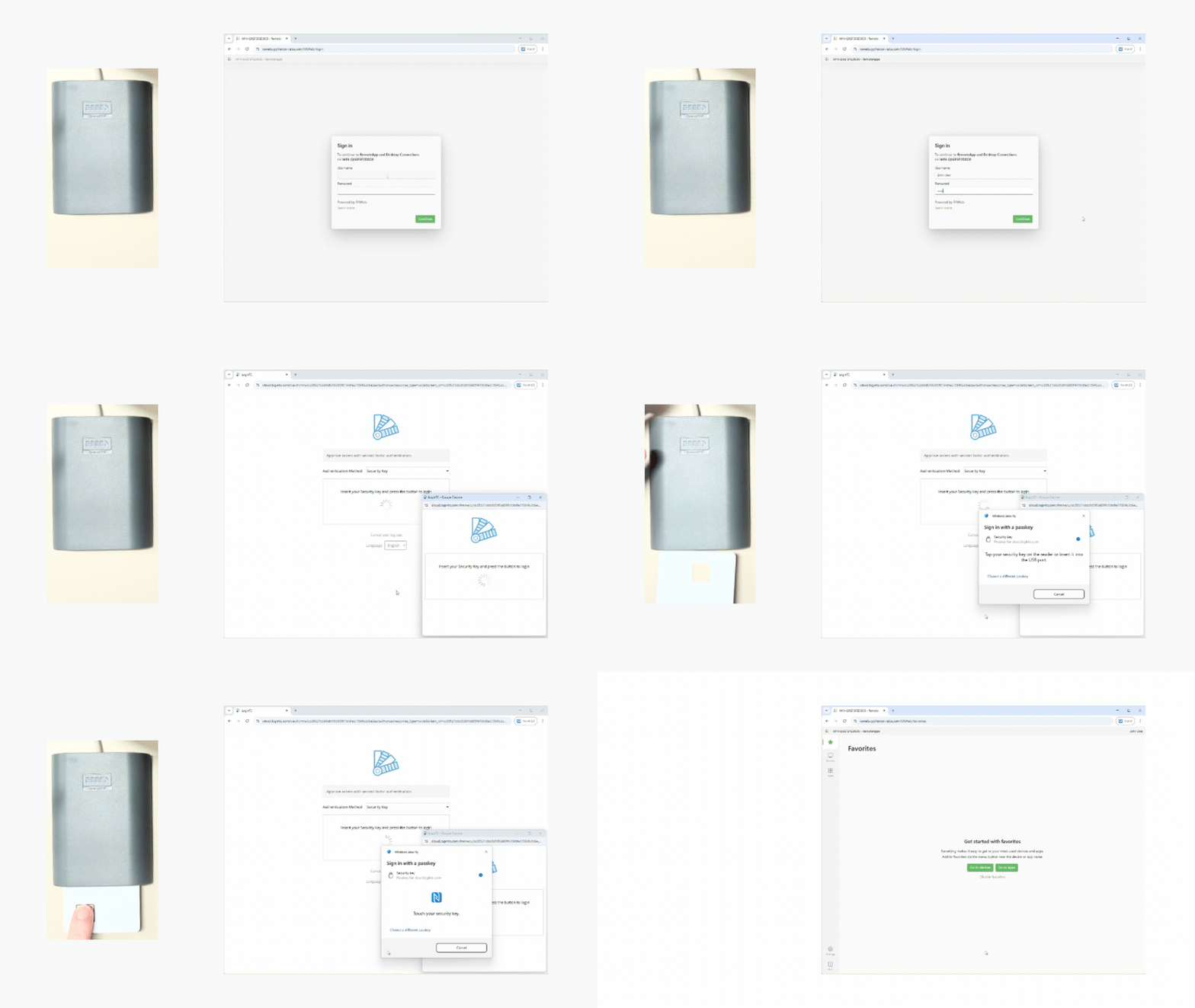
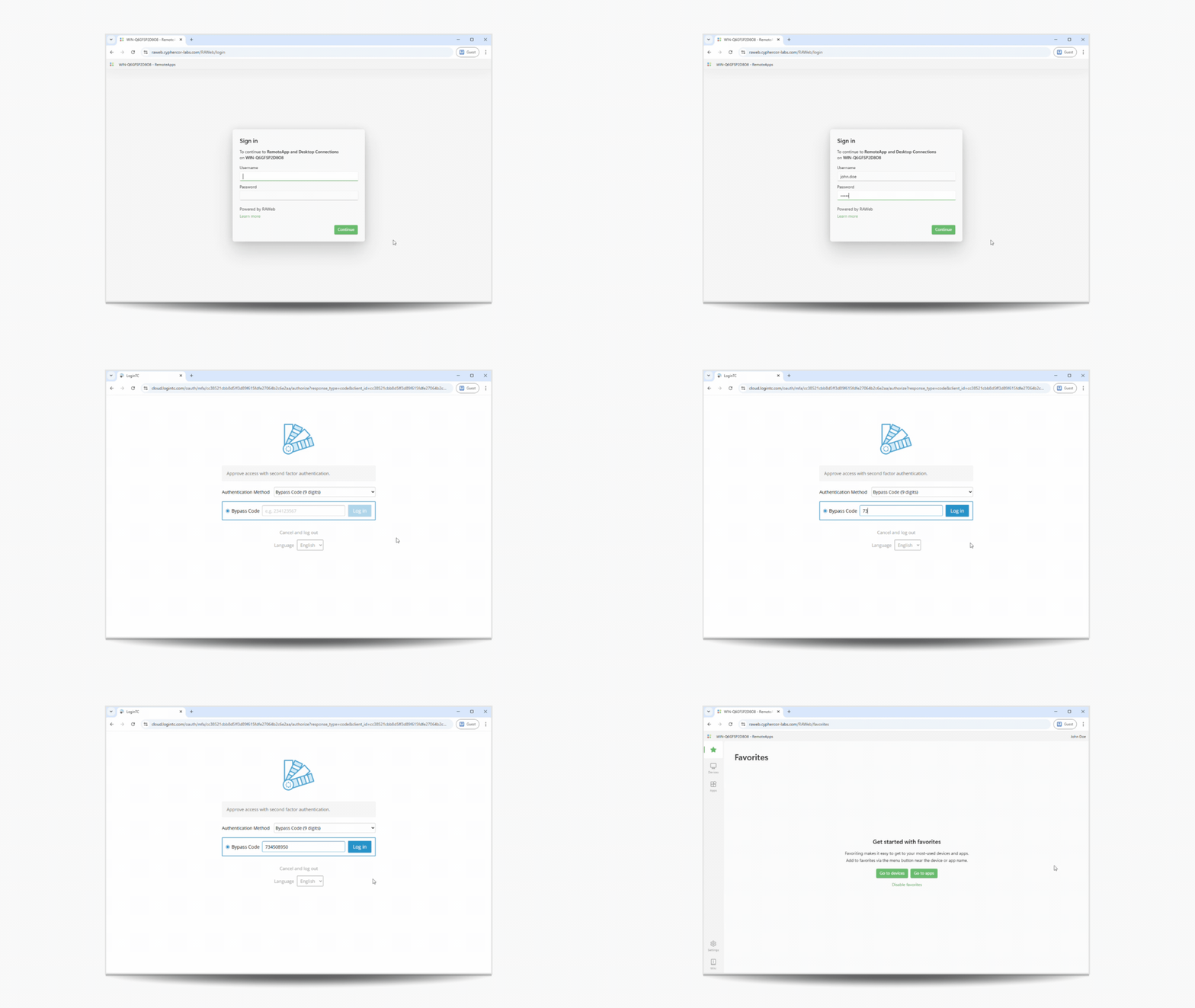
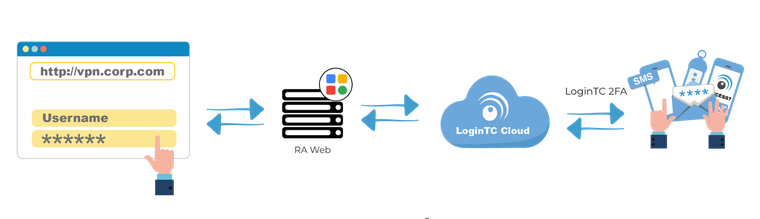
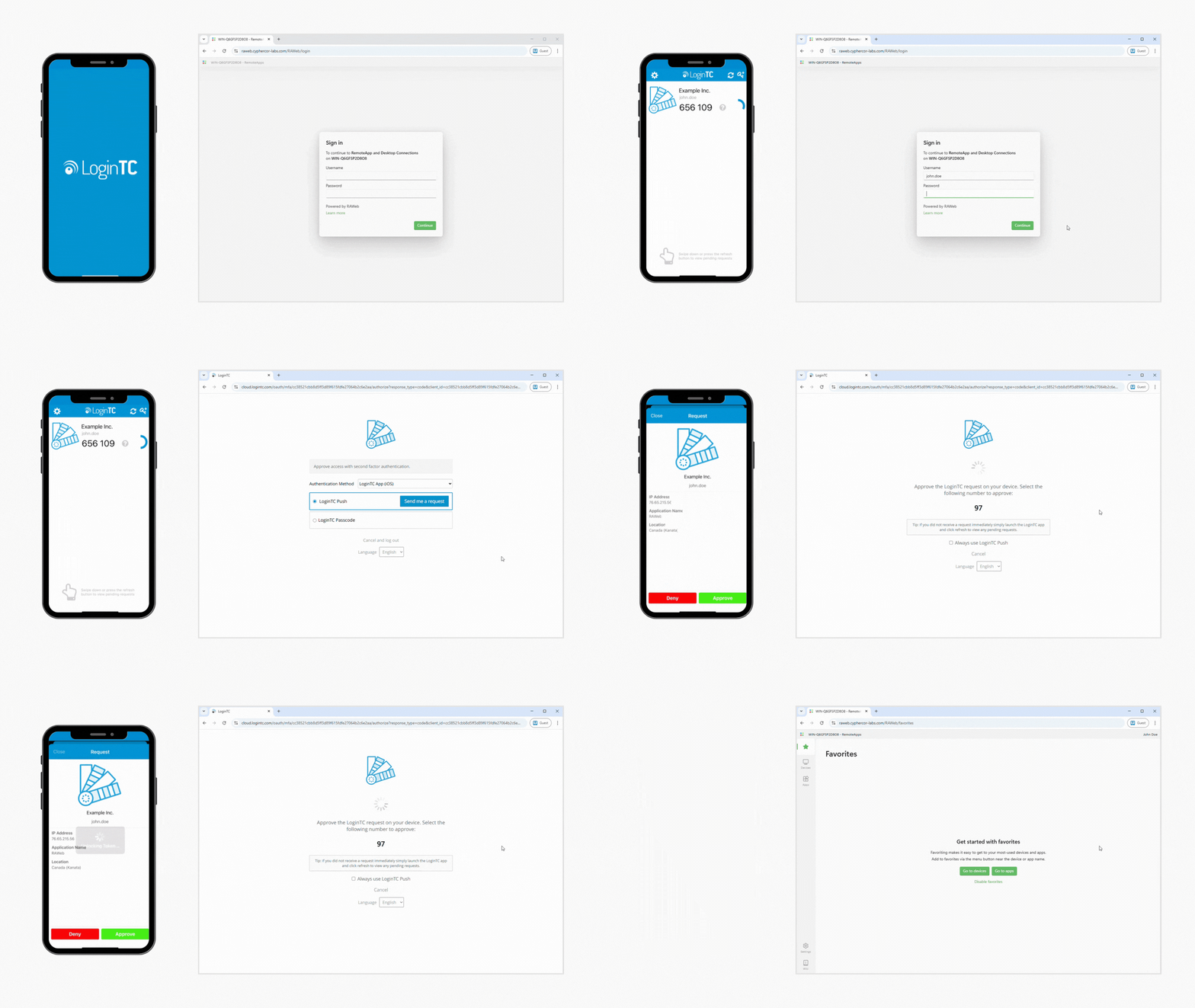
LoginTC integrates directly into the RAWeb login flow. When a user enters a valid username and password, RAWeb passes the authentication request to LoginTC, which challenges the user for a second factor. Once the user approves the request, they are redirected back into RAWeb and granted access.

Setup is straightforward: create a RAWeb application in the LoginTC Admin Panel, copy the Application ID and API Key into RAWeb’s policy settings, and MFA is active. No additional infrastructure is required.

Full step-by-step instructions are available in the RAWeb MFA setup guide.

Key Features
Seamless Logins Seamless Logins

The LoginTC MFA prompt appears immediately after a valid username and password are entered, as a natural step in the RAWeb login process. Users are redirected to complete their second factor and returned to RAWeb automatically on approval.

Flexible Authentication Flexible Authentication

Users can authenticate using push notification with number matching, software OTP, hardware tokens, FIDO2 security keys, passcode grid, email OTP, and more. Administrators can configure which methods are available based on their environment and user needs.

Granular Access Policies Granular Access Policies

RAWeb’s policy settings allow specific accounts to be excluded from MFA challenges, useful for service accounts or break-glass scenarios. MFA can be scoped to specific AD domains or applied globally.

Frequently Asked Questions

Does LoginTC MFA work with all versions of RAWeb?

LoginTC MFA integrates with RAWeb via its built-in policy configuration. See the setup guide for supported versions and configuration details.

Can I exclude specific accounts from MFA?

Yes. RAWeb’s policy settings allow you to define excluded accounts that will not be challenged for MFA. Note that at least one excluded account must be defined for the configuration to save. If you do not wish to exclude any real accounts, a placeholder entry can be used.

What authentication methods are supported?

LoginTC supports push notification with number matching, software OTP, hardware OTP tokens, FIDO2 security keys, email OTP, SMS passcode, passcode grid, QR scan, and bypass codes. Multiple methods can be enabled.

Can a user use one LoginTC token for RAWeb and other applications?

Yes. A single LoginTC authentication token covers all LoginTC-protected applications and services in your environment. Users enroll once and are authenticated across every connected resource.

Simple for end users

Easy Deployment Process

Utilize existing devices

Standardized for compliance

Trusted Worldwide

65+

Countries Served

10K+

Use Cases

2013

Year Released

Start your free trial today. No credit card required.

Sign up and Go