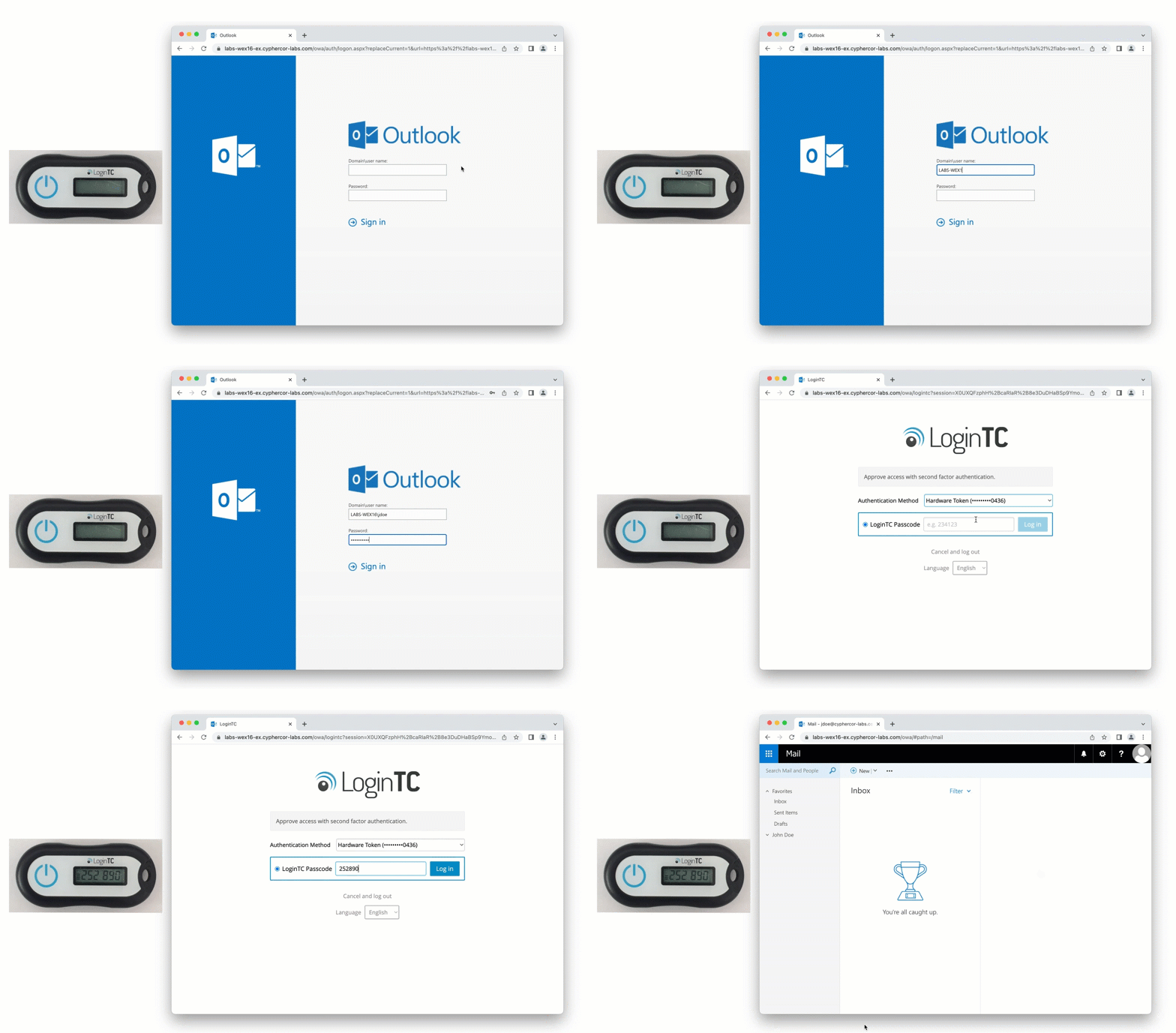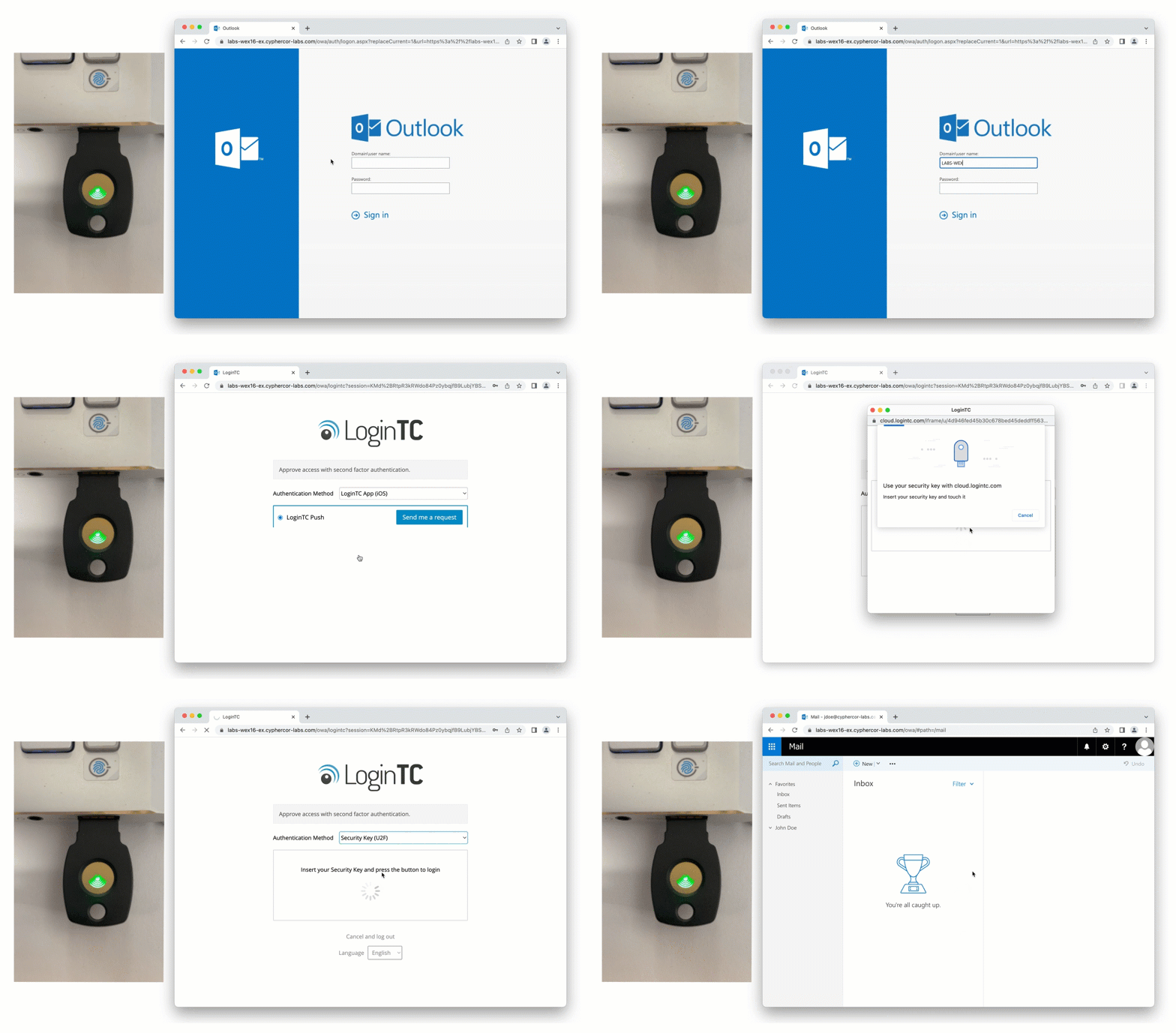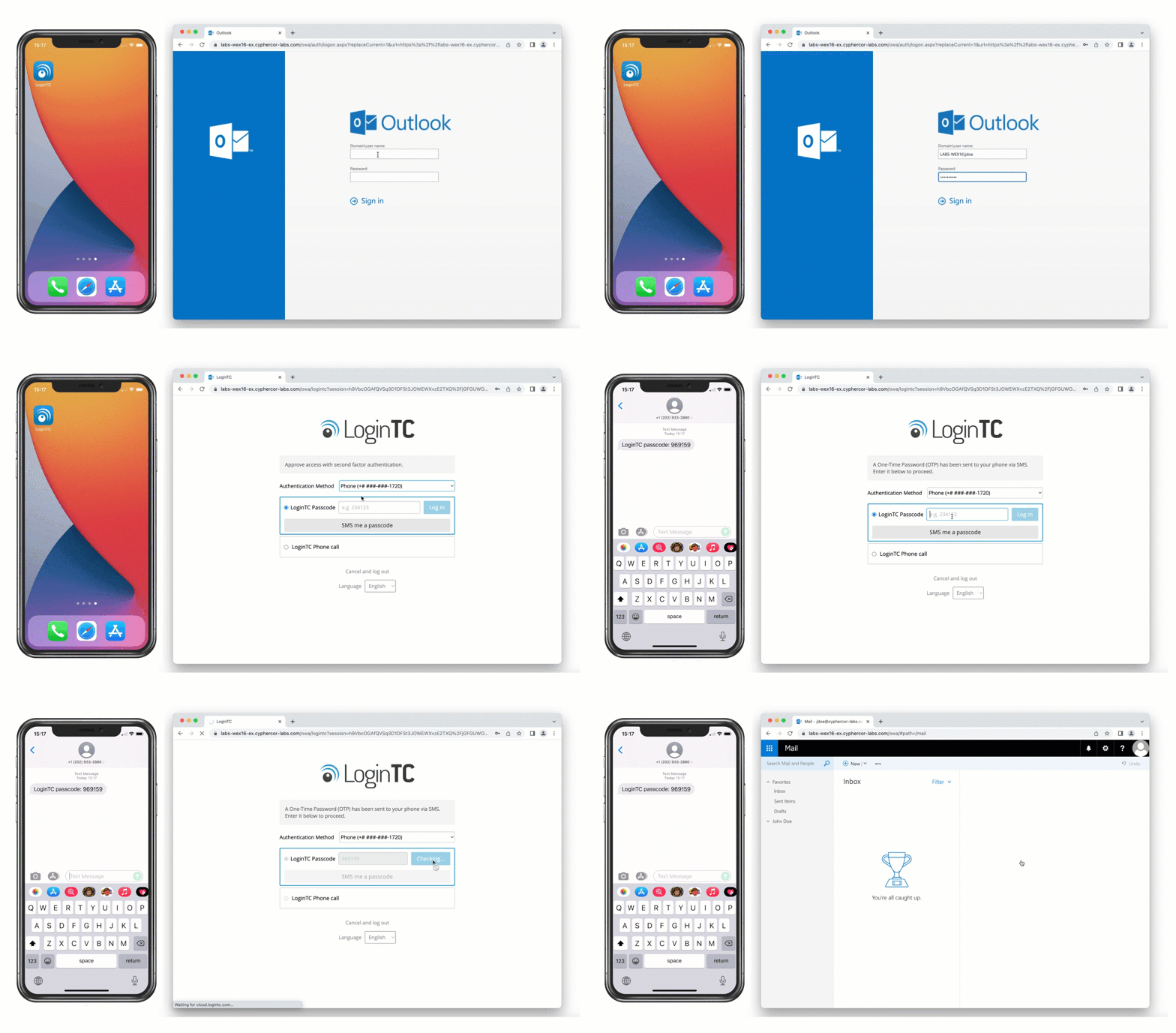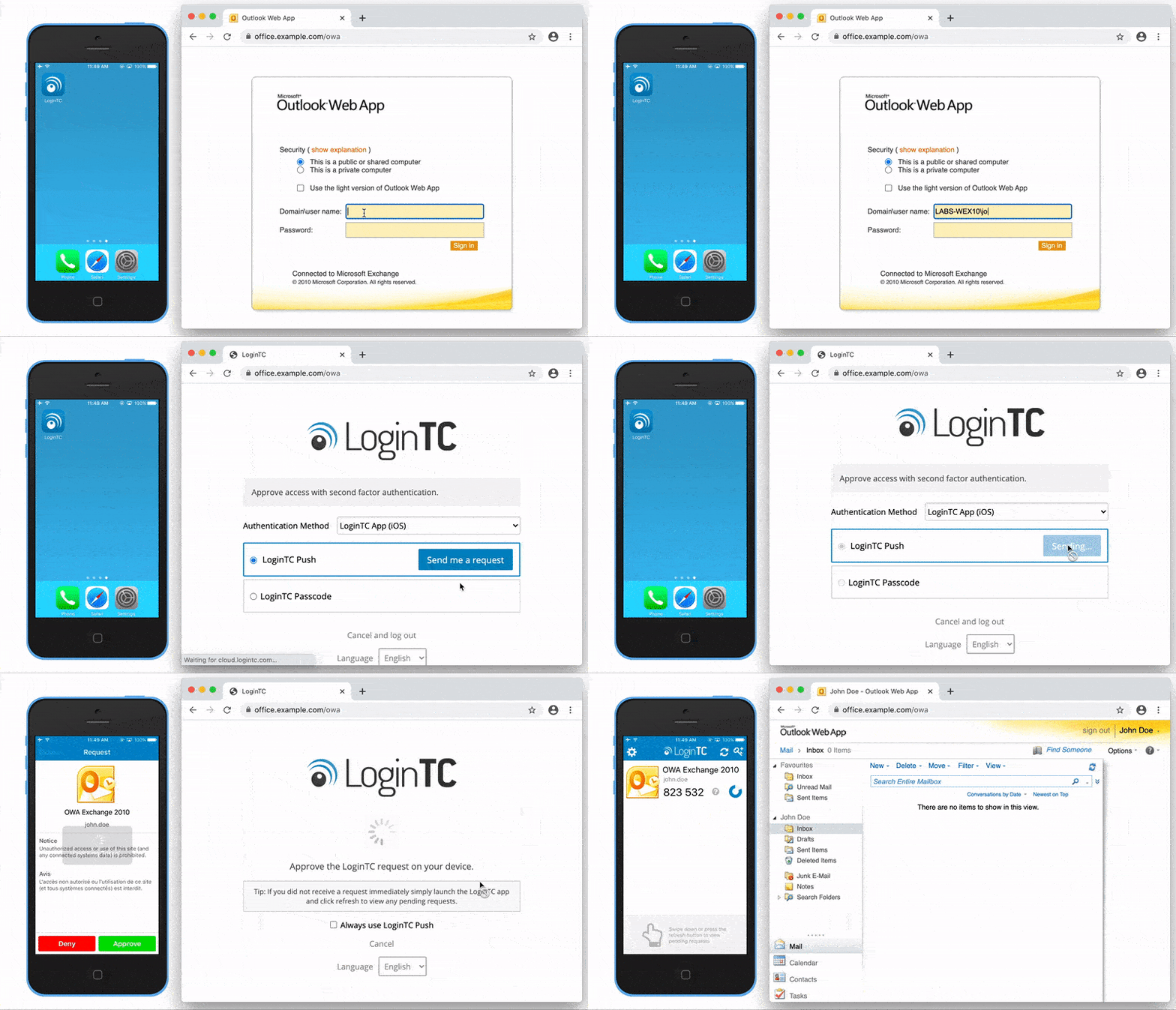
Outlook Web App Multi-Factor Authentication (OWA MFA)

LoginTC adds multi-factor authentication to Outlook Web Access (OWA), Outlook Web App, and the Exchange Control Panel for on-premises Exchange Server. Every webmail login is challenged with a second factor like Push, FIDO2 hardware key, or one-time passcode, before granting access to email and calendar.
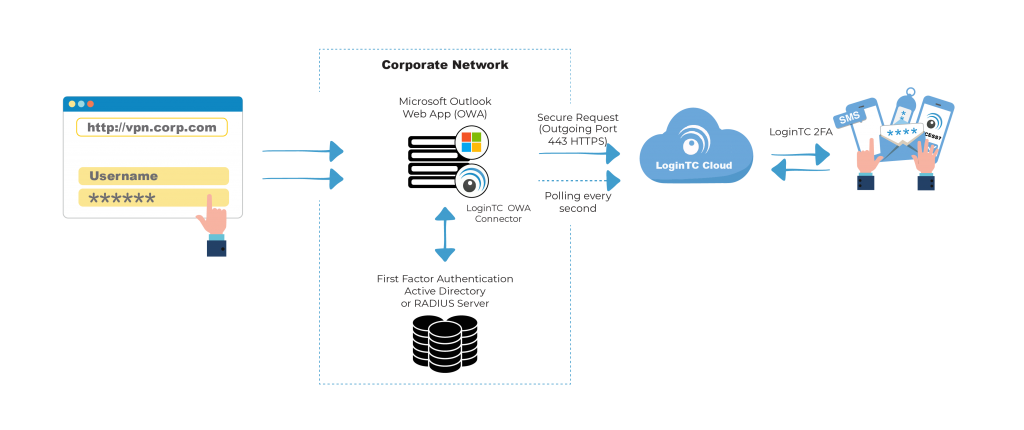
Direct integration with Active Directory means you can still leverage passwords as a first factor. Users can also be synchronized from Active Directory for a streamlined rollout.

Enable LoginTC with Outlook Web App to add multi-factor authentication (MFA) to your remote access deployment and keep your organization secure.
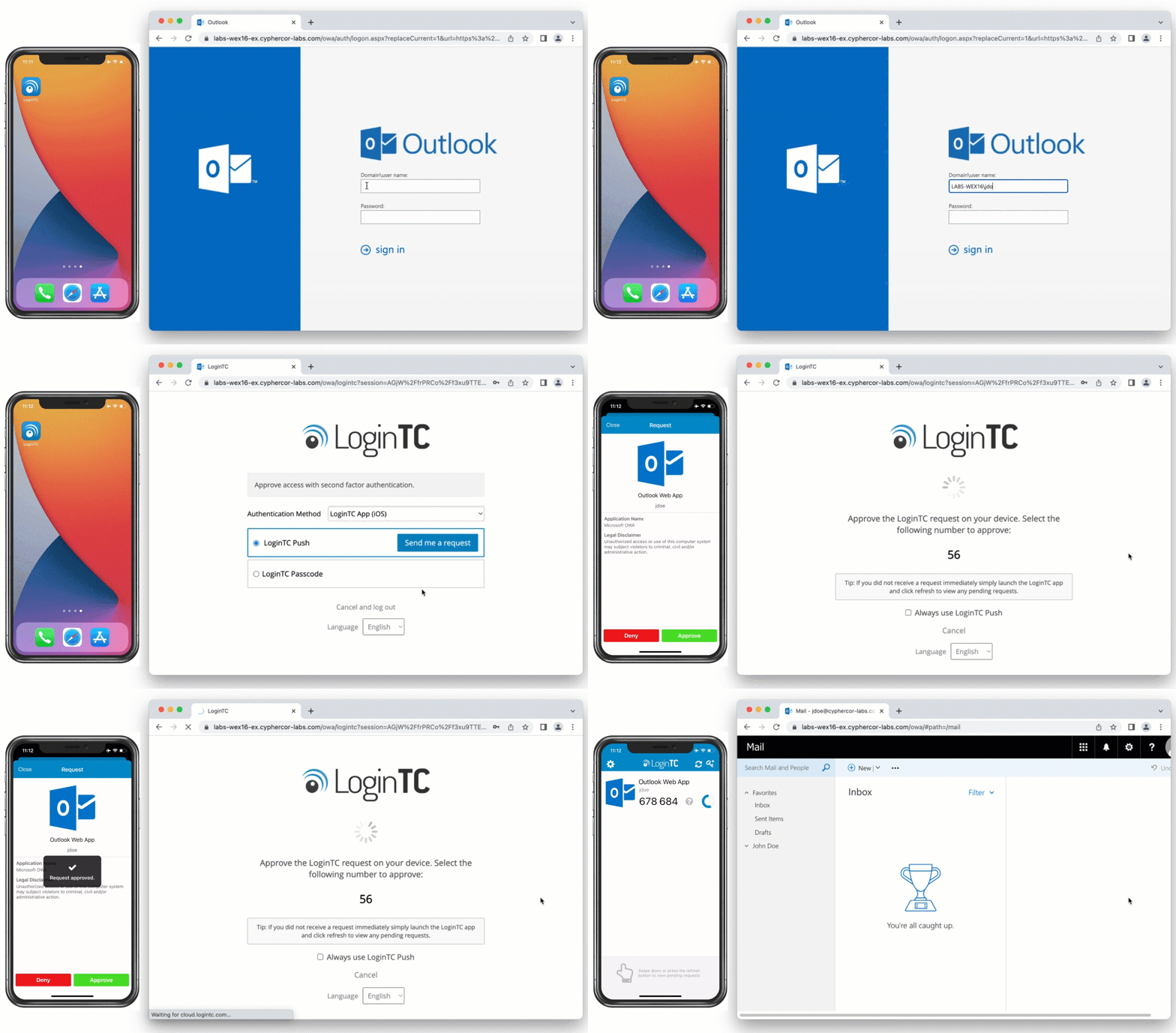
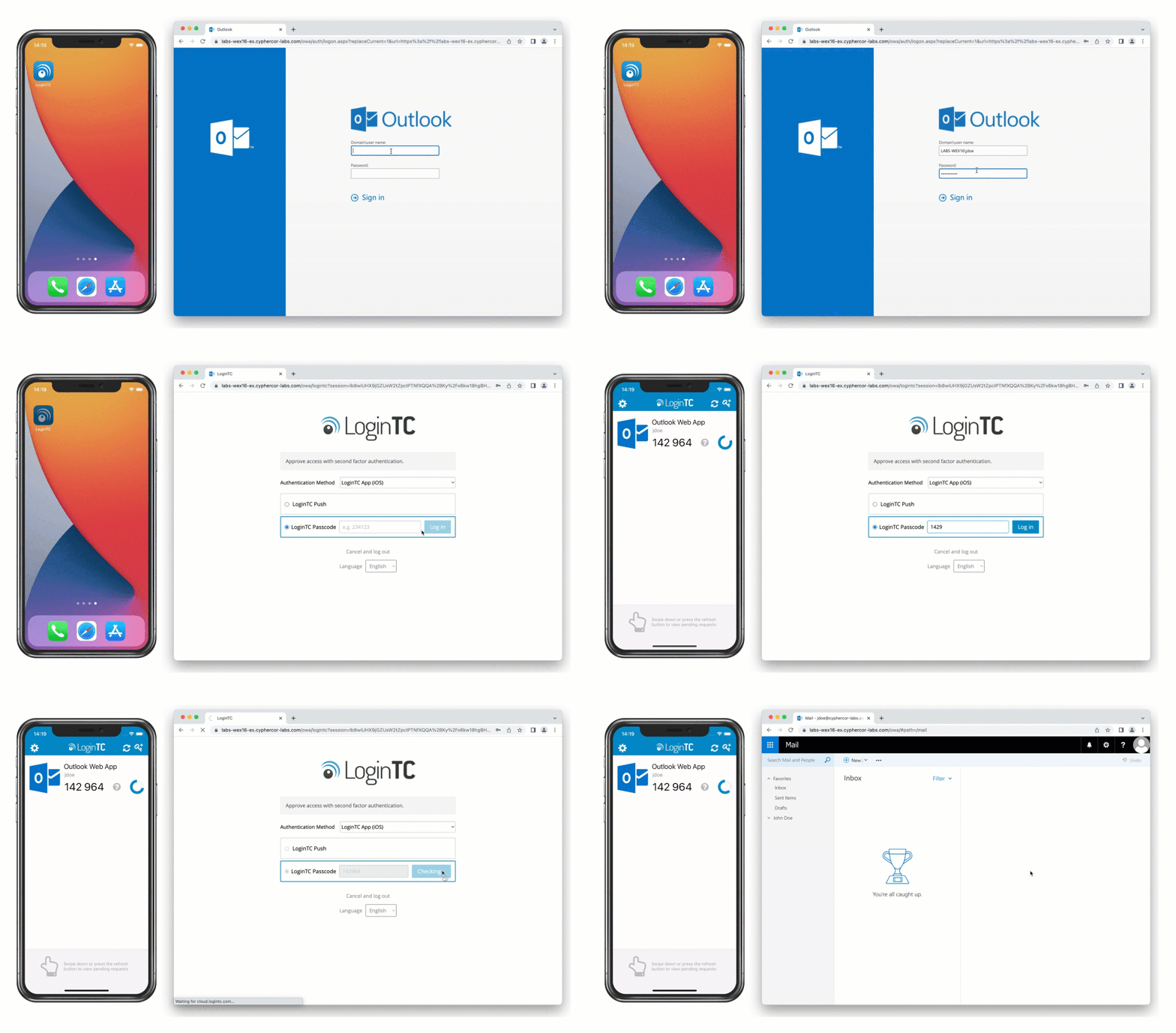
Video Walkthrough

 
LoginTC can be added to your Outlook Web App (OWA) end to end in just five minutes.
 
Follow along the guided tutorial and raise your organization’s cyber security posture.
 
Watch the video

Frequently Asked Questions

How do I add MFA to Outlook Web Access?

Install the LoginTC OWA connector on your on-premises Exchange server (2010, 2013, 2016, or 2019). Every OWA login will then be challenged with a second factor (push, FIDO2 hardware key, or one-time passcode) before granting access to email and calendar.

Can a user use one token to login to every application?

Yes, a single LoginTC authentication token can be used to login to all your connected applications and services.

What authentication methods can I use to login?

You can use any of our LoginTC authentication methods, including:
 
Software OTP
Hardware OTP
Push Authentication
Desktop Authentication
SMS Passcode
Email Passcode
Phone Call
FIDO2 Token
Passcode Grid
QR Scan
Push Number Matching
Bypass Code
 
Contact us to discuss which authentication method might work best for your organization.

Does MFA get bypassed if the service can’t be reached?

No, LoginTC MFA cannot be bypassed.

Can I control who gets challenged with MFA?

Yes, you can control who gets challenged with static username lists, or Active Directory group membership.

Simple for end users

Easy Deployment Process

Utilize existing devices

Standardized for compliance

Trusted Worldwide

65+

Countries Served

10K+

Use Cases

2013

Year Released

Start your free trial today. No credit card required.

Sign up and Go