What is Phishing-Resistant MFA? A Plain-Language Guide
August 09, 2026 •
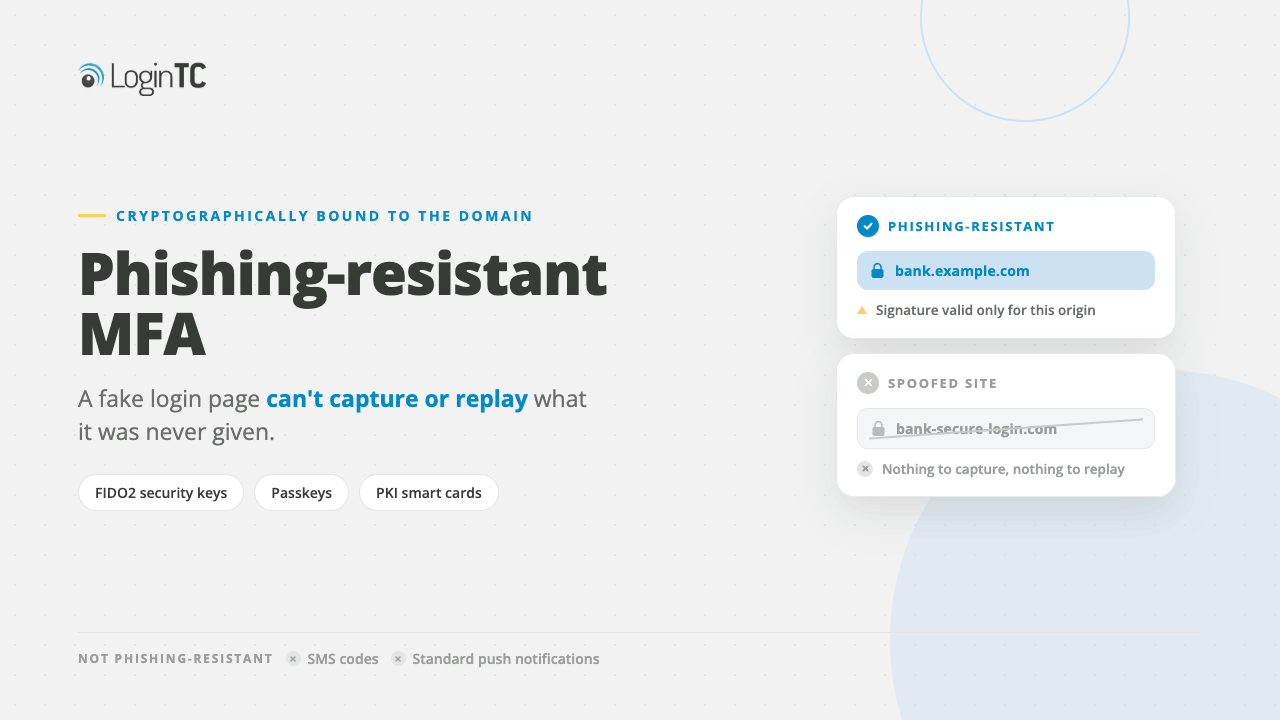
Quick answer: Phishing-resistant MFA is a category of multi-factor authentication that uses cryptographic binding between your device and a specific website or server. Because the credential is mathematically tied to the legitimate domain, attackers cannot intercept or replay it on a fake site. FIDO2/passkeys and certificate-based authentication (CBA) are the two methods that currently qualify.
Why Ordinary MFA Is No Longer Enough
You’ve probably heard that adding a second factor to your logins makes you safer. That’s still true, mostly. But there’s a catch that most vendors quietly skip past: a large class of attacks can defeat standard MFA without breaking a sweat.
Here’s how it works. An attacker builds a fake login page that looks exactly like your company’s VPN portal or cloud app. You land on that page, type your username and password, and then your phone buzzes with an MFA push notification. You approve it, because you’re expecting it. The attacker’s proxy passes your credentials and your one-time code to the real site in real time and logs in as you. The whole exchange takes under three seconds.
This attack style, known as adversary-in-the-middle (AiTM) phishing, bypassed traditional MFA in a significant share of credential theft incidents tracked in 2025. It works against SMS one-time passwords, authenticator app TOTPs, and most push-notification MFA. None of those methods verify where the credential is going. That’s the gap phishing-resistant MFA closes.
Standard MFA proves who you are. Phishing-resistant MFA also proves which site you’re authenticating to.
What Makes a Method “Phishing-Resistant”?
A phishing-resistant MFA method must satisfy two conditions at the same time:
- Cryptographic binding to the origin. The authentication credential is generated using the exact domain of the site you’re logging into. If the domain changes by even one character, the credential fails. An attacker’s proxy site will never receive a valid credential.
- No user-transferable secret. There is no code, password, or value that the user reads, copies, or types. There’s nothing for a social engineer to trick you into revealing.
Only two authentication frameworks currently satisfy both conditions: FIDO2/WebAuthn (including passkeys) and certificate-based authentication (CBA). Everything else, including push approvals, TOTP codes, SMS OTPs, and email magic links, fails at least one of these conditions.
FIDO2, Passkeys, and Certificate-Based Authentication Explained
You don’t need to be a cryptographer to understand how these work. Here’s the practical version.
FIDO2 and Passkeys
FIDO2 is an open authentication standard maintained by the FIDO Alliance. When you register a FIDO2 credential on a site, your device generates a unique public-private key pair specifically for that site’s domain. The private key never leaves your device. The site stores only the public key.
When you log in, the site sends a cryptographic challenge. Your device signs it with the private key. The site verifies the signature with the public key. Because the key pair was created for that exact domain, a fake site with a different URL cannot trigger a valid signature. The attack fails at the protocol level, before any human decision is involved.
Passkeys are FIDO2 credentials stored in a password manager or device keychain (such as those built into modern operating systems and browsers). They bring the same cryptographic protection but with a user experience that feels like Face ID or a fingerprint tap, no password required.
Passkeys eliminate both the password and the phishable second factor in a single step.
Certificate-Based Authentication (CBA)
CBA uses a digital certificate issued by a trusted certificate authority (CA) and stored on a smart card, hardware token, or device. When you authenticate, the certificate cryptographically proves your identity to the server. The binding is to the certificate’s issuing chain and the server’s expected identity, so a rogue server can’t complete the handshake.
CBA has been required for U.S. federal government users under the CISA phishing-resistant MFA guidance since 2022, and that requirement has tightened further under 2025 and 2026 executive directives for contractors and critical infrastructure operators.
For most private-sector businesses, FIDO2/passkeys offer the simpler deployment path. CBA fits organizations that already operate a public key infrastructure (PKI) or have strict hardware-bound credential requirements.
What Does NOT Qualify as Phishing-Resistant MFA
This is the section most vendors gloss over. Knowing what doesn’t count protects you from checking a compliance box and still getting compromised.
SMS One-Time Passwords (OTP)
An attacker’s proxy page can forward your SMS code to the real site within its validity window. SMS OTPs also remain vulnerable to SIM-swapping and SS7 interception attacks, both of which were documented in widespread fraud campaigns through 2025.
This is no longer a theoretical concern raised by security teams. In July 2026 Microsoft announced it would retire its own SMS and voice authentication delivery in Entra ID, citing shared secrets, interception, SIM swapping and AI-assisted phishing. See Microsoft’s own retirement of SMS and voice MFA in Entra ID for the dates and the reasoning.
TOTP Authenticator Apps (e.g., six-digit rotating codes)
TOTP codes are better than SMS, but they’re still transferable. A real-time AiTM proxy can relay a valid TOTP code to the legitimate server before it expires. The authenticator app has no knowledge of the site’s domain. TOTP is not phishing-resistant.
Push Notifications (Simple Approve/Deny)
A push approval confirms “someone has my phone,” not “I’m logging into this specific site right now.” Attackers exploit push MFA through MFA fatigue attacks, where they flood users with notifications until someone approves out of frustration. This attack vector drove a notable percentage of high-profile enterprise breaches in 2025.
Push With Number Matching
Number matching (showing a code on screen that must match the push notification) reduces MFA fatigue success but does not make push phishing-resistant. An AiTM proxy can display the correct matching number to the victim while relaying the session to the real site. The user sees a legitimate-looking prompt and approves a session they believe is theirs.
Number matching reduces MFA fatigue attacks but does not prevent real-time credential relay. It is not phishing-resistant.
Why Phishing-Resistant MFA Matters More in 2026
The threat landscape has shifted in ways that make phishing-resistant MFA a business necessity rather than a best practice you can defer.
AI-Generated Phishing Has Removed the Skill Barrier
Until recently, many phishing attempts were detectable by grammar errors, off-brand visuals, or suspicious sender addresses. Generative AI tools have removed almost all of those signals. Attackers now produce personalized, grammatically flawless phishing emails at scale, and some tools automate the entire AiTM proxy setup with minimal technical knowledge.
If the quality of phishing emails is indistinguishable from legitimate communications, then user training alone will not prevent click-throughs. The credential validation mechanism itself must be resistant to deception.
Regulatory Pressure Is Increasing
Phishing-resistant MFA is no longer voluntary in several sectors. As of mid-2026:
- U.S. federal agencies and their contractors face binding operational directives requiring FIDO2 or CBA for privileged access.
- Cyber insurance underwriters are increasingly differentiating between phishing-resistant and standard MFA when pricing premiums, with discounts available to organizations that can demonstrate FIDO2 deployment.
- The Payment Card Industry Data Security Standard (PCI DSS) requires MFA across all access to the cardholder data environment, and guidance clarifies that phishing-resistant methods are the highest-assurance tier.
How to Deploy Phishing-Resistant MFA in Your Organization
Deploying phishing-resistant MFA doesn’t require replacing your entire identity stack. Here’s a practical framework for rolling it out without disrupting your users.
Step 1: Audit Your Current MFA Coverage
List every application, VPN, and system that requires authentication. Categorize each by the type of MFA currently in use. You’re looking for gaps: systems with no MFA, systems using SMS OTP only, and high-value systems using only push notifications.
Prioritize by risk. Start with privileged admin accounts, your VPN, remote desktop access, and any system that holds sensitive customer or financial data. These are the targets attackers go after first.
Step 2: Choose Your Method
For most businesses, FIDO2 with passkeys is the right starting point. It works with modern browsers and devices your employees already own, requires no additional hardware for software-based passkeys, and delivers the best user experience of any phishing-resistant method.Learn more on the LoginTC FIDO2 authentication page.
Step 3: Plan Your Fallback Authentication Policy
One overlooked step: decide what happens when a user can’t complete phishing-resistant authentication. A lost device or browser incompatibility needs a recovery path that doesn’t reintroduce a phishable method as the permanent fallback. Options include supervised in-person identity verification, temporary hardware token issuance, or admin-assisted account recovery with enhanced logging.
Step 4: Communicate Changes to Your Team
Phishing-resistant MFA works differently from what most employees are used to. Instead of waiting for a code, they tap a fingerprint reader or approve a biometric prompt. A brief, clear explanation before rollout reduces helpdesk tickets and user resistance. Frame it as a feature, not a burden: “You’ll never have to read back a six-digit code again.”
Step 5: Monitor and Enforce
After deployment, use your identity provider’s access policies to enforce phishing-resistant methods for your highest-risk applications. Block fallback to SMS or TOTP for those systems. Review authentication logs regularly for anomalies, such as failed FIDO2 attempts followed by a successful password-only login, which may indicate policy gaps.
You can see how LoginTC handles policy-driven access controls in the LoginTC documentation.
Phishing-Resistant MFA vs. Standard MFA: A Clear Comparison
Standard MFA (TOTP, SMS, Push)
- Verifies: who you are (possession of a device or knowledge of a secret)
- Vulnerable to: AiTM proxy attacks, SIM swapping, MFA fatigue, social engineering
- Credential transferability: the code or approval can be relayed in real time
- Complexity to deploy: low to medium
- Compliance tier: baseline MFA, not phishing-resistant
Phishing-Resistant MFA (FIDO2/Passkeys, CBA)
- Verifies: who you are AND which site you’re authenticating to
- Vulnerable to: physical device theft (mitigated by biometric unlock), supply chain compromise of device firmware (rare)
- Credential transferability: cryptographically impossible to relay to a different domain
- Complexity to deploy: medium (FIDO2 with passkeys is now significantly simpler than in prior years)
- Compliance tier: highest assurance, satisfies CISA, NIST AAL3, and PCI DSS highest tier
Frequently Asked Questions
What is phishing-resistant MFA?
Phishing-resistant MFA is a type of multi-factor authentication that uses cryptographic binding to tie a credential to a specific website domain. This means an attacker cannot intercept and replay the credential on a fake site because it will only validate against the legitimate origin. FIDO2/passkeys and certificate-based authentication are the two qualifying methods recognized by CISA, NIST, and major compliance frameworks.
Is passkey authentication phishing-resistant?
Yes. Passkeys are FIDO2 credentials, and they are fully phishing-resistant. The private key is generated on your device for a specific domain and never leaves that device. A fake or proxy login page uses a different domain, so the passkey credential will simply not respond to it. Passkeys also eliminate passwords entirely, removing a second attack vector at the same time.
Is push notification MFA phishing-resistant?
No. Push notification MFA, including push with number matching, is not phishing-resistant. While it is stronger than SMS OTP and reduces MFA fatigue attacks when number matching is enabled, an adversary-in-the-middle proxy can still relay your approval to the real site in real time. The push notification contains no information about which domain is requesting authentication, which is the property that makes phishing resistance possible.
What is an AiTM phishing attack?
An adversary-in-the-middle (AiTM) phishing attack uses a real-time proxy server positioned between you and a legitimate website. You interact with the proxy thinking it’s the real site, and the proxy forwards your credentials and MFA codes to the actual site. The attacker captures a valid session cookie. AiTM attacks defeat all MFA methods that don’t use cryptographic origin binding, including SMS OTP, TOTP, and push notifications.
Does phishing-resistant MFA satisfy CISA requirements?
Yes. CISA’s phishing-resistant MFA guidance, updated through 2025 and 2026, recognizes FIDO2/WebAuthn and certificate-based authentication as the two compliant methods. Organizations subject to binding operational directives, including federal agencies and many contractors, are required to implement one of these two methods for privileged access. Standard MFA methods do not satisfy the phishing-resistant tier under CISA guidance.
Can small businesses deploy phishing-resistant MFA?
Yes, and it’s becoming easier every year. Software-based passkeys stored in a device keychain or password manager require no additional hardware purchase. Modern operating systems and all major browsers support FIDO2 natively. A small business can begin deploying passkey authentication for cloud applications within a day using a compatible identity provider. The main investment is configuration time and a brief user communication exercise, not hardware.
How does phishing-resistant MFA protect against MFA fatigue attacks?
MFA fatigue attacks work by sending repeated push notifications until the user approves one out of frustration. Phishing-resistant MFA eliminates this attack vector entirely because there is no push notification to approve. With FIDO2, authentication requires a deliberate physical action on your enrolled device, such as a fingerprint or face scan, and only activates in response to a cryptographic challenge from the correct domain. There is nothing for the attacker to spam.
What is the difference between FIDO2 and a passkey?
FIDO2 is the underlying authentication standard. A passkey is a type of FIDO2 credential that is stored in a device keychain or password manager and can be synchronized across devices. All passkeys are FIDO2 credentials. Not all FIDO2 credentials are passkeys; FIDO2 also includes credentials stored on hardware security keys that cannot be exported or synced. Both are phishing-resistant. Passkeys offer a more user-friendly experience; hardware-bound FIDO2 keys offer the highest assurance for privileged accounts.
Ready to Go Phishing-Resistant? LoginTC Makes It Straightforward.
Talk to our team about deploying FIDO2 and passkey authentication across your organization today.