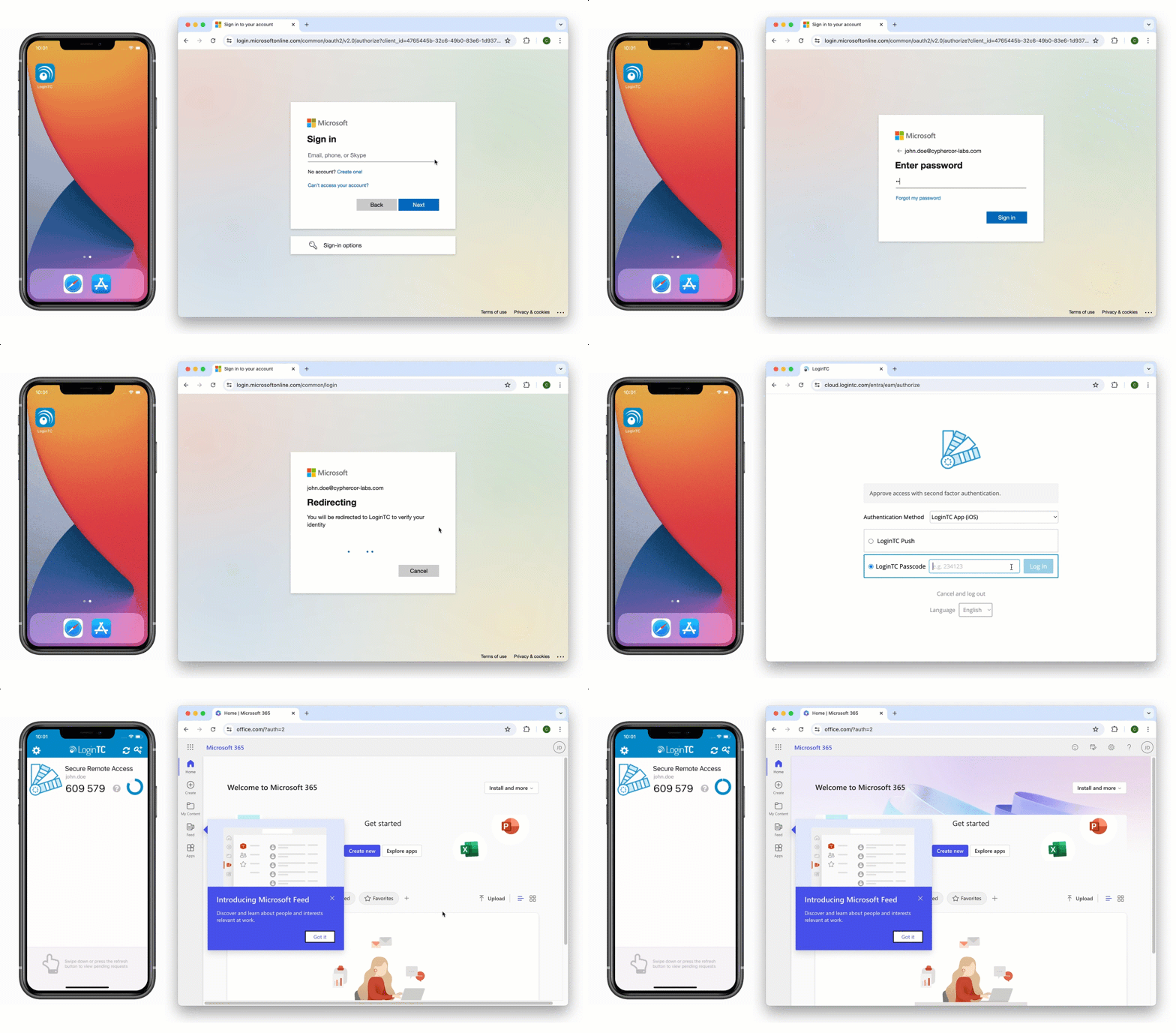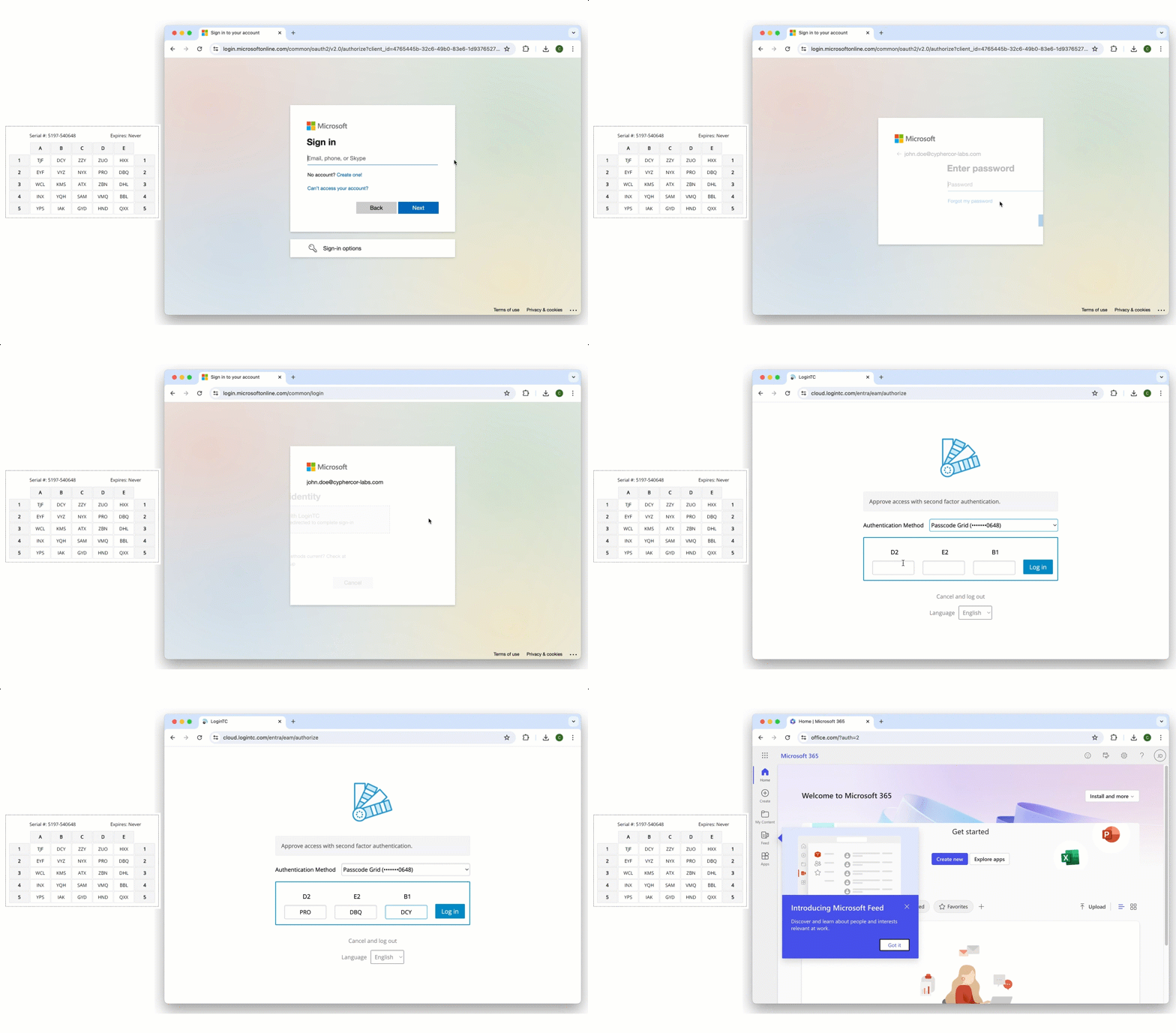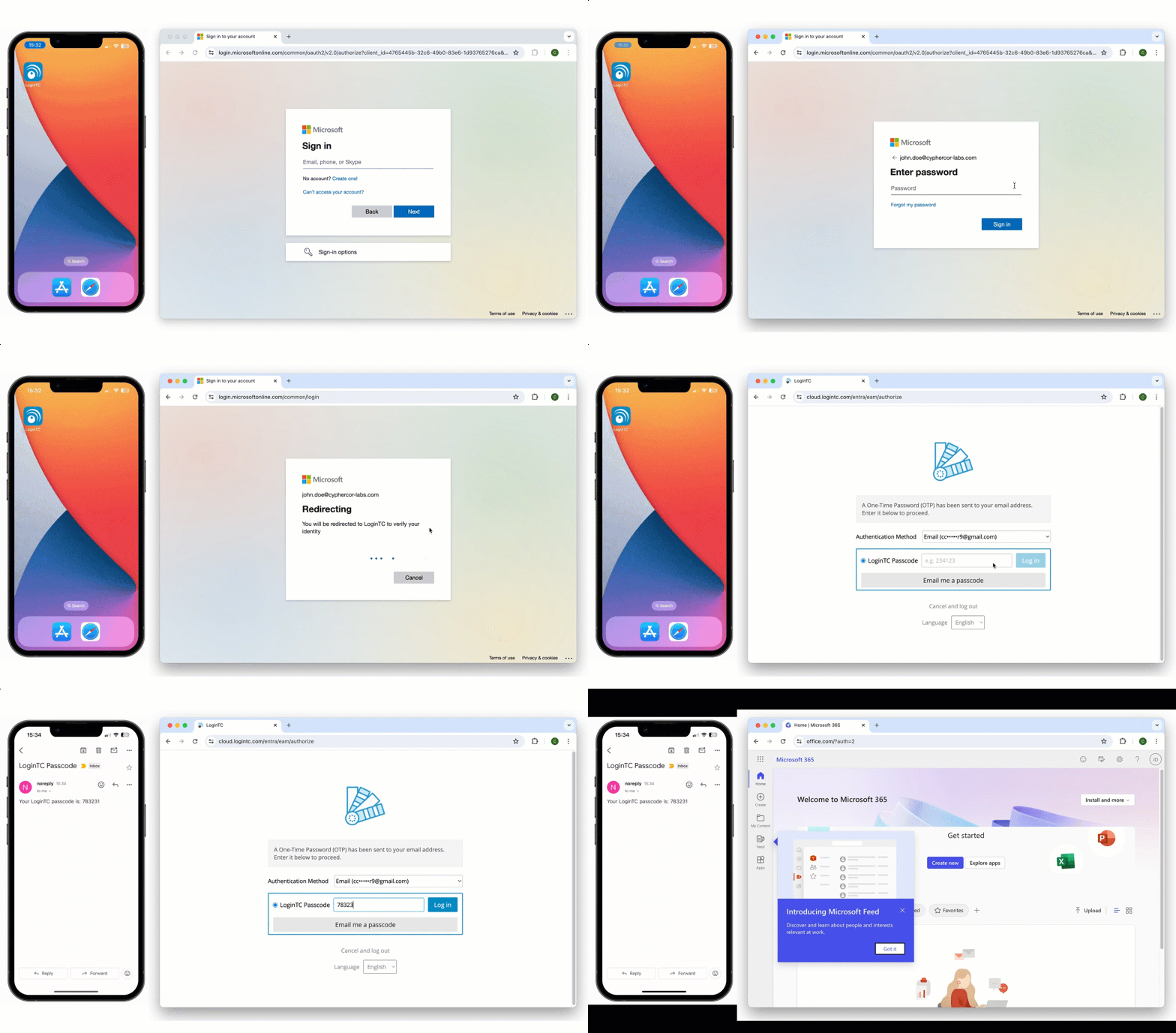
Microsoft Entra ID External Authentication Methods (EAM)

Secure access to Microsoft online services with LoginTC two-factor authentication (2FA) as your External Authentication Method provider. LoginTC is third-party Entra ID MFA, connected through the external authentication methods framework that Microsoft made generally available in February 2026 and now also calls External Multifactor Authentication, or External MFA. Easy for end-users to enroll and log into Office 365 and Microsoft online applications. Two-factor authentication helps prevent account takeovers.

Multiple authentication methods like Push-based authentication, Software One-Time Passwords (OTP), Hardware Tokens, Bypass Codes and Email One-Time Passwords ensure end-users can always login securely.

Three things worth reading alongside this page: how to set LoginTC up as an external authentication method in Entra ID if you want the configuration steps, why organizations choose a third-party MFA provider for Entra ID if you are still weighing the decision, and Microsoft’s retirement of its own SMS and voice authentication if you are working to a deadline.
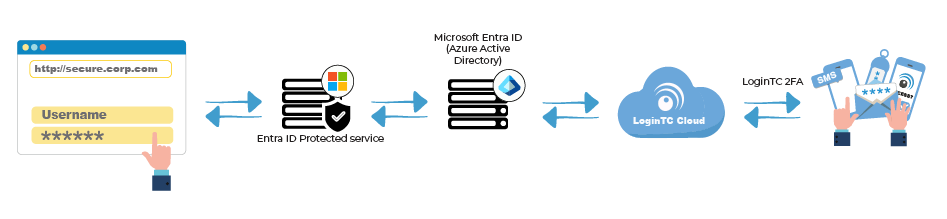
Enable LoginTC with Entra ID EAM to add comprehensive multi-factor authentication (MFA) to your Microsoft services and keep your organization secure.
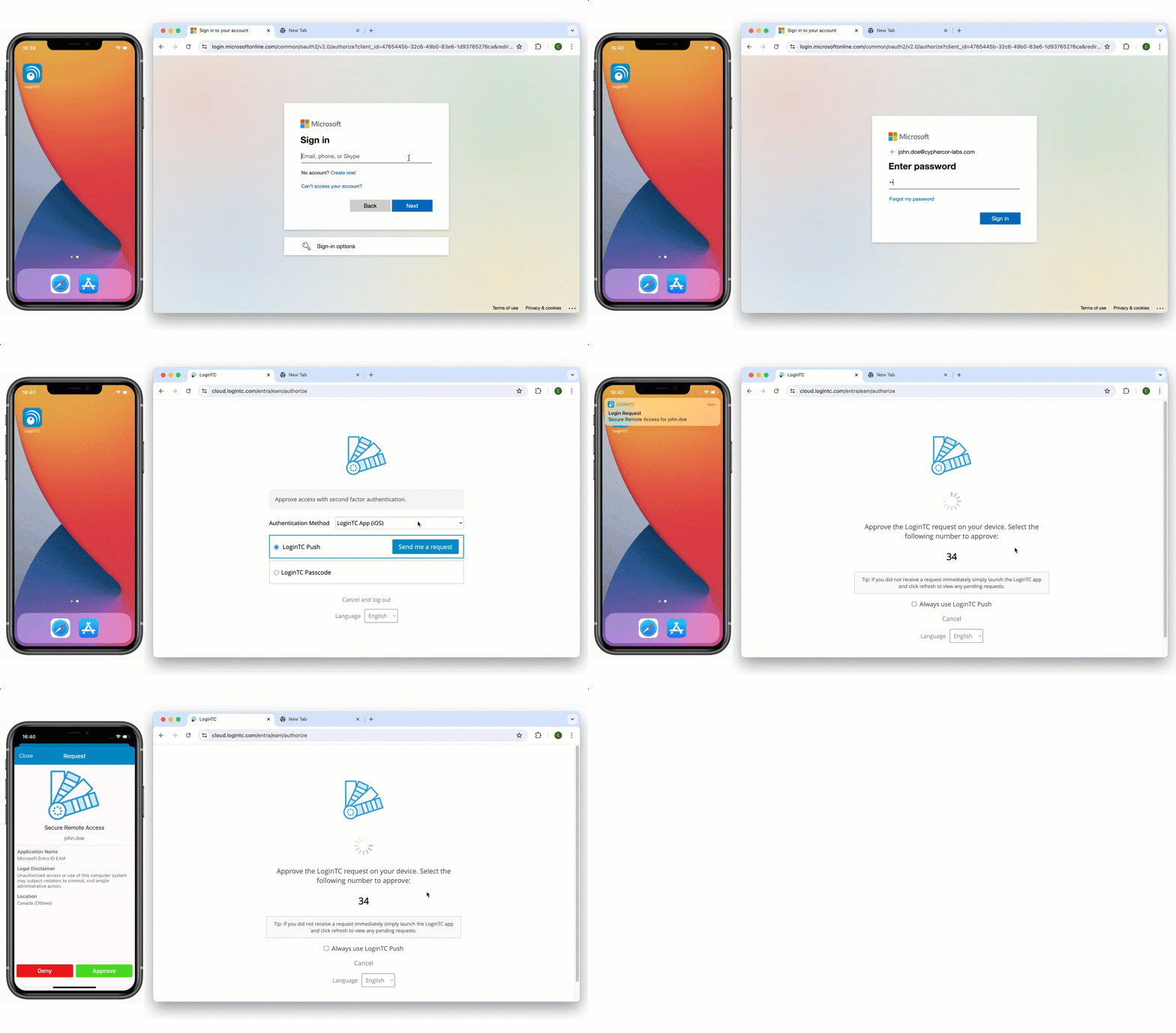
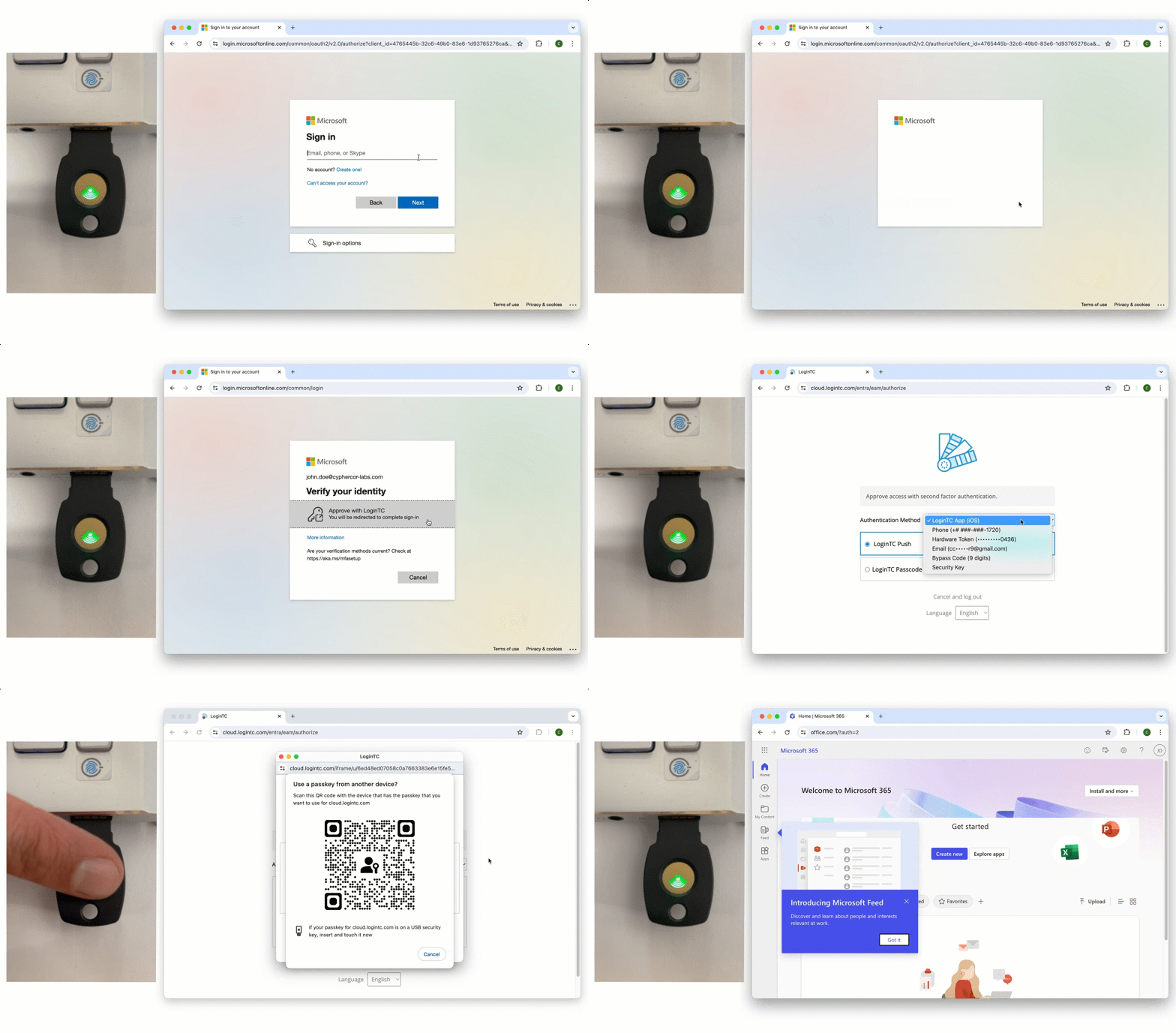
Video Walkthrough

 
LoginTC can be added to your Entra Tenant end to end in under ten minutes.
 
Follow along the guided tutorial and raise your organization’s cyber security posture.
 
Watch the video

Talk to us about Entra ID MFA

Every tenant is set up differently. Tell us which users, applications and devices you need to cover, and we will show you how LoginTC works as an external authentication method in your Entra ID, including the users who cannot use a phone.

Contact us


Frequently Asked Questions (FAQ)

What is Entra ID External Authentication Methods (EAM)?

Entra ID EAM allow administrators to use your preferred multifactor authentication (MFA) solution with Entra ID. This means you can use one authentication token for your Office 365 and Microsoft online services, as well as third-party VPNs, firewalls, and more.

Can a user use one token to login to every application?

Yes, a single LoginTC authentication token can be used to login to all your connected applications and services.

What authentication methods can I use to login?

You can use any of our LoginTC authentication methods, including:
 
Software OTP
Hardware OTP
Push Authentication
Desktop Authentication
SMS Passcode
Email Passcode
Phone Call
FIDO2 Token
Passcode Grid
QR Scan
Push Number Matching
Bypass Code
 
Contact us to discuss which authentication method might work best for your organization.

Is LoginTC affected by Microsoft retiring SMS and voice in Entra ID?

No. Microsoft’s retirement covers its own SMS and voice delivery and the legacy MFA policies, not external authentication methods. Microsoft’s retirement FAQ states that External MFA users are not in scope unless they are also enabled for SMS or voice in the authentication method policies. LoginTC connects to Entra ID as an external authentication method, so a tenant using LoginTC for multifactor authentication is not losing a method on this timeline. The dates, and what does change, are in our write-up of the SMS and voice retirement.

Contact us to discuss which authentication method might work best for your organization.

Can External Authentication Methods be used for Entra self-service password reset?

No. Microsoft’s authentication methods table does not accept External MFA, or passkeys, as a method for self-service password reset. This is a limitation of Entra rather than of any particular vendor. There is a practical way around it: LoginTC hardware tokens are standard TOTP tokens built to RFC 6238, so Entra can register them as hardware OATH tokens, which are on the accepted SSPR list. Organizations with staff who have no mobile phone can use one token for both the sign-in second factor and the SSPR registered method. Hardware OATH token support in Entra is a preview feature, so confirm its status in your tenant.

Can schools use External Authentication Methods for student MFA?

Yes. HallKey, from the team behind LoginTC, adds passcode-grid MFA to Microsoft Entra ID through External Authentication Methods, so students don’t need a smartphone. It requires Microsoft Entra ID P1 or P2.

Simple for end users

Easy Deployment Process

Utilize existing devices

Standardized for compliance

Trusted Worldwide

65+

Countries Served

10K+

Use Cases

2013

Year Released

Start your free trial today. No credit card required.

Sign up and Go