How to securely authenticate without a smartphone
November 14, 2023 •
Last reviewed: October 2026 | Reading time: about 6 minutes
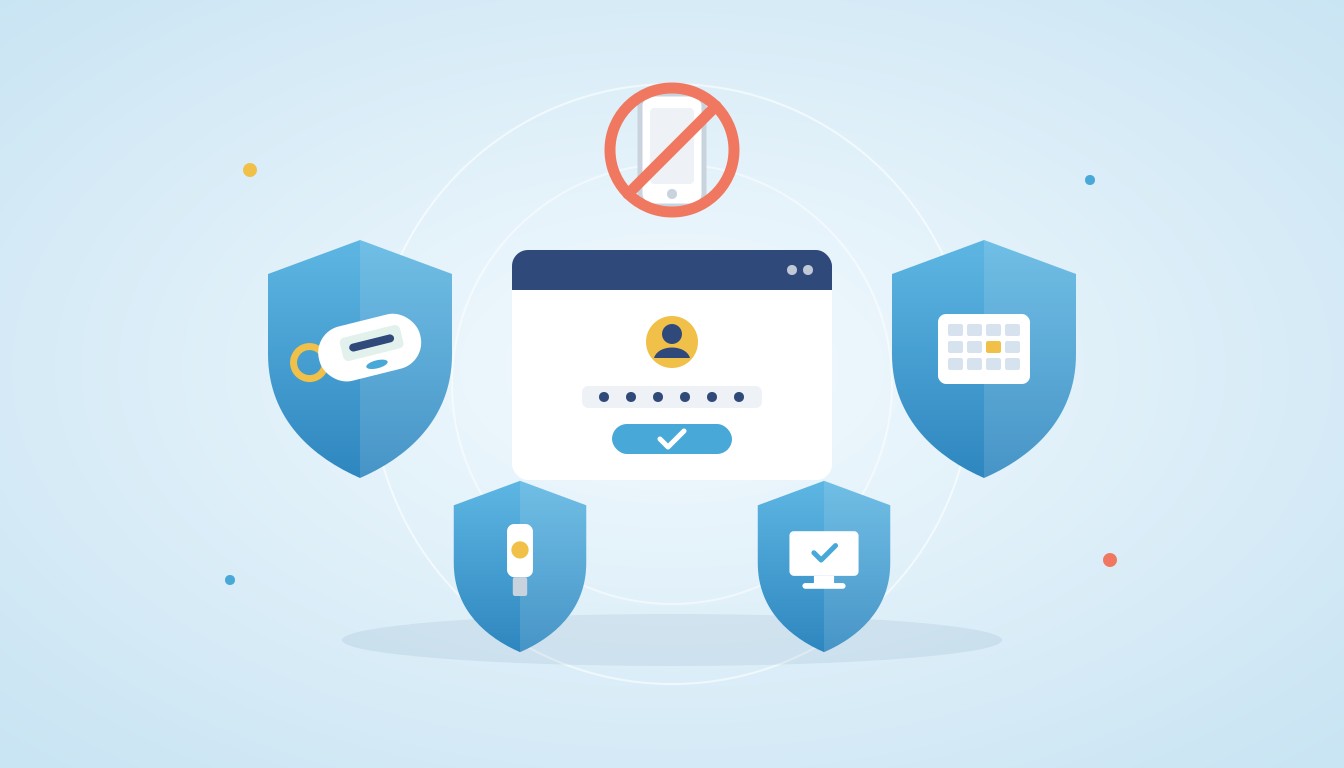
Welcome back to our series on authentication use cases. As a refresher, this series is about learning what authentication solutions are available to solve common and unique problems that arise from different authentication scenarios. In our first installment, we talked about offline authentication for Windows.
This part of our series will explore scenarios where your user base needs to authenticate without a smartphone.This question has deadlines attached to it now. From 7 November 2026, Entra ID self-service password reset only accepts authentication methods a user has explicitly registered, and from 1 February 2027, users whose only multi-factor method is SMS or a voice call will be required to register a passkey at sign-in. If some of your users can do neither, the options are set out in our briefing on the Entra SMS and voice retirement.
Learn how secure and simple authentication can still be achieved without smart devices.
Prefer to see it first? Book a 30-minute demo with our team.
Scenario One: When you need to manage Legacy Devices

To comply with a vendor’s supplier agreement, MFA is being introduced at the manufacturing plant where Jamie works. The problem is, Jamie owns an old flip phone that can’t download apps. What other ways could Jamie use his phone for authentication?
Solution: SMS
One of the most popular methods of authentication is SMS authentication. With SMS, a six digit code is sent via text message to a preset phone number. As seen below, this one-time authentication code is inputted into the space provided to confirm login.
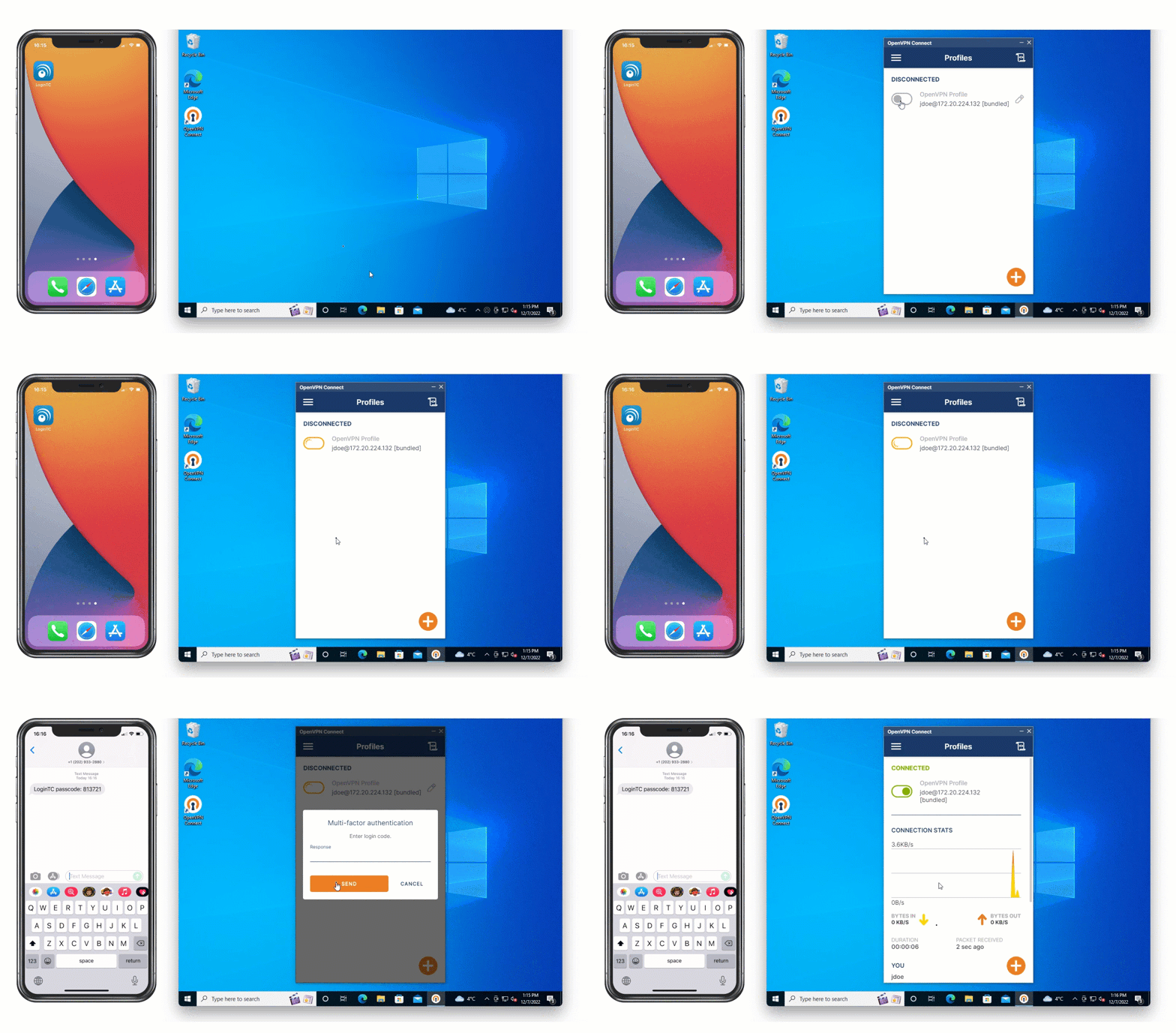
Jamie can use his flip phone to receive a one-time code via text message that he can use to authenticate access.
Solution: Phone call
Another way Jamie can approve an authentication request is through a phone call. Using phone call authentication, an automated call is made to Jamie’s phone, and is accepted when he answers the call and presses “1” to confirm authentication.
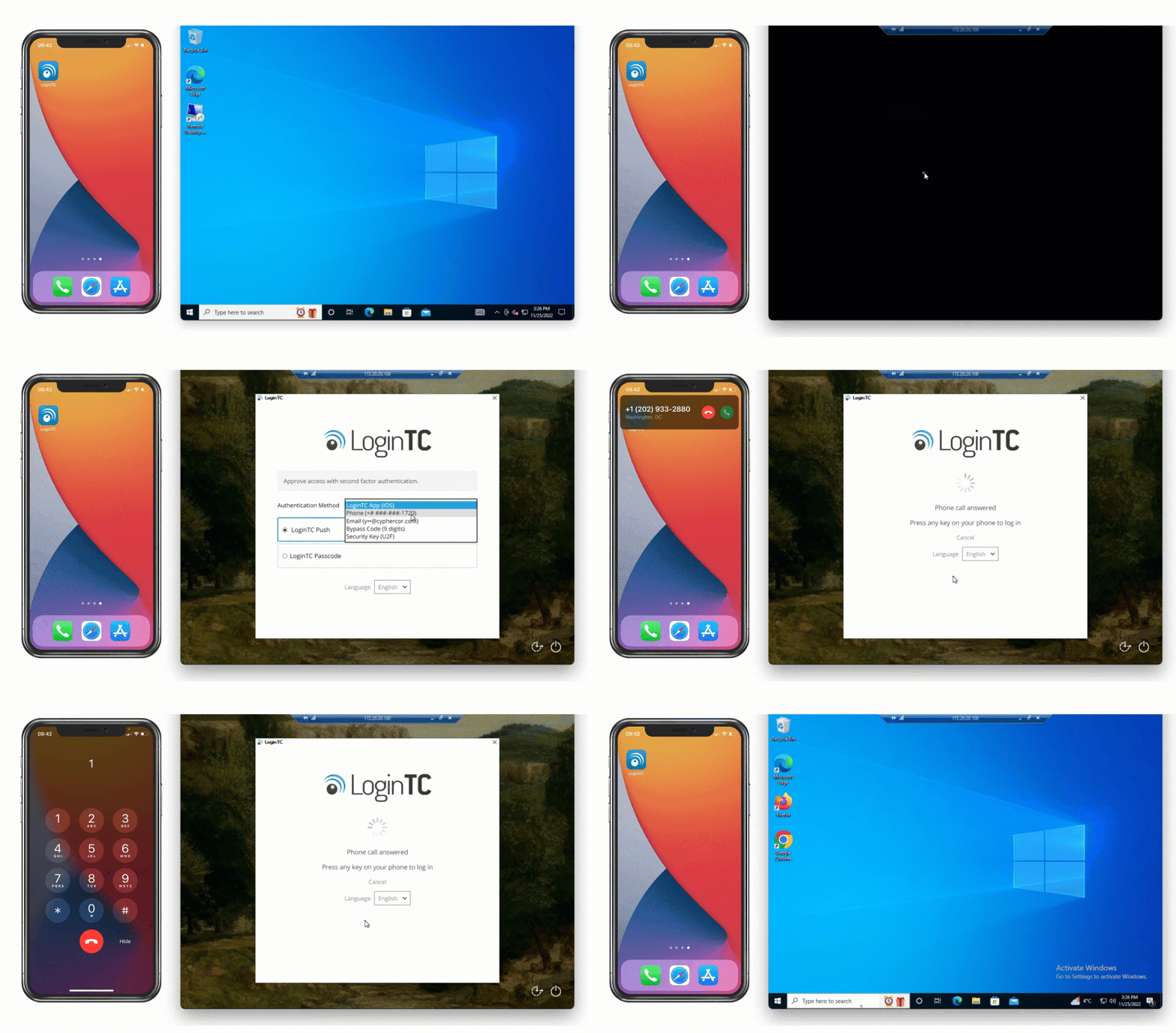
Either of these methods offer a way for Jamie to use his mobile device to securely authenticate, even if it isn’t a smartphone.
Scenario Two: When Bring Your Own Device (BYOD) is prohibited

Jillian is the IT Manager for a non-profit that has a strict policy that no personal devices are to be used for work related purposes. To meet their cyber insurance requirements, the non-profit will be introducing an MFA requirement to login to all their systems. What devices could Jillian choose to issue to all of the employees for authentication that won’t interfere with the company’s policy on no personal devices?
Solution: Hardware tokens
The first option Jillian could choose is a hardware token. A hardware token is a physical token that generates six or eight digit codes based on time. These tokens are assigned to a specific user, and can only be used to access that user’s account.
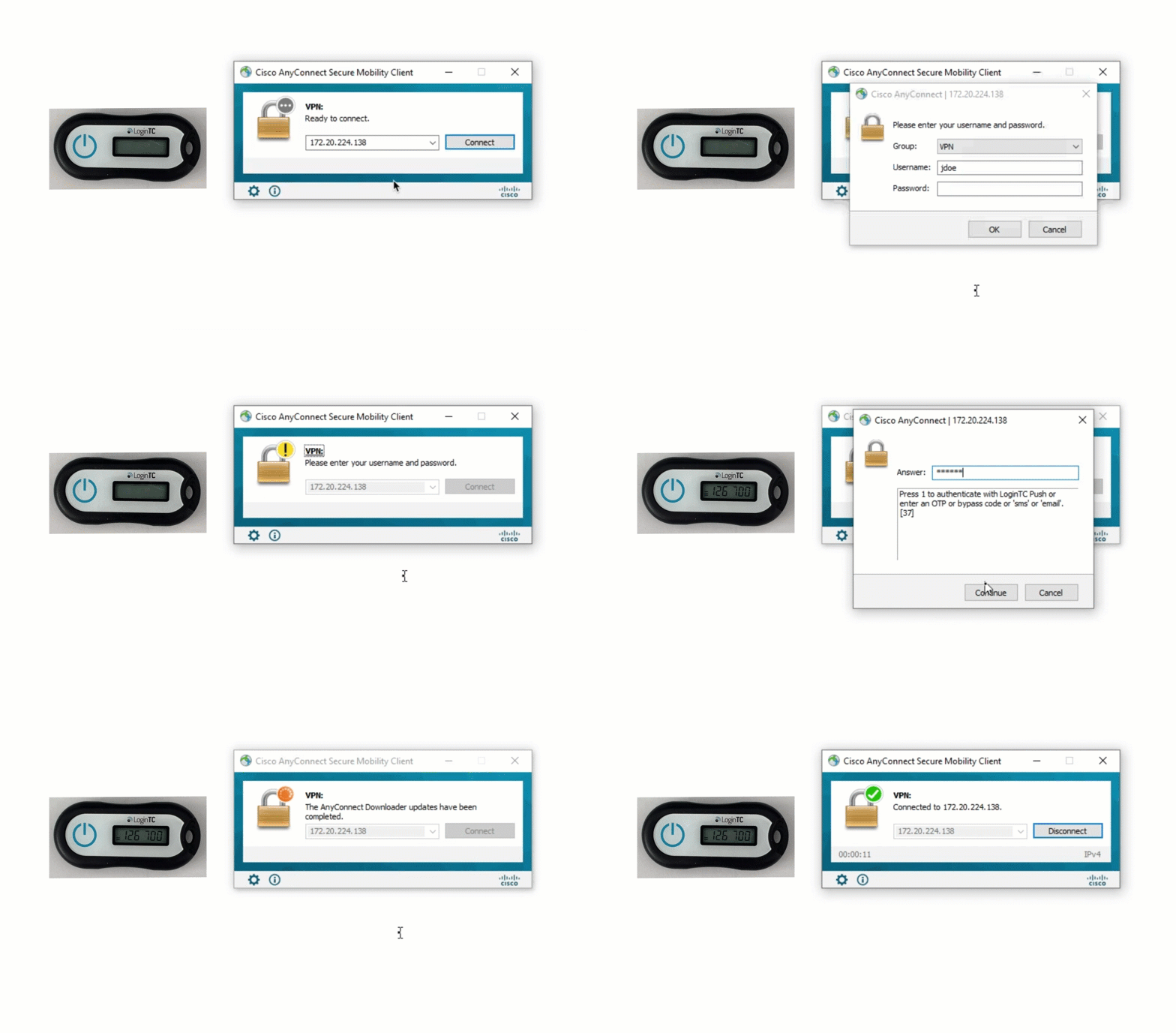
Hardware tokens are easy and relatively cheap to acquire, and can be used almost everywhere. LoginTC offers a free hardware token trial program for administrators interested in trying out hardware tokens.
Hardware tokens also solve a password reset problem that catches out many Microsoft rollouts. Microsoft Entra ID accepts a shorter list of methods for self-service password reset than it does for sign-in, and external MFA and passkeys are not on that list. A LoginTC hardware token is a standard TOTP token built to RFC 6238, so Entra ID can register it as a hardware OATH token, and hardware OATH tokens are on Microsoft’s accepted list for password reset. For a user with no phone, one small keyfob covers both the second factor at sign-in and the registered method Entra needs for a password reset. Microsoft lists hardware OATH token support as a preview feature, so confirm its status in your tenant before you plan a rollout around it. Our hardware token page covers the registration detail.
Solution: FIDO2
The next option Jillian considers is to roll out FIDO2 security keys. A FIDO2 key plugs into your computer via USB. It establishes a connection between it and your browser to verify the domain and first factor user credentials of the application being accessed. By pressing the button or fingerprint scanner on the FIDO2 key, second factor authentication is verified.
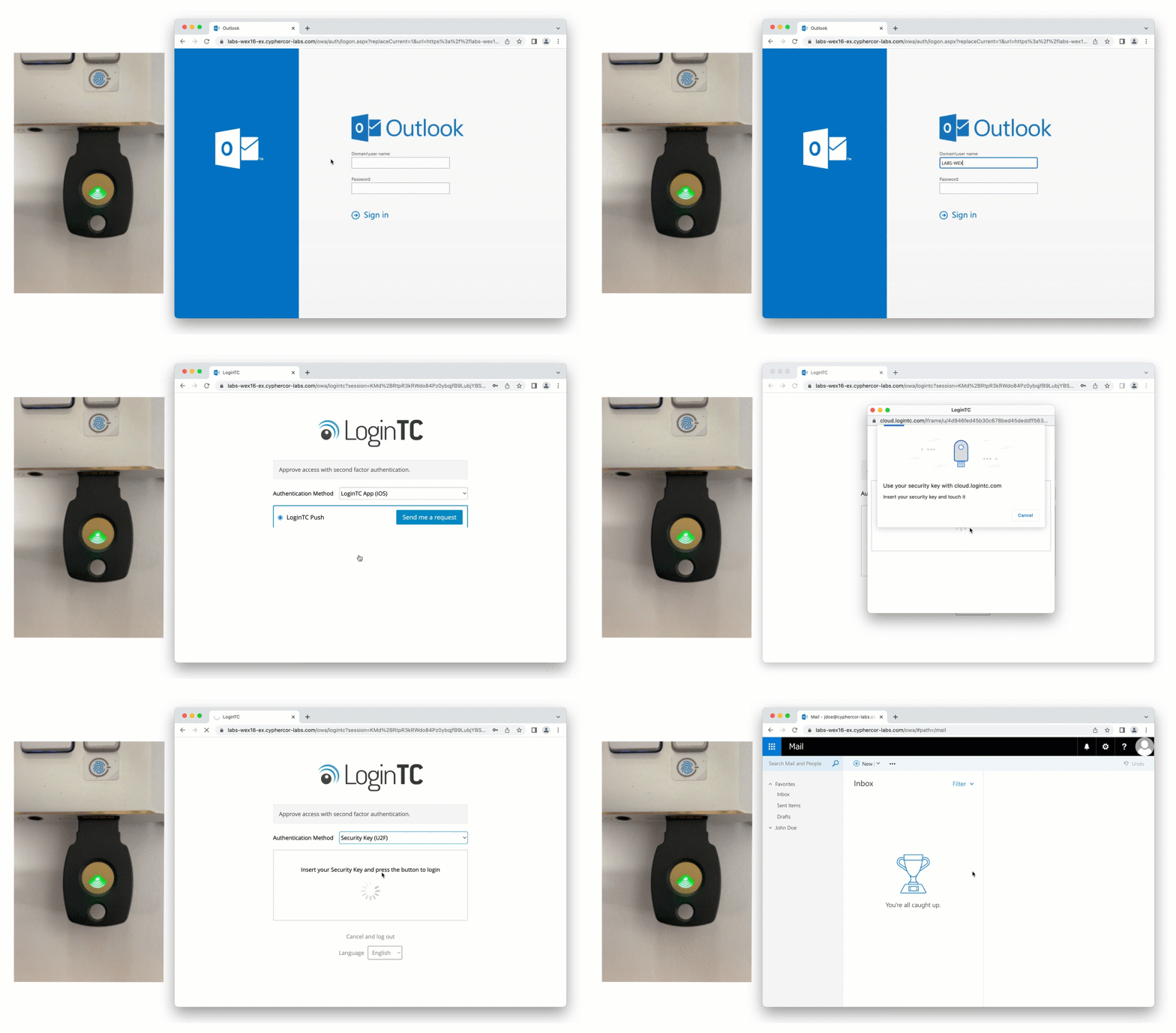
While it carries a higher cost to deploy, FIDO2 is considered a phishing-resistant form of authentication, and is one of the strongest MFA methods available. One limit to plan for in Microsoft Entra ID: a security key will sign a user in, but Entra does not accept it for self-service password reset, so a key-only user needs a second registered method such as a hardware token.
Solution: Passcode grid
The last option Jillian considers is using passcode grid authentication. A passcode grid is a 5×5 grid with uniquely generated 3-character tuples. Passcode grids can be issued to each of the employees and printed or saved somewhere securely. Schools use passcode grids so students can sign in without a phone: see HallKey, our MFA for schools.
As seen below, to authenticate using a passcode grid, the user inputs requested tuples into the space provided.
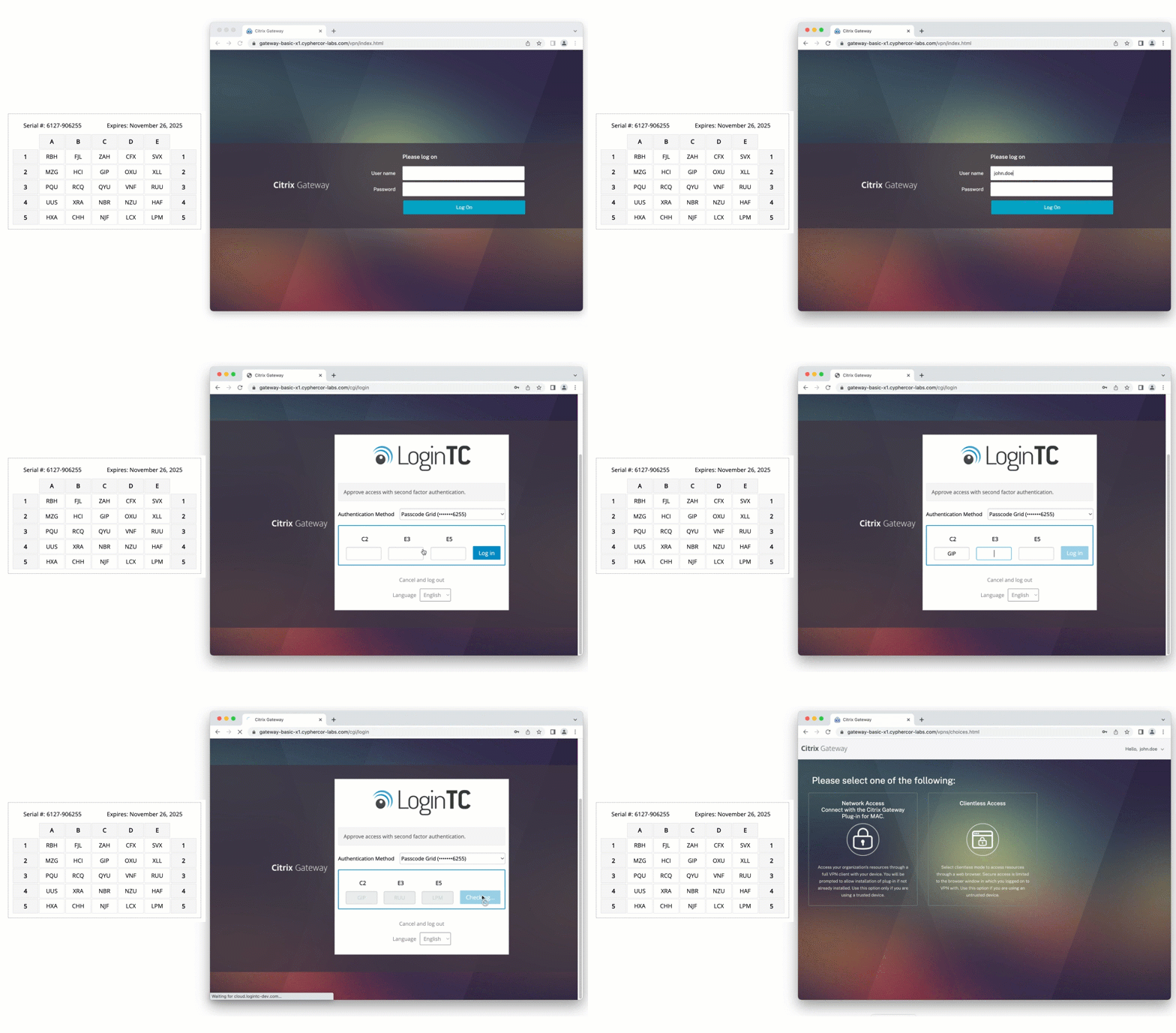
A passcode grid is an authentication method that incurs no additional cost. It can be generated and assigned to users easily by an administrator, without the need to purchase additional hardware.
Scenario Three: When you don’t want to introduce new devices
In Ben’s job at the bank, MFA is being introduced across all accounts and systems in order to meet new data privacy legislation. However, the bank doesn’t want to introduce any additional devices to perform this authentication. What corporate devices or accounts does Ben already have that could be used for authentication?
Solution: Desktop push
One way that the bank could issue authentication tokens is to turn Ben’s computer into an authentication device. With this method, Ben receives authentication requests to an application installed on his computer, and by accepting the notification is granted access to applications.
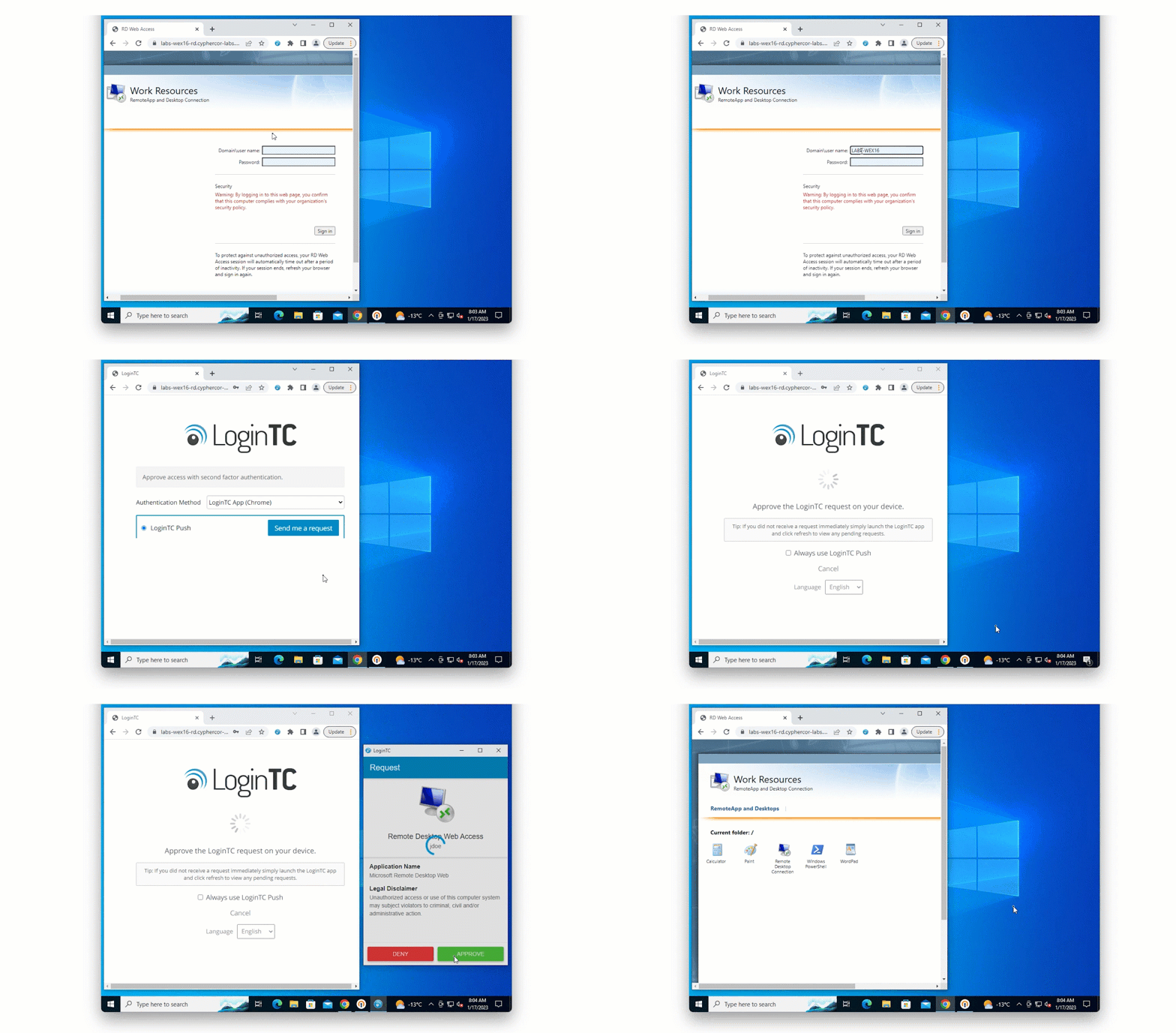
This ensures that no new devices are being issued to Ben and other employees.
Solution: Email
The other way the bank could set up multi-factor authentication is by leveraging the existing company email address that each employee has been issued. One-time passcodes can be sent via email to be used for authentication.
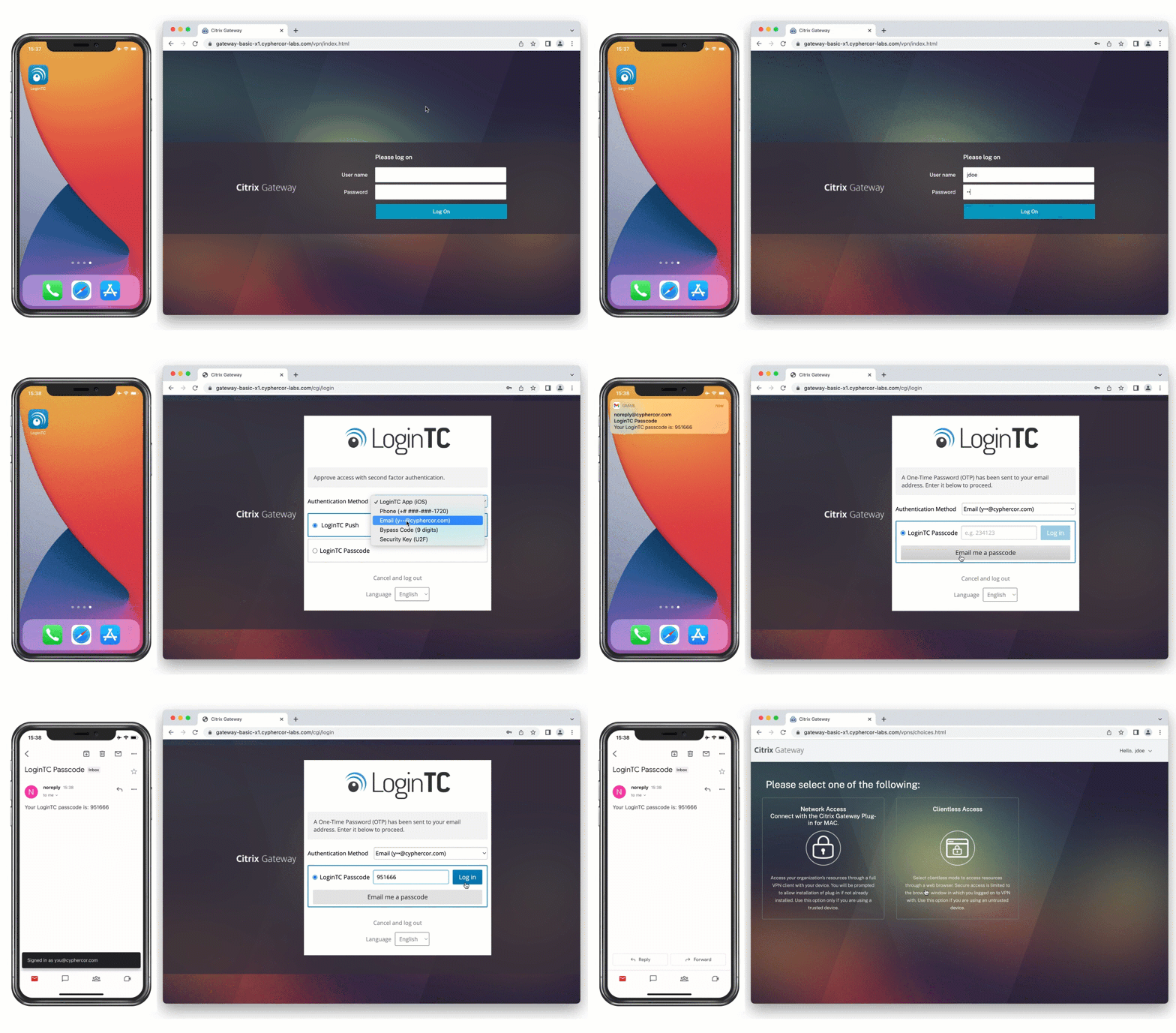
Using this method, the bank can easily deploy MFA to a large group of employees without needing to introduce additional devices.
Conclusion: Easily authenticate without a smartphone
Even if some or all of your users can’t use a smartphone for authentication, there are many different ways to achieve simple and secure authentication for your organization.
Have users a phone-based rollout cannot reach?
Talk to us about hardware tokens, passcode grids and the methods that work when a phone is not an option. The hardware token trial program sends tokens to administrators who want to test them first.