Microsoft Is Retiring Conditional Access Custom Controls: What Third-Party MFA Customers Need to Know
September 09, 2026 •
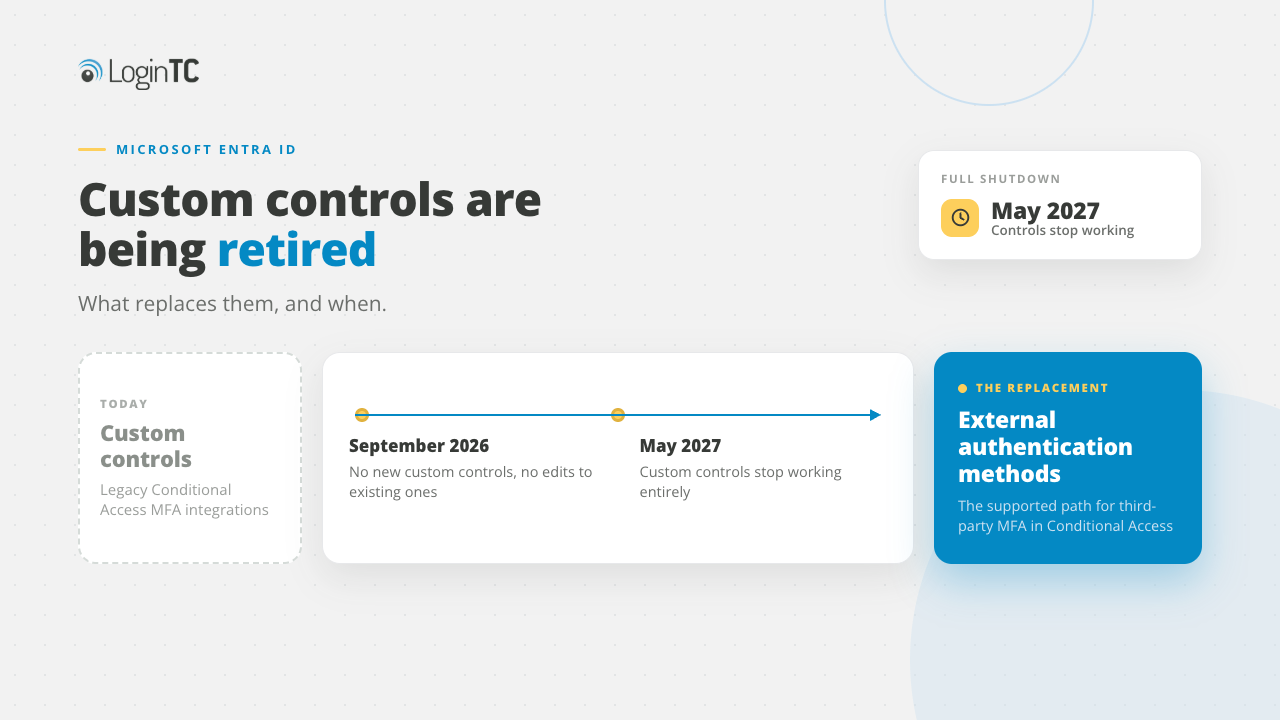
If you run a third-party MFA product against Entra ID, this is the announcement that touches your configuration. It came at the same time as a much larger one about SMS and voice authentication, which is why most people have likely not read it. Microsoft notified tenants as Message Center post MC1422061 informing them that custom controls are being retired, and external authentication methods must replace them.
What custom controls were, and why they are going away
Custom controls were how you satisfied a Conditional Access policy with something Microsoft did not provide. The policy required a custom control, the user was redirected out to your MFA provider, and on success they were sent back. Although it worked, it always seemed more like an afterthought than a real integration, and you have probably been feeling some of the consequences already, without connecting them to this. Microsoft’s own migration documentation is very blunt about what custom controls could not do:
| Capability | Custom controls | External authentication methods |
|---|---|---|
| Satisfies the Require multifactor authentication grant | No | Yes |
| MFA reflected accurately in sign-in logs | No | Yes |
| Works with Privileged Identity Management | No | Yes |
| Works with risk-based Conditional Access | No | Yes |
| Works with Intune device registration | No | Yes |
Source: Microsoft Learn, “Migrate from custom controls to external MFA in Conditional Access”.
The first row is the one that has quietly cost the most. A completed third-party MFA challenge did not satisfy Entra’s own multifactor authentication grant, so your sign-in logs never recorded that MFA had happened, and anything depending on the MFA claim behaved in ways that often took an entire afternoon to explain. Teams built workarounds and moved on. The workaround is what is being retired.
The two dates
| Date | What happens |
|---|---|
| September 2026 | You can no longer create a new custom control, and you can no longer edit an existing one. Existing controls keep working, frozen as they are. |
| May 2027 | Custom controls are fully retired and stop functioning. |
Who this affects
Although this is narrower than the SMS and voice retirement, it affects any organization with at least one Conditional Access policy using a custom control. In practice that means anyone who connected a third-party MFA provider to Entra ID before external authentication methods existed and has not moved since.
You should be able to verify this in the Microsoft Entra admin center by looking at the grant controls on each policy. One that is using a custom control shows that control by name under Grant instead of Require multifactor authentication and it is a good idea to check, as custom controls often survive in old policies nobody has looked at in years.
If you are looking for the impact of users that depend on Microsoft-provided SMS and voice, this is a different change with different dates, and is the first one we covered here: Microsoft is retiring SMS and voice MFA in Entra ID.
What replaces it
If you are looking for a replacement, it is external authentication methods (like LoginTC for example), and the difference is in the technical details. Instead of redirecting the user out to an opaque control, your provider is registered as a first-class authentication method in the Authentication Methods Policy over OpenID Connect, and a successful challenge satisfies Entra’s own Require multifactor authentication grant.
External authentication methods are configured through Conditional Access, which requires Microsoft Entra ID P1 or higher. You also need two roles: Authentication Policy Administrator or Global Administrator to configure the method, plus Privileged Role Administrator to grant admin consent to the provider application.
If external authentication methods are new to you, there is fuller background in our post on external authentication methods in Microsoft Entra ID, and a step-by-step configuration guide in how to use LoginTC for Microsoft Entra ID external authentication methods.
The catch to watch out for: authentication strengths
External MFA is not currently compatible with authentication strengths. Microsoft’s guidance says not to use the “Require authentication strength grant” with external MFA, and to configure policies with the standard “Require multifactor authentication grant” instead. Many Conditional Access policies written in the last few years were built around authentication strengths, and if yours were, that part of the design has to change at the same time as the migration to avoid any problems.
A good way to do this is to audit which policies use them before you start, and work out what the equivalent enforcement looks like using the standard grant plus your provider’s own policy controls and is much easier to address if identified in advance.
How to run the migration
Microsoft’s documented sequence (in the order that keeps a rollback possible):
- Audit. Identify every Conditional Access policy using a custom control. Do this first, because the count tells you whether this is an afternoon or a project.
- Configure the external authentication method. Register your provider as an authentication method in the Authentication Methods Policy and grant admin consent.
- Register test users. Get a pilot group registered for the new method before any policy points at it.
- Create a test policy. Scope a new Conditional Access policy to the pilot group using the Require multifactor authentication grant, and leave the existing custom control policy in place while you test.
- Roll out in phases. Move users across in groups rather than one cutover, checking sign-in logs at each stage. Unlike custom controls, the new method shows up correctly in the logs, so you can confirm the migration worked instead of inferring it.
- Clean up. Remove the custom control policies, then the custom control definitions. Only after the phased rollout is complete. Remember that after September 2026 you cannot edit a custom control, so a half-configured one is not a safe place to stop.
If you are going to re-evaluate, this is a great time to do it
A forced migration is a good trigger for asking whether your current setup is still right because the switching cost is temporarily close to zero. If you are already going to have to configure a new authentication method, register users, write new policies and run a phased rollout, doing that with a different provider is a lot of the same work.
Before starting this process, there are a few things you should know. Although questions about features are common, it can be easy to overlook the questions around coverage such as: which systems outside Entra ID also need MFA, and are they on this subscription or a second one? What happens at a Windows or Remote Desktop sign-in (where a browser-based prompt cannot appear at all)?, What exists for users who cannot use a phone? It is also a good idea to determine what the behaviour is when the MFA service is unreachable. These answers can vary a lot between products, and they are very often the hardest things to change once you have committed.
LoginTC integrates with Entra ID as an external authentication method, so it is a supported destination for this migration, and the same subscription covers on-premises systems including VPNs, RADIUS, Windows logon and Remote Desktop. The Entra ID EAM integration is available on the Business and Enterprise plans. The wider comparison, including where native Entra MFA is enough on its own, is in why choose third-party MFA for Entra ID.
If you are looking for more information on this topic, the full method list in included in our authentication solutions, and hardware-based sign-in on on our FIDO2 authentication page.
Migrating off custom controls?
Talk to our team about moving to an external authentication method, or start a free trial today.
Frequently asked questions about the custom controls retirement
What exactly is being retired?
Conditional Access custom controls, the mechanism that allowed a Conditional Access policy to be satisfied by redirecting the user to a third-party service. Microsoft notified tenants as Message Center post MC1422061. The replacement is external authentication methods, an integration based on OpenID Connect. Nothing about your ability to use a third-party MFA provider with Entra ID is being removed. The integration mechanism is changing.
When do custom controls stop working?
There are two dates. From September 2026 you can no longer create a new custom control or edit an existing one, although existing controls continue to function. In May 2027 custom controls are fully retired and stop working. Plan against September rather than May, because after September you cannot change a custom control even if something breaks and forces you to.
How do I tell whether my Conditional Access policies use custom controls?
Review the grant controls on every Conditional Access policy in the Microsoft Entra admin center. A policy that uses a custom control shows that control by name under Grant, rather than showing Require multifactor authentication. Check all of your policies rather than the ones you remember, because custom controls tend to survive in policies that have not been opened in years.
Do I need a particular Microsoft Entra ID licence?
External authentication methods are configured through Conditional Access, and Microsoft’s licensing documentation states that using Conditional Access requires Microsoft Entra ID P1 licences. If you were already using custom controls you were already using Conditional Access, so this is not usually a new cost, but it is worth confirming before you plan the work.
Can I still use authentication strengths after migrating?
Not with external MFA. Microsoft’s migration guidance states that external MFA is not currently compatible with authentication strengths, and that policies should use the standard Require multifactor authentication grant rather than Require authentication strength. If your existing Conditional Access design depends on authentication strengths, plan that redesign as part of the migration rather than discovering it during cutover.
Is this the same as the SMS and voice retirement?
No. They are two separate changes announced close together, and they affect different populations. The SMS and voice retirement removes Microsoft-provided text message and phone call delivery on 1 February 2027 and affects any organization whose users authenticate that way. The custom controls retirement changes how a third-party MFA provider is connected to Conditional Access, and affects only organizations using custom controls. You may be affected by one, both, or neither.
What happens if I do nothing?
Between September 2026 and May 2027, existing custom controls keep working but are frozen and cannot be edited. After the May 2027 retirement they stop functioning. What that means for sign-in depends on how your Conditional Access policies are written, so the safe assumption is that access controls behave in a way you did not intend. This is not a change that degrades gracefully, and it is not one to leave until the final quarter.
Does migrating change anything for end users?
The authentication step itself stays broadly familiar, since the user is still completing a challenge from the same provider. What changes is on the administrative side: the challenge now satisfies Entra’s own multifactor authentication grant, so sign-in logs record MFA correctly and features that depend on the MFA claim, including Privileged Identity Management, risk-based Conditional Access and Intune device registration, work as documented. Communicate the change anyway, because any alteration to a sign-in flow generates help desk tickets if it arrives unannounced.