When Staff Refuse to Use a Personal Phone for MFA: Phone-Free Options, Including Entra ID
November 19, 2026 •
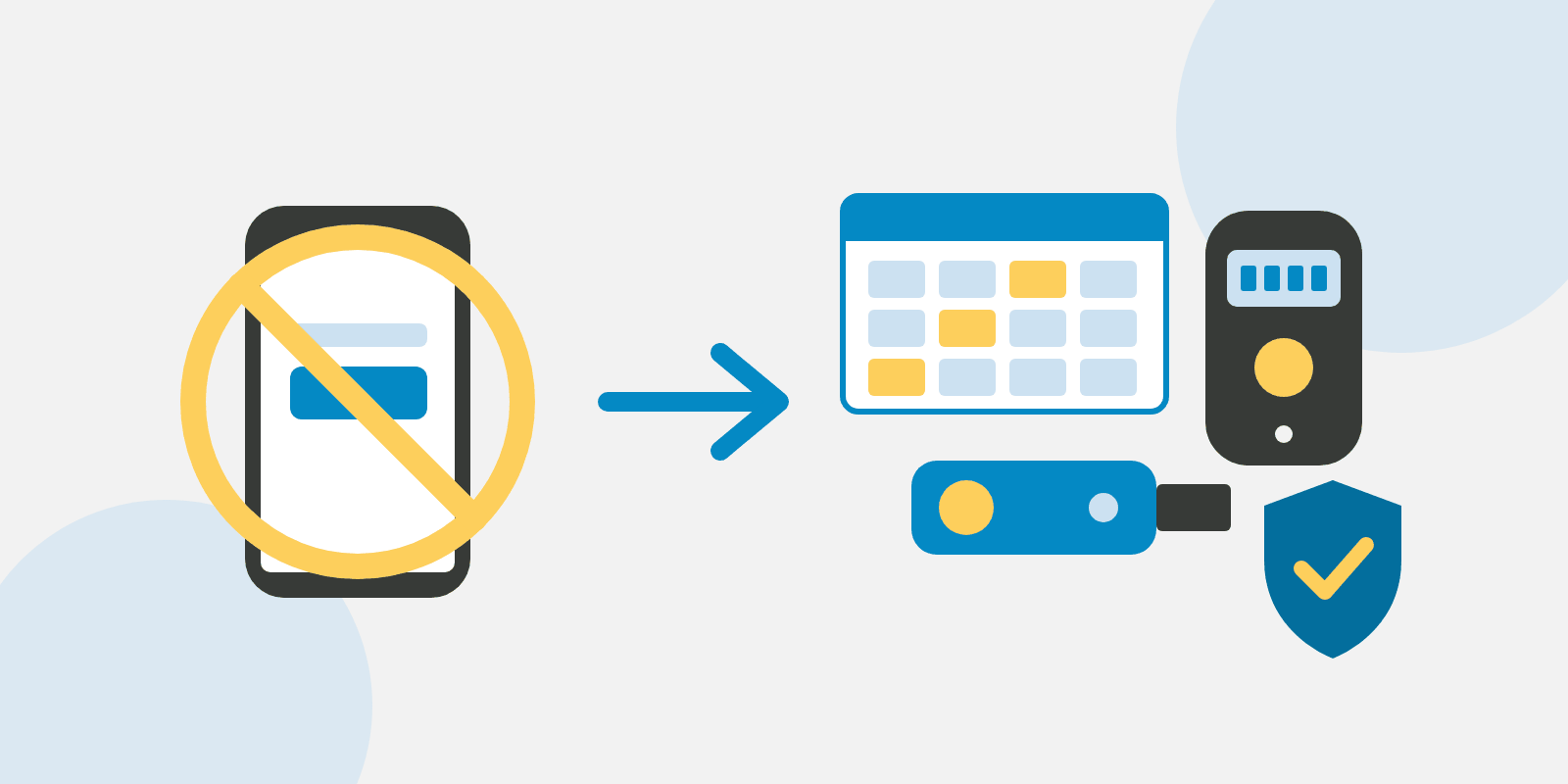
What should you do when staff refuse to use a personal phone for MFA? Make a phone-free option part of your multi-factor authentication (MFA) policy, such as a printed passcode grid, a hardware token and/or a security key, all of which LoginTC supports alongside its app.
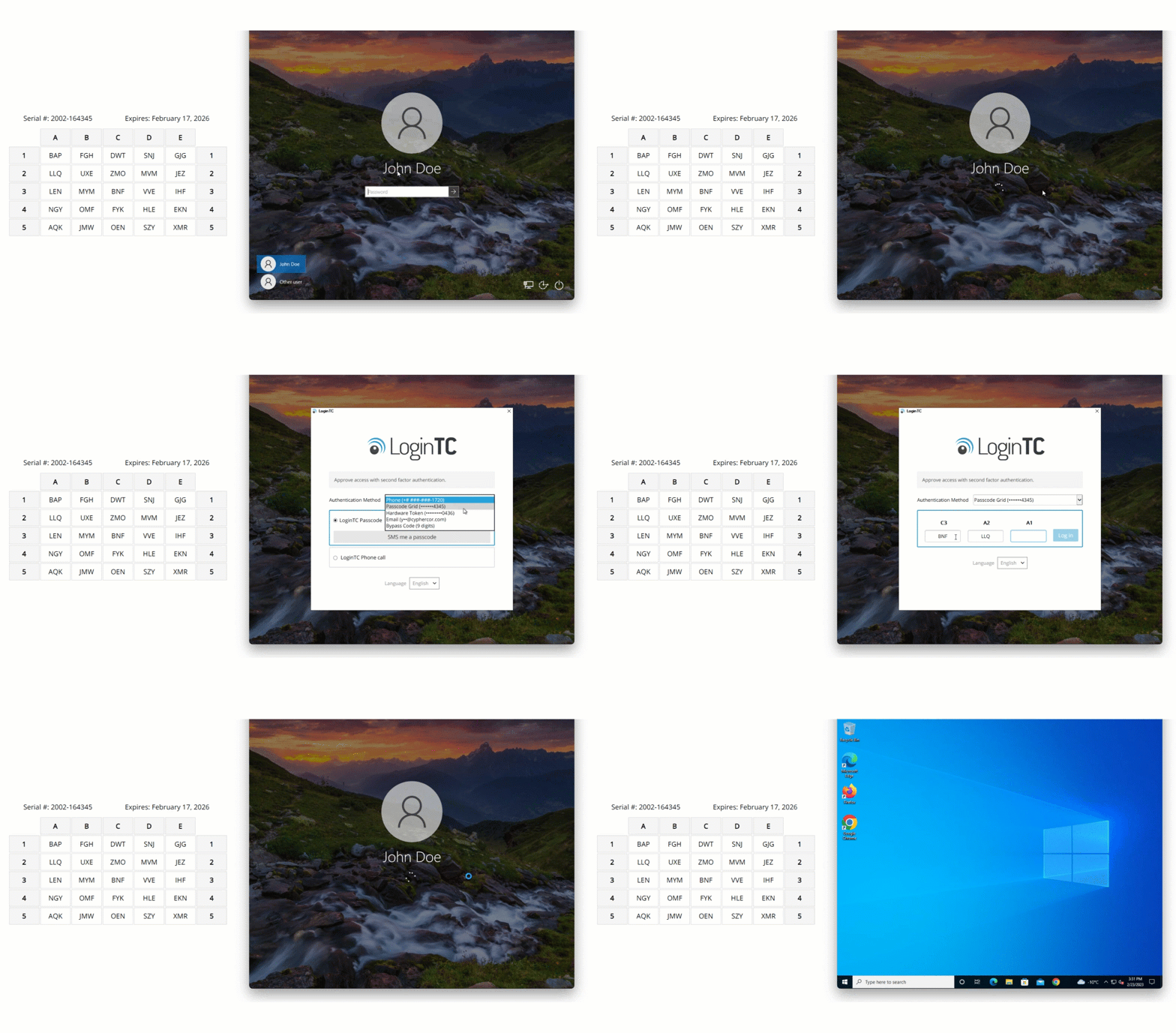
Here’s a LoginTC passcode grid at a Windows sign-in, with no phone involved:
What Microsoft’s SMS change means for staff who refused the app
Many teams let staff who declined the app fall back to text messages (SMS). In Microsoft Entra ID, that fallback is ending.
Available now
LoginTC passcode grids, hardware tokens, security keys and Desktop Push work with Entra ID through External MFA.
1 February 2027
Microsoft stops sending its own SMS and voice MFA codes for most users. Anyone with only SMS or voice has to register a passkey to keep signing in.
1 July 2027
The same change reaches Global Administrators and external users.
Dates: Microsoft Learn, SMS and voice retirement FAQ.
You can keep SMS through a telephony provider in Microsoft Security Store, priced by usage, provider and region, according to Microsoft. It still needs the personal phone your staff said no to.
Microsoft says external MFA users are out of scope unless still enabled for SMS or voice. When you move people to LoginTC, we suggest taking them out of those policies too.
Phone-free MFA with LoginTC
We built LoginTC with several ways to sign in, so a personal phone is one choice among many. Passcode grids, hardware tokens, security keys and Desktop Push work through LoginTC External MFA for Microsoft Entra ID (see our setup guide), and the same LoginTC account also covers virtual private network (VPN), Remote Desktop and Windows logon.
If you already use LoginTC, you can turn on passcode grids and hardware tokens for just the people who need them, in your policies (see the passcode grid guide).
New to LoginTC? Our hardware token program sends two free tokens so you can try them with your own staff.
Here’s a passcode grid sign-in to Microsoft Entra ID with LoginTC:
Phone-free options in Microsoft Entra ID
Look at the password reset column too, since that’s where most phone-free options fall short:
| Option | Needs a personal phone? | Entra sign-in | Entra password reset | How LoginTC helps |
|---|---|---|---|---|
| Passcode grid (printed card) | No | Yes, through LoginTC External MFA | No | LoginTC passcode grids come at no additional cost and work offline at Windows logon |
| Hardware token | No | Yes, through LoginTC External MFA or as a hardware OATH (Initiative for Open Authentication) token, in preview | Yes, as a hardware OATH token (preview) | LoginTC hardware tokens are standard time-based one-time password (TOTP) tokens, and we provide the seed files for Entra |
| Security key (Fast Identity Online, FIDO2) | No | Yes | No | LoginTC security keys also work offline and on-premises |
| Desktop Push (work computer) | No | Yes, through LoginTC External MFA | No | LoginTC Desktop Push is free to use; not at Windows logon, offline or on-premises |
| Phone call to a desk phone | No | Yes, through LoginTC External MFA | No | LoginTC phone call authentication needs no new equipment |
| SMS through a telephony provider | Yes | Yes | Yes | A LoginTC grid or token avoids the phone and the usage-based cost |
Sources: Microsoft Learn, authentication methods in Entra ID (updated 7 May 2026) and the LoginTC hardware token page.
If password reset matters, a hardware token is the only option here that covers both sign-in and self-service password reset (SSPR) with no phone involved. Microsoft also accepts email one-time passcodes for SSPR.
What we hear from staff, and what helps
In our experience, most objections are fair, and some people simply can’t use an app. In Pew Research Center’s 2026 survey, 91% of US adults owned a smartphone and 98% owned a cellphone of some kind, so about 7% have a phone that can’t run an authenticator app (Pew, Mobile Fact Sheet). If phones are banned on site rather than declined, our offshore development center guide is written for that.
| What staff say | How LoginTC helps |
|---|---|
| “I don’t want work apps on my phone.” | A passcode grid or hardware token, with no personal device involved |
| “Can you see or wipe my phone?” | The LoginTC app can’t wipe, locate or inventory a phone, and its token stays on that one device; anyone still uneasy can use a grid or token |
| “Who pays for my phone and data?” | Passcode grids at no additional cost, and two free hardware tokens to test |
| “I don’t have a smartphone.” | A hardware token, a passcode grid or a call to a desk phone (more in MFA without a smartphone) |
| “What happens when I change phones?” | Grids and tokens don’t change with the phone, so there’s nothing to re-enroll |
How we suggest rolling it out
When we help a team set this up, the same questions come up: who can ask for an alternative, which one or two you’ll offer, who pays, and how someone gets a replacement when theirs goes missing (our lost device answers cover that last one).
A passcode grid for desk staff and/or a hardware token for people who move around is a good place to start. Then say so in the rollout email: here’s the standard method, and here are the alternatives if you’d rather not use a personal phone for work.
Set up a phone-free option for your staff
LoginTC customers: turn on passcode grids or hardware tokens in your policies. New to LoginTC: try two hardware tokens free, or book 30 minutes and we’ll show you on your own setup.
Frequently asked questions
Can employees refuse to use their personal phone for work MFA?
Whether an employer can require an app on a personal phone depends on where you operate and on your employment agreements, so it’s a question for your human resources (HR) team or employment counsel. A funded phone-free option, such as a LoginTC passcode grid or hardware token, often heads off the dispute.
What can staff use for MFA instead of a personal phone?
The usual options are a printed passcode grid, a hardware token, a FIDO2 security key, a push to the work computer or a call to a desk phone. LoginTC supports all of them, so each person can use the one that suits their role.
Will Microsoft’s SMS retirement affect staff who refused the Authenticator app?
Yes, if SMS or voice was their only method. From 1 February 2027 they’ll have to register a passkey to sign in, unless you give them another option first, such as LoginTC through External MFA.
Which phone-free methods work for Microsoft Entra password reset?
Hardware OATH tokens (in preview) and email one-time passcodes, according to Microsoft. LoginTC hardware tokens can be registered in Entra as hardware OATH tokens, and we provide the seed files.
What’s the lowest-cost MFA option if staff won’t use a personal phone?
A passcode grid: a printed card where the user enters the values of three cells at sign-in. LoginTC passcode grids come at no additional cost.
Can the work computer be the second factor instead of a phone?
Yes, for desk-based staff. LoginTC Desktop Push sends the approval to the computer through the LoginTC app from the Chrome Web Store, and it’s free to use. It works with Microsoft Entra ID, though not at Windows logon, offline or on-premises.
Does an authenticator app let an employer see or wipe a personal phone?
Not the LoginTC app: it can’t wipe, locate or inventory a phone, and its token stays on that device with no cloud sync. Mobile device management (MDM) is a separate tool that enrolls and controls a device, so we suggest saying in the rollout email which one you use.